PX-150
– 40 –
C. ROM Version Check
(This section describes how to identify the ROM version, not to test it.)
NOTE: To skip this check, press the “FUNCTION” button and proceed to the next check.
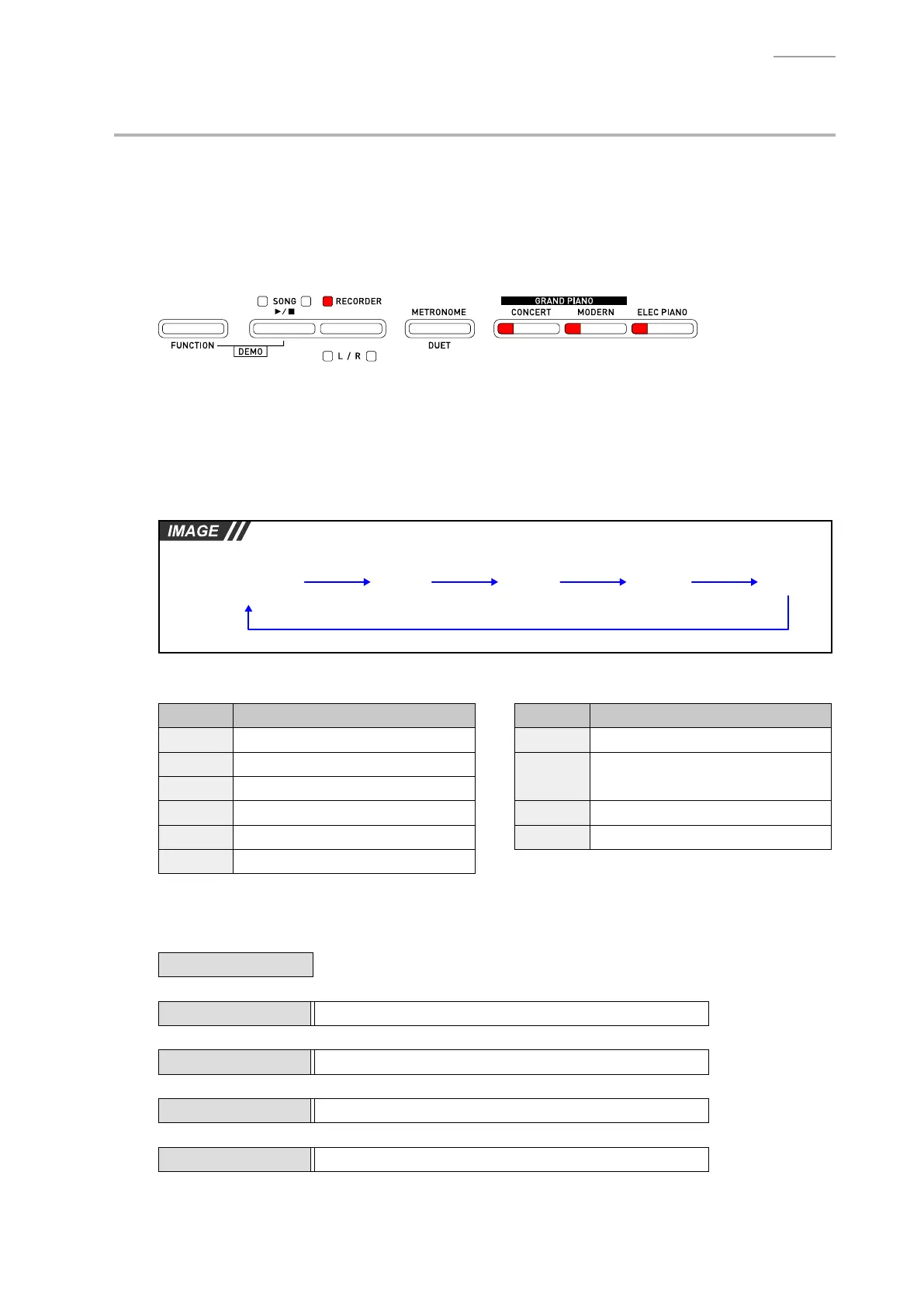
C-1. When you press the “FUNCTION” button, the following LEDs illuminate and the ROM Version
Check Mode enters into its stand-by status.
NOTE: Theconrmationchord(C4/E4/G4)sounds.
• Lit in Red: RECORDER, CONCERT, MODERN, ELEC PIANO
C-2. You can identify the ROM version (4 digits) by repeatedly pressing the “SONG” button while in the
stand-by status.
NOTE: The number indicating each digit of the ROM version will be expressed by LEDs that
illuminate.
NOTE: Eachtimeyoupressthe“SONG”button,theconrmationtone(C6)soundsandtheLED
indication moves to the next digit.
Stand-by status
(As in step C-1)
4th digit 3rd digit 2nd digit 1st digit
“SONG” “SONG” “SONG” “SONG”
<Version number vs. LED indication>
Number LED Number LED
0 All LEDs OFF 6 “CONCERT” + “MODERN”
1 “ELEC PIANO”
7
“CONCERT” + “MODERN” +
“ELEC PIANO”
2 “MODERN”
3 “MODERN” + “ELEC PIANO” 8 “RECORDER”
4 “CONCERT” 9 “RECORDER” + “ELEC PIANO”
5 “CONCERT” + “ELEC PIANO”
<Example>
The example below shows the ROM version “0105” (Ver. 1.05).
Stand-by status
↓
4th digit All LEDs OFF (Version number: 0)
↓
3rd digit “ELEC PIANO” (Version number: 1)
↓
2nd digit All LEDs OFF (Version number: 0)
↓
1st digit “CONCERT” + “ELEC PIANO” (Version number: 5)



 To Next Page