PX-150
– 41 –
D. Button Check
NOTE: This check cannot be skipped.
D-1. Press the “FUNCTION” button twice.
NOTE: Theconrmationchord(C4/E4/G4)soundseachtimeyoupressthebutton.
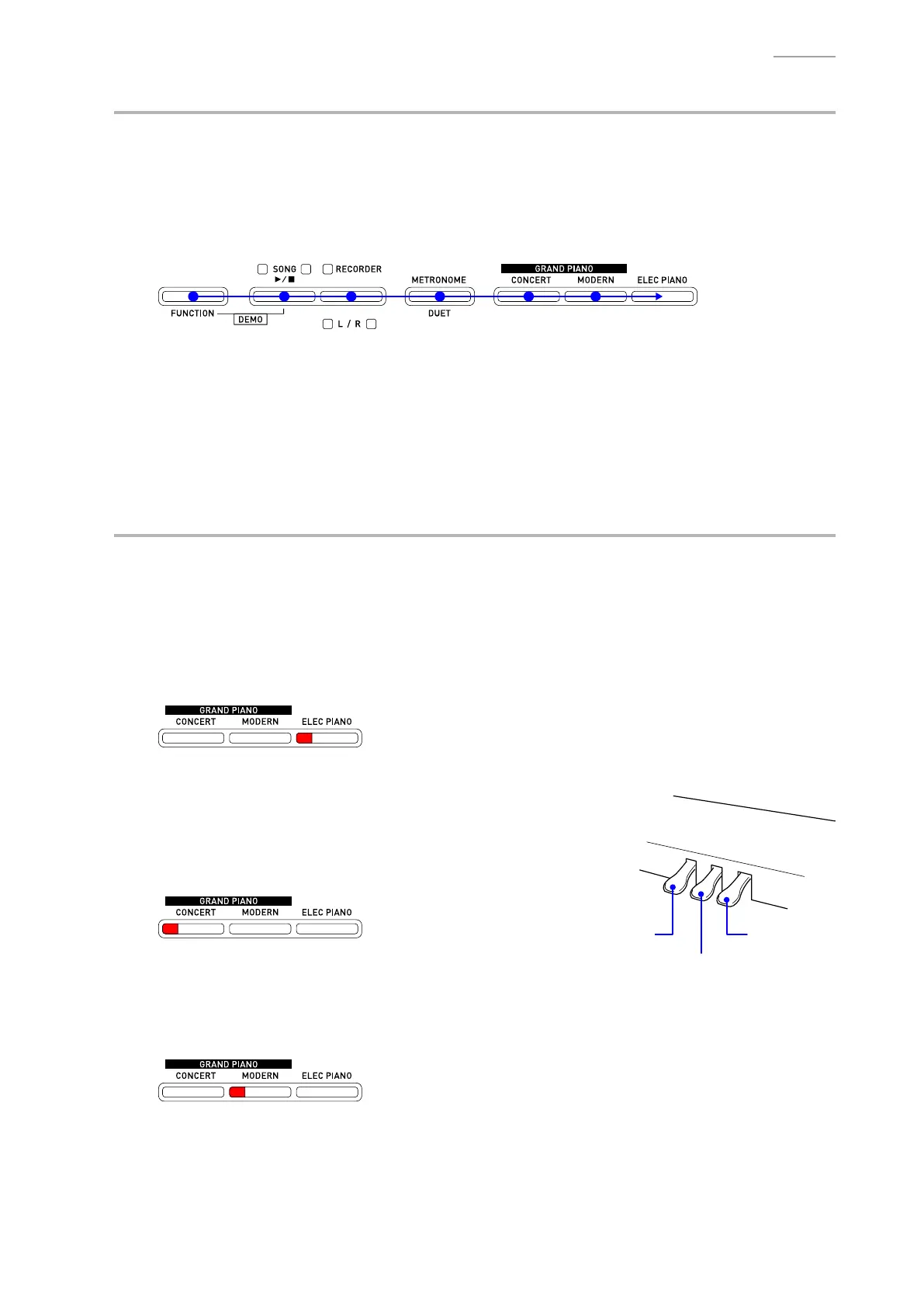
D-2. Press the buttons in the order shown below.
If the result passes (OK):
• Theconrmationtone(C6)sounds.
• Whenpressthe“ELECPIANO”buttonattheend,theconrmationchord(C4/E4/G4)sounds.
If the result fails (NG):
• If there is a button failure or the buttons are pressed in a wrong sequence, the error tone (F2)
sounds.
E. Pedal Check
NOTE: If there is no pedal or when you choose to skip this check, simply proceed to the next check.
NOTE: The procedures differ depending on the pedal use.
<Pedal check for SP-3 or SP-20>
E-1. Press the pedal and then check that the “ELEC PIANO” LED is lit.
NOTE: Theconrmationtone(C4)sounds.
<Pedal check for SP-33>
E-1. Press the “SOFT” pedal and then check that the “CONCERT”
LED is lit.
NOTE: Theconrmationtone(E4)sounds.
• Lit in Red: CONCERT
E-2. Press the “SOSTENUTO” pedal and then check that the
“MODERN” LED is lit.
NOTE: Theconrmationtone(G4)sounds.
• Lit in Red: MODERN
SOFT DAMPER
SOSTENUTO



 To Next Page