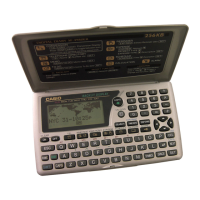
Introduction SF-4990/SF-6990/SF-7990
E
8
Contents
Before using the unit for the first time ........................................ 1
About the EL backlight ............................................................................... 3
Introduction – SF-4990/SF-6990/SF-7990 .................................... 4
Multiple Language Capability ......................................................................... 5
About this manual... ....................................................................................... 6
Manual conventions ....................................................................................... 7
PART 1 – Getting Started ........................................................... 13
Read this first! .............................................................................................. 13
Make back up copies of important data! ...................................................... 13
About the “DATA ERROR!.....” message… ................................................. 13
General Precautions .................................................................................... 15
About the Power Supply .............................................................................. 15
Low Battery Message .............................................................................. 16
Battery Precautions ................................................................................. 16
To replace the batteries ........................................................................... 18
Resetting the SF Unit’s Memory .................................................................. 19
To reset the SF Unit’s memory ................................................................ 19
PART 2 – Operation Reference .................................................. 21
General Guide ............................................................................................ 21
Setting Up the SF Unit ............................................................................... 22
To switch power on and off ...................................................................... 22
About the Auto Power Off function... ....................................................... 22
To turn on the EL backlight ...................................................................... 22
To adjust the display contrast .................................................................. 23
To select a mode ..................................................................................... 23
To check the memory status ................................................................... 24
To use the FUNCTION key ..................................................................... 25
About the SOUND menu... ...................................................................... 25
To switch the key input and schedule alarm tone on and off ................... 25
About alarm types .................................................................................... 26
Inputting Letters, Numbers and Symbols ................................................ 27
To input letters and numbers ................................................................... 27
To input upper-case and lower-case letters ............................................ 27
To shift the keyboard ............................................................................... 27



 To Next Page