PART 1 Getting Started
E
18
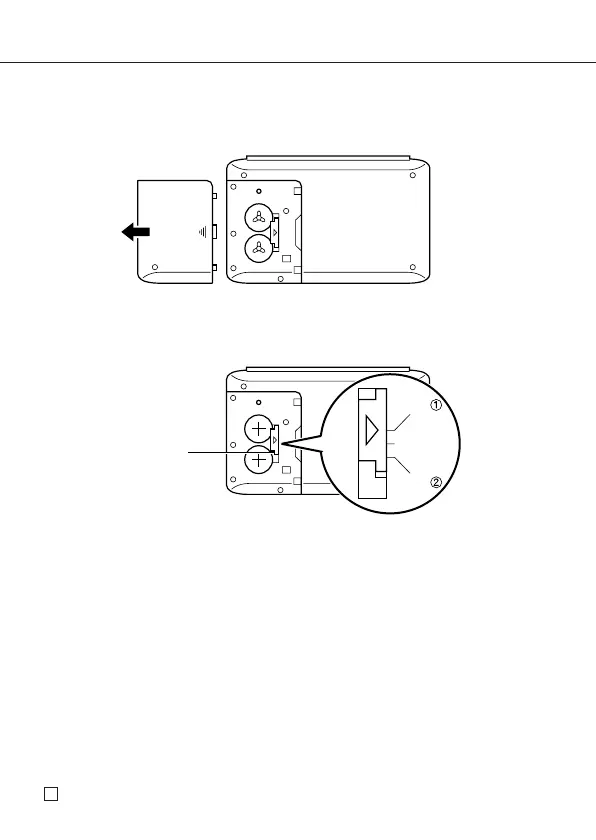
To replace the batteries
1. Press ON/OFF to switch power off.
2. Slide the battery compartment cover in the direction indicated by the arrow.
3. Slide the battery switch to the “REPLACE 1” setting.
Insert a thin, pointed object into (A) and remove the old battery.
Caution
Be sure to remove only one battery at a time. Otherwise, you will lose all
data stored in memory.
4. Replace the old battery with a new one, making sure that the positive (+) side
of the new battery is facing up (so you can see it).
5. Slide the battery switch to the “REPLACE 2” setting and repeat step 4 for the
other battery.
• Be sure to load two new CR2032 batteries at the same time . Never mix an
old battery with a new one.
6. Slide the battery switch to the “LOCK” setting.
7. Replace the battery compartment cover.
(A)
LOCK
REPLACE
REPLACE



 To Next Page