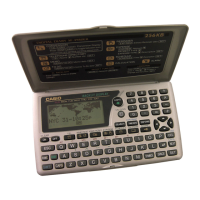
Introduction SF-4990/SF-6990/SF-7990
E
10
To edit labels ........................................................................................... 46
To specify a date ..................................................................................... 47
To input Expense Mode data ................................................................... 47
To calculate expense totals for a specific period ..................................... 48
About the total amount display ................................................................ 50
Where to find other information ............................................................... 50
Using the To Do Mode ............................................................................... 51
To input To Do Mode data ....................................................................... 51
About the To Do list ................................................................................. 51
To check and uncheck To Do items ........................................................ 51
Where to find other information ............................................................... 52
Using the Anniversary Mode .................................................................... 53
About Anniversary Mode Display formats ............................................... 53
To enter the Anniversary Mode ............................................................... 54
To input Anniversary Mode data .............................................................. 54
Where to find other information ............................................................... 54
Recalling data stored in memory ............................................................. 55
To locate data using index search ........................................................... 55
To locate data using initial character search ........................................... 55
To locate data using mode search .......................................................... 56
Editing, Deleting and Copying data ......................................................... 57
To edit a data item ................................................................................... 57
To delete a single data item .................................................................... 57
To delete all data items in a mode ........................................................... 57
To delete multiple data items in the Schedule Keeper Mode or
Expense Mode .................................................................................... 58
To move a Schedule Keeper data to a different date .............................. 58
To move an Expense Mode data item to a different date ........................ 59
To copy a data item ................................................................................. 59
Memory Management Operation .............................................................. 59
Using the Secret function ......................................................................... 60
To create a secret memory area ............................................................. 60
To enter an existing secret memory area ................................................ 61
To edit an existing password ................................................................... 61
To transfer data from the open memory area to the secret
memory area ....................................................................................... 62
To transfer data from the secret memory area to the open
memory area ....................................................................................... 62



 To Next Page