61
Program 3
TE-3000S/4000F/4500F Dealer's Manual
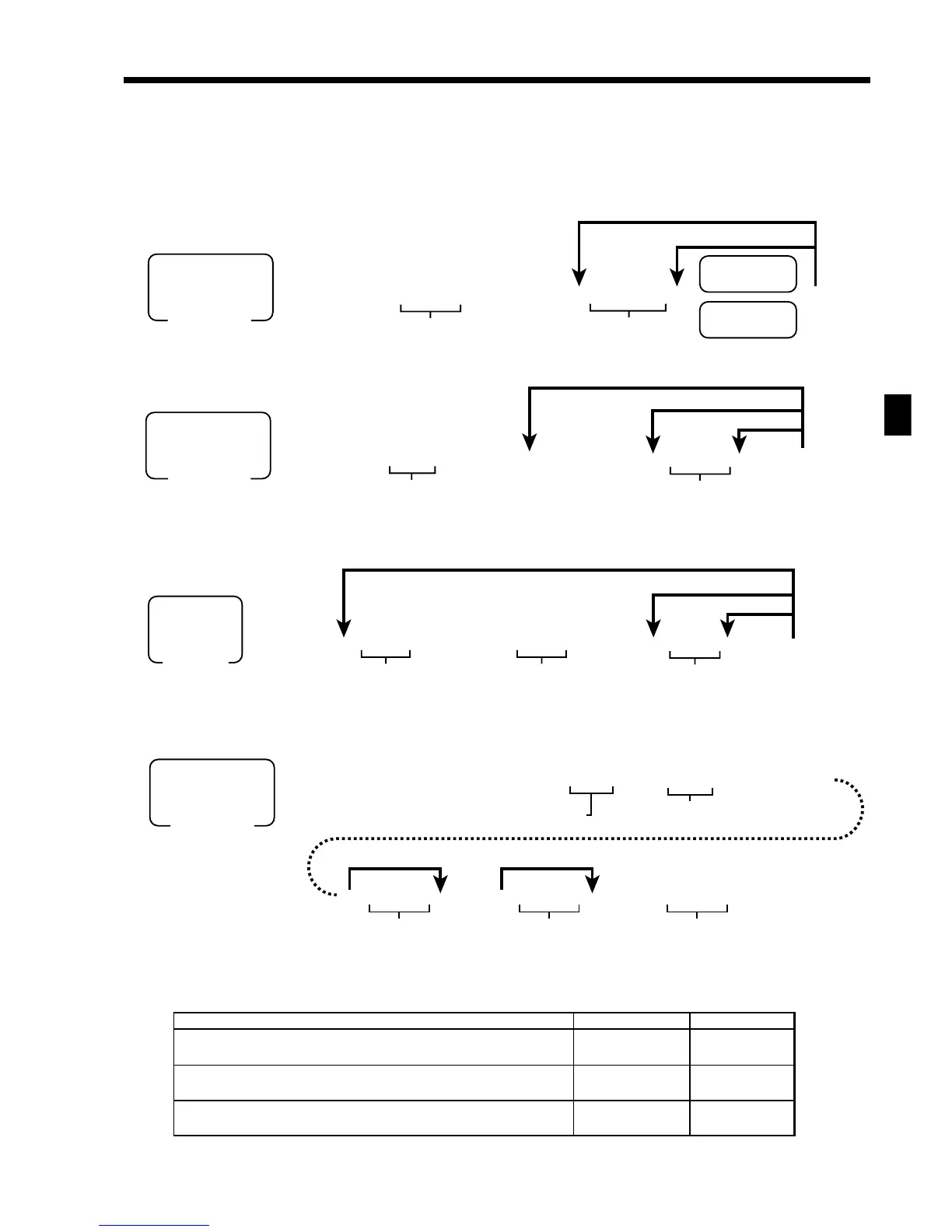
Department key/flat-PLU key/PLU/subdepartment program
(Individual feature programming)
Programming procedure
Department/flat-PLU key
PLU
Program data (by address code)
Address code 11 (link)
Range (Department/PLU/flat-PLU/subdepartment)
Subdepartment
Description Choice Program code
Link group record number: (00 ~ 99)
Link department record number: (00 ~ 99)
(for PLU, PLU 2nd@, and subdepartment)
Link subdepartment record number: (00 ~ 99) (for PLU and PLU 2nd@)
::
D
6
D
5
::
D
4
D
3
::
D
2
D
1
Significant
numbers
Significant
numbers
Significant
numbers
6 3s 6 ::66s 6 ::66s
PGM
Mode switch
To another department/flat-PLU key
Program data
Department
Flat-PLU
Same program
Address code
~
PGM
Mode switch
To a new (not sequential) PLU
Program data
Same program
Address code
PLU No.
Different program to the next PLU
~
63s 6
::03s
6
1166s
6
: :
6 a 6 s
PGM
Mode switch
To a new (not sequential) subdepartment
Program data
Same program
Record No.
(Max. 3 digits)
Different program to the next record
Address code
(“11” only)
~~
6
3s
6
990000 ::s
6
::66s
6
6
::
6
a
6
::
6
a
6
::a
6
s
PGM
Mode switch
Program data
Address code
Department = 05
PLU/flat-PLU = 04
Subdepartment = 03
Start rec-#
End rec-#
Starts “0001”.
Ends “the last record”.
}
~~~



 To Next Page