EasyManua.ls Logo

Casio XJ-M255 - User Manual

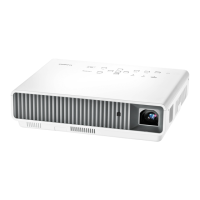
Casio XJ-M255
69 pages
Print Icon
To Next Page IconTo Next Page
Loading...
1
DATA PROJECTOR
XJ-M145/XJ-M155/
XJ-M245/XJ-M255
Data Projector
USB Function Guide
z Be sure to read the precautions in the separate Setup Guide.
z Be sure to keep all user documentation handy for future reference.
z To obtain the latest version of this manual visit the website at the URL below.
http://www.casio.com/support/
z Microsoft, Windows, Windows Vista and PowerPoint are registered trademarks or trademarks of
Microsoft Corporation in the United States and other countries.
z ArcSoft and the ArcSoft logo are trademarks or registered trademarks of ArcSoft, Inc. in the
United States and other countries.
z Macintosh, Mac OS and QuickTime are trademarks or registered trademarks of Apple, Inc. in the
United States and other countries.
z Other company and product names may be registered product names or trademarks of their
respective owners.
z The contents of this manual are subject to change without notice.
z Copying of this manual, either in part or its entirety, is forbidden. You are allowed to use this
manual for your own personal use. Any other use is forbidden without the permission of CASIO
COMPUTER CO., LTD.
z CASIO COMPUTER CO., LTD. shall not be held liable for any lost profits or claims from third
parties arising out of the use of this product, the included software or this manual.
z CASIO COMPUTER CO., LTD. shall not be held liable for any loss or lost profits due to loss of
data due to malfunction or maintenance of this product, or any other reason.
z The sample screens shown in this manual are for illustrative purposes only, and may differ
somewhat from the screens actually produced by the product.
E
D


Other manuals for Casio XJ-M255

Questions and Answers

  • C
    Christopher RichardsAug 31, 2025
    Why won't the light source unit light on my Casio Projector?
    • R
      Richard LoweAug 31, 2025
      If the light source unit in your Casio Projector does not light, it has likely reached the end of its service life or is malfunctioning. Contact your original dealer or an authorized CASIO service center for replacement.
  • M
    mcobbAug 30, 2025
    How to change the language on a Casio Projector?
    • T
      Timothy WhiteAug 30, 2025
      To change the language on your Casio Projector, follow these steps: 1. Press the [MENU] key to display the setup menu. 2. If the input signal is HDMI, press [T] four times and then press the [ENTER] key. If the input signal is not HDMI, press [T] five times and then press the [ENTER] key. 3. Display the language selection menu. If the input signal is RGB, press [T] six times and then press the [ENTER] key. If the input signal is not RGB, press [T] five times and then press the [ENTER] key. 4. Use the [T] and [S] keys to move the highlighting to the language you want to select and then press the [ENTER] key. 5. Press the [MENU] key to exit the setup menu.
  • C
    Christine Williams DDSAug 29, 2025
    What to do if my Casio XJ-M255 Projector asks for a password?
    • O
      opetersonAug 29, 2025
      If the message “Please input the password.” appears on your Casio Projector, the “Option Settings 1 J Power On Password” setting on the setup menu is turned on, meaning the projector is password protected. Input the correct password, and then press the [ENTER] key.
  • A
    Amanda KellerAug 28, 2025
    What to do if my Casio XJ-M255 has a strange color display?
    • T
      Terry KingAug 28, 2025
      If you're seeing strange colors on your Casio Projector, the input signal may not match the projector settings. Try adjusting the image brightness using the [BRIGHT] key, changing the color mode using the [COLOR MODE] key, or adjusting the projection image color balance using “Image Adjustment 1 J Color Balance” in the setup menu.
  • A
    Andrew ElliottAug 27, 2025
    Why does the remote controller not work with my Casio XJ-M255?
    • J
      johnsonronaldAug 27, 2025
      If the remote controller for your Casio Projector isn't working, first replace the batteries. If that doesn't solve the issue, ensure you are operating the remote controller within the allowable range of the projector.
  • N
    Nichole WhiteAug 27, 2025
    How to fix blurry text on a Casio Projector?
    • D
      Daniel GreenAug 27, 2025
      If the text is blurry on your Casio Projector, rotate the focus ring to focus the image. If that doesn't work, press the [AUTO] key to execute an automatic adjustment. If the issue persists, the frequency and phase may need adjusting in the “Image Adjustment 2 J Frequency” and “Image Adjustment 2 J Phase” settings on the setup menu. If the input source is a video camera or document camera, check to make sure there is no problem with the input source device.
  • M
    Monica ThompsonAug 26, 2025
    Why is there no sound coming from my Casio XJ-M255?
    • M
      michael75Aug 26, 2025
      If there is no sound from your Casio Projector, first check the volume level on the projector itself by pressing the remote controller [VOLUME] key and using [T] and [S] to adjust the volume level. Also, verify that the volume level of the device connected to the projector is not too low and that it is outputting audio. Ensure the audio output of the connected device is correctly connected to the projector’s AUDIO IN terminal or AUDIO IN L/R terminal. Finally, make sure the “Audio Out” setting is set to “Speaker” and not “Line” in the setup menu “Option Settings 2 J Audio Out”.
  • C
    Carolyn SullivanAug 25, 2025
    What to do if my Casio XJ-M255 shows no image or an abnormal image?
    • S
      stephanie08Aug 25, 2025
      If no image is projected or the projected image is abnormal on your Casio Projector, first ensure that the connected computer or video device is turned on and outputting a video signal. Next, select the correct input source on the projector that corresponds to the connected device. If you're using the component output terminal of a video device, connect it to the VIDEO or S-VIDEO terminal of the projector instead of the COMPUTER IN terminal.

Summary

About this manual

Terms and Conventions

Defines key terms and conventions used in the manual for clarity.

About the Data Projectors USB Functions

USB Memory Device or Memory Card

Details supported file types and usage for USB memory devices.

Connecting a USB Device to the Data Projector

Installing the Software

Minimum System Requirements

Outlines the necessary computer specifications for software installation and operation.

Projecting the Contents of Files on a Memory Device

Using EZ-Converter FA to Convert PowerPoint Files to ECA or PtG Files

Guide on converting PowerPoint to projector-compatible formats using specific software.

Starting Projection with Viewer

Projecting an Image File

Configuring Viewer Settings

Viewer Troubleshooting

Memory Devices

Addresses common problems encountered when using memory devices with the Viewer.

Performing a Presentation Using the YC-400;YC-430 Document Camera

Connecting the Document Camera to the Data Projector

Provides steps to connect the document camera to the projector for image display.

Projecting the Screen Image of a Graphing Calculator

To project the screen image of a graphing calculator

Step-by-step guide for projecting content from a CASIO graphing calculator via USB.

Casio XJ-M255 Specifications

General IconGeneral
Brightness3000 ANSI Lumens
ResolutionWXGA (1280 x 800)
Max ResolutionUXGA (1600 x 1200)
Aspect Ratio16:10
Throw Ratio1.5 - 1.8:1
Projection SystemDLP
Screen Size30 - 300 inches
Lamp Lifeup to 20000 hours
Weight3.9 kg
Lamp TypeLaser & LED Hybrid
Input TerminalsHDMI, VGA
Output TerminalsVGA (D-Sub 15) x 1, Audio (Mini Jack) x 1
Operating Temperature5 - 35 °C

Related product manuals