General Guide
E-6
6
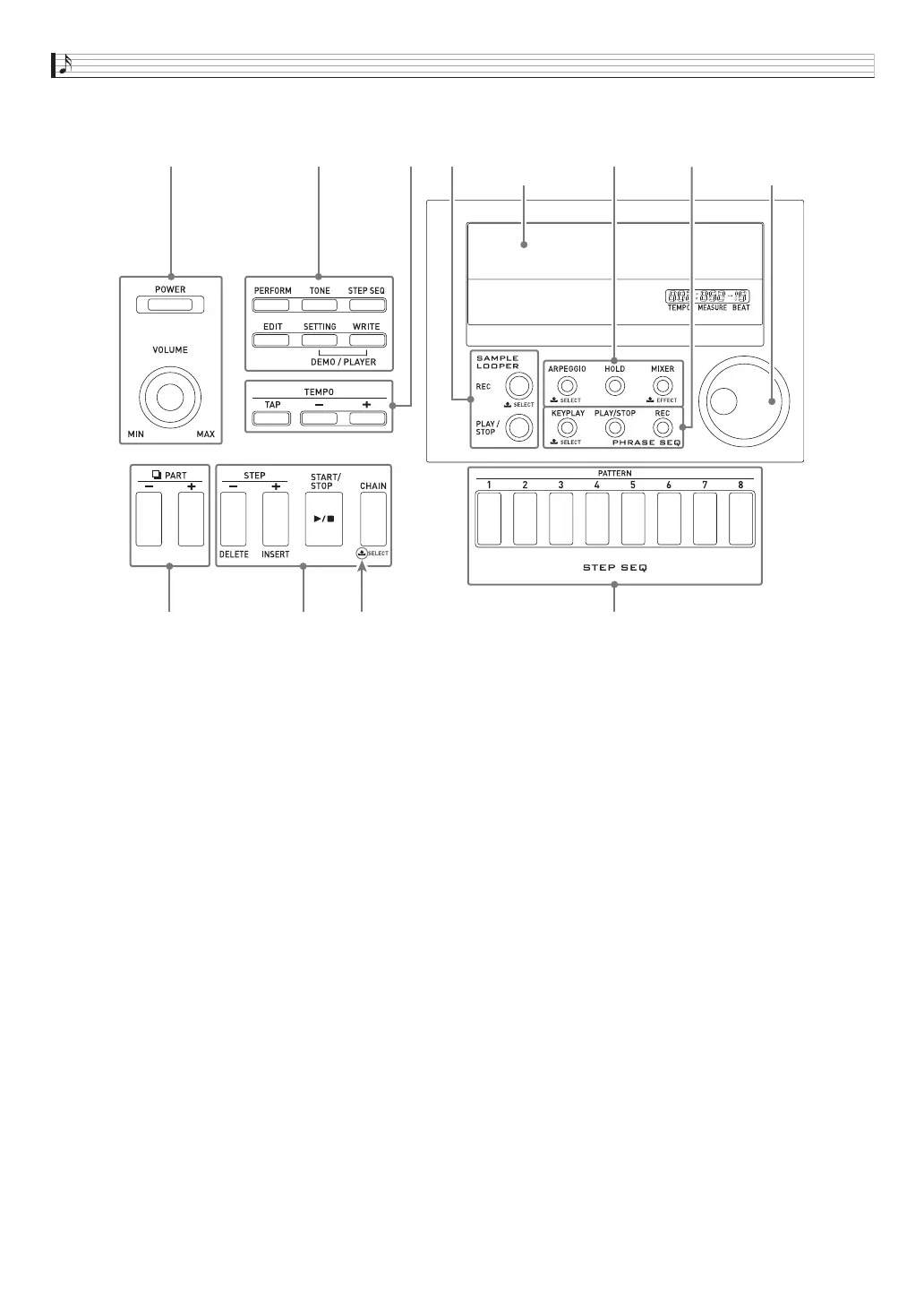
Use the [POWER] button to turn power on or off, and the [VOLUME] knob to adjust the volume level. ☞ Page E-9
7
Use the top three buttons to select the Synthesizer’s mode. Use the bottom three buttons to edit and save tone and other
data, and to configure system-wide general settings. ☞ Page E-11, E-12, E-81
8
Use these buttons to adjust the tempo of the step sequencer, phrase, and other playback. ☞ Page E-46
9
Use these buttons to select a part for editing with the step sequencer or mixer. ☞ Page E-52, E-78
bk
Use these buttons to select a step for step sequencer playback or editing. ☞ Page E-52
bl
Use these buttons to select a step sequencer pattern. ☞ Page E-11, E-52
bm
Use these buttons for sample looper recording and playback. ☞ Page E-64
bn
Use these buttons to turn the arpeggio and hold functions on or off, and to change mixer or effect settings.
☞ Page E-37, E-40, E-78
bo
Use these buttons to perform phrase sequencer recording and playback. ☞ Page E-45
bp
Use the dial for quick change of the numbers and values that appear on the display. ☞ Page E-11
6
9
bk bl
7
bn
8 bm bo bp
Center
LCD
Indicates name of function
when button is held down.
(Dial)


 To Next Page