Other Useful Functions
E-68
3.
Move a slider to adjust the setting of the part assigned to it.
• Use the
bq
cursor (U, q, w, I) buttons to select a setting item.
4.
Use the
4
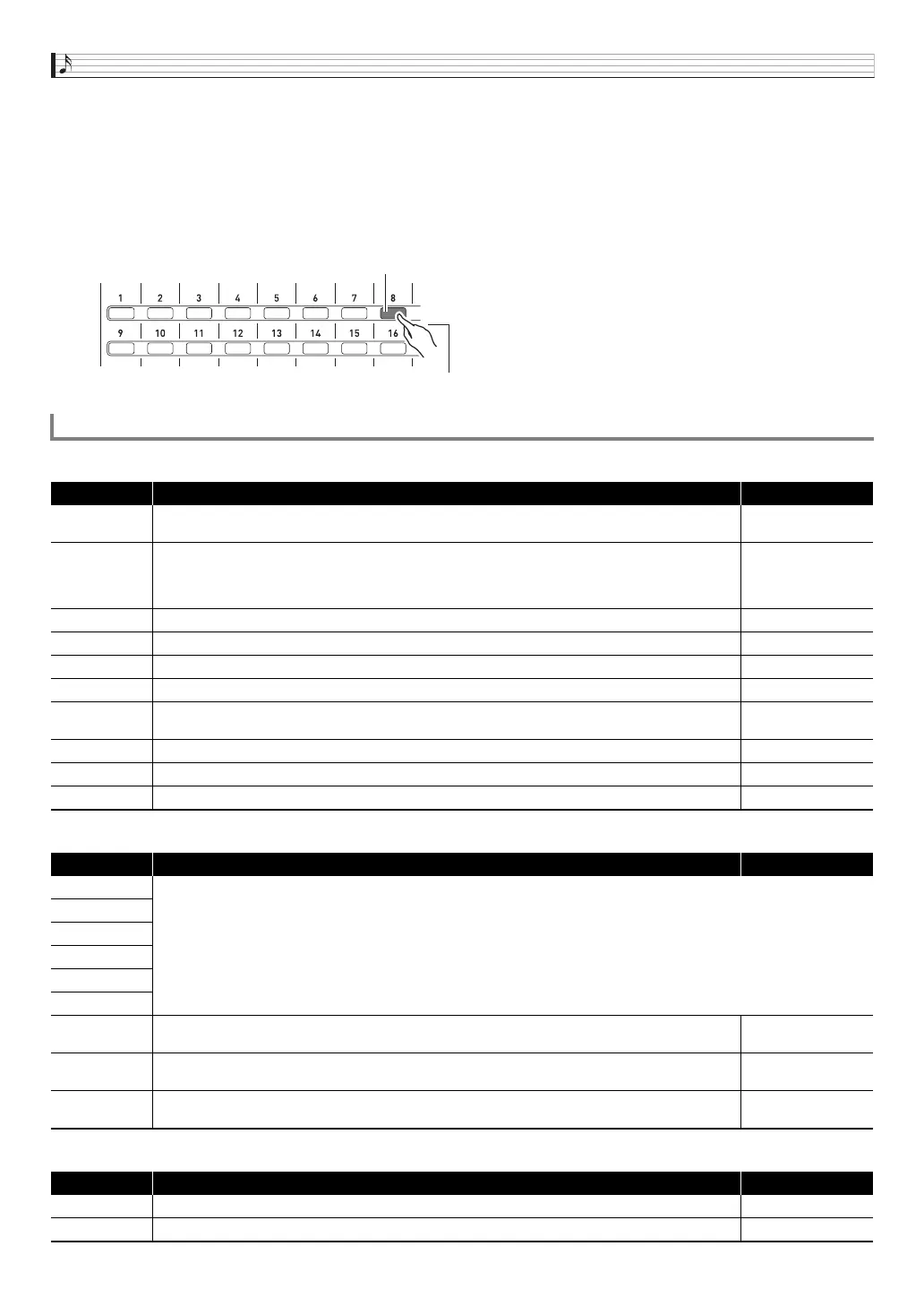
1 to 16 buttons to toggle parts 01 through 16 between on and off.
• Each press of a button toggles it between lit (on) and unlit (off).
• Holding a button down will turn that part on and turn all other parts off (solo mode). Press the same button again to exit the
solo mode.
Example: To enter the solo mode for Part 08
■ Part 01 through Part 16 Settings
■ External Input Part Settings
■ Master Settings
Mixer Settings
Display Description Settings
Part
Part on/off. Turns each part on or off. This is the same parameter that is turned on and off by the
4
1to16 buttons (page E-68).
Off, On
Tone
Part tone. This is the tone of each part.
While this item is selected, you can select a tone using the same operation as that used in the Tone
Mode.
• A tone with DSP will have DSP next to the tone name on the display (page E-37).
Part 01: Solo Synth
P00 to Various U29
Part 02 to 16: Piano
P00 to Various U29
Volume Part volume. This is the volume of each part. 0 to 127
Pan Part panning. Adjusts the left-right position of sound in the stereo field. –64 to 0 to +63
CoarseTune Part coarse tune. Shifts the pitch of notes by semitone units. –12 to 0 to +12
FineTune Part fine tune. Shifts the pitch of notes by cent units. –99 to 0 to +99
BendRange
Part bend range. Specifies (in semitone units) the maximum change in pitch when the
bs
BENDER
wheel is rotated.
–24 to 0 to +24
DSP Line Part DSP line. Specifies whether DSP (page E-37) is applied to the notes of each part. Off, On
Rev Send Part reverb send. Controls how the reverb effect (page E-37) is applied to each part. 0 to 127
Cho Send Part chorus send. Controls how the chorus effect (page E-37) is applied to each part. 0 to 127
Display Description Settings
Part
Same as “Part 01 through Part 16 Settings” (page E-68).
Volume
Pan
DSP Line
Rev Send
Cho Send
N.Thresh
Noise gate threshold. Reduces noise by cutting all input sound at a volume that is smaller than this
setting value.
0 to 127
N.Release
Noise gate release. Time that input sound is cut after its volume drops below the noise gate threshold
value.
0 to 127
Auto Level
Auto level control. Automatically adjusts the input signal level. The greater the setting value, the stronger
the effect.
Off, 1 to 3
Display Description Settings
Volume Master volume. Adjusts the volume of all the parts. 0 to 127
Pan Master panning. Adjusts the left-right position of sound in the stereo field of all the parts. –64 to 0 to +63
4
Lit
Hold down for a short while.


 To Next Page
 Loading...