2
3
4
1
Appendix
SET
3
9
(Press and hold)
Backlight off Backlight on
(*1)
Button functions
enabled (*2)
MODE
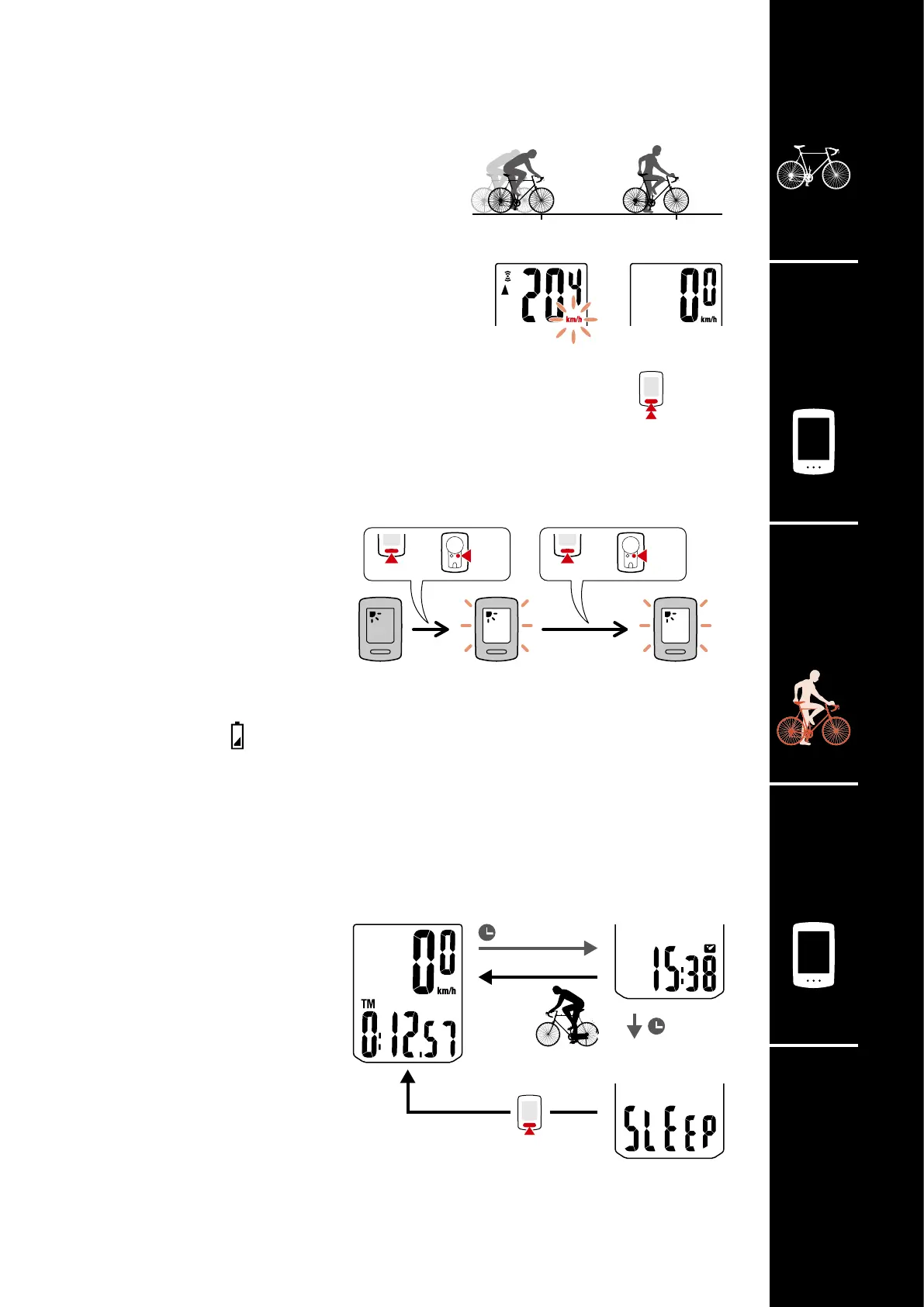
Starting/stopping measurement
Measurement starts automatically when the
bicycle moves.
During measurement the measurement unit
(km/h or mph) flashes.
Resetting data
Pressing and holding the MODE button when on the measurement
screen resets all measurement data to 0 (excluding Odo).
Power-saving function
If the computer does not receive
any signal for 10 minutes, the
power-saving screen is activated
and only the clock is displayed.
If MODE is pressed or a sensor
signal is received while the pow-
ersaving screen is activated, the
computer returns to the measure-
ment screen.
* If the computer is left on the
power-saving screen for 1 hour,
SLEEP is displayed. When the
computer is in this state, you can
return to the measurement screen
by pressing the MODE button.
Starting measurement
[Measurement screen]
or
MENU
or
MENU
Backlight (night mode)
When night mode is enabled, the
backlight turns on for 5 seconds
when the button is pressed. Back-
light operation can be extended by
pressing the button again.
For details on the setting method,
see “Night mode” (page 10).
* When the remaining battery
charge is low (when
turns on),
the backlight will not turn on.
*1: When you press the button at the specified time, the
backlight turns on, and the actual function of the button
is not performed.
*2: If you press the button when the backlight is on, the
function of the button will be performed.
Measurement
starts
Measurement
stops
1 hour
10 minutes
Sleep
Power-saving
screen
Measurement
screen













 To Next Page