2
3
4
Appendix
SET
1
4
SENSOR ZONE
5 mm
Mounting the computer
5
Attach/detach computer
6
Test operation
After attaching the computer, rotate the front wheel gently to check that current
speed is displayed on the computer.
If the speed is not displayed, refer to the attachment conditions in steps 1, 2, and 4
again.
4
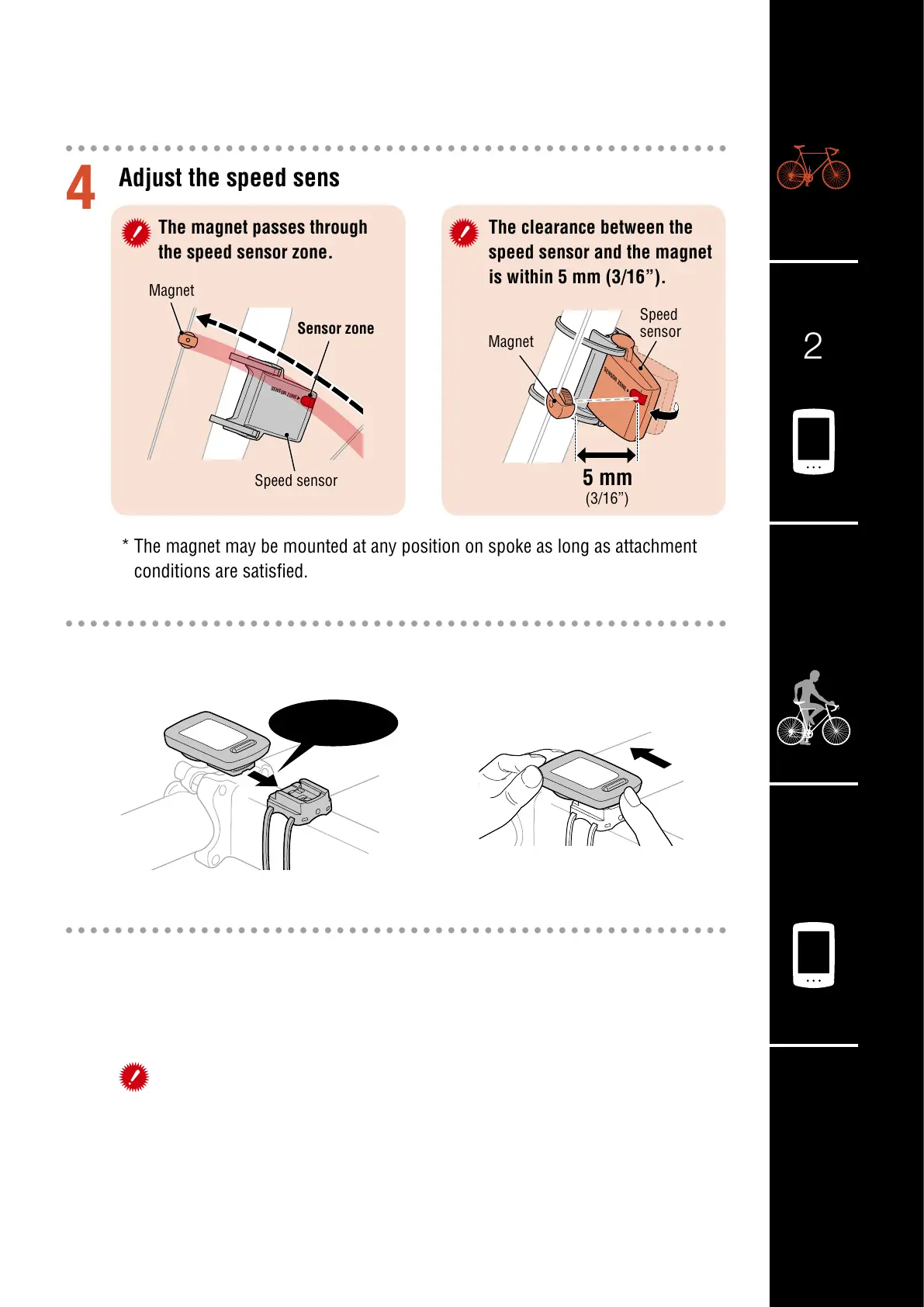
Adjust the speed sensor and the magnet
The magnet passes through
the speed sensor zone.
The clearance between the
speed sensor and the magnet
is within 5 mm (3/16”).
* The magnet may be mounted at any position on spoke as long as attachment
conditions are satisfied.
Hold computer.
Push out so that front lifts up.
Click
Magnet
Sensor zone
Speed sensor
(3/16”)
Speed
sensor
Magnet













 To Next Page