OWNER’S MANUAL PAGE 34
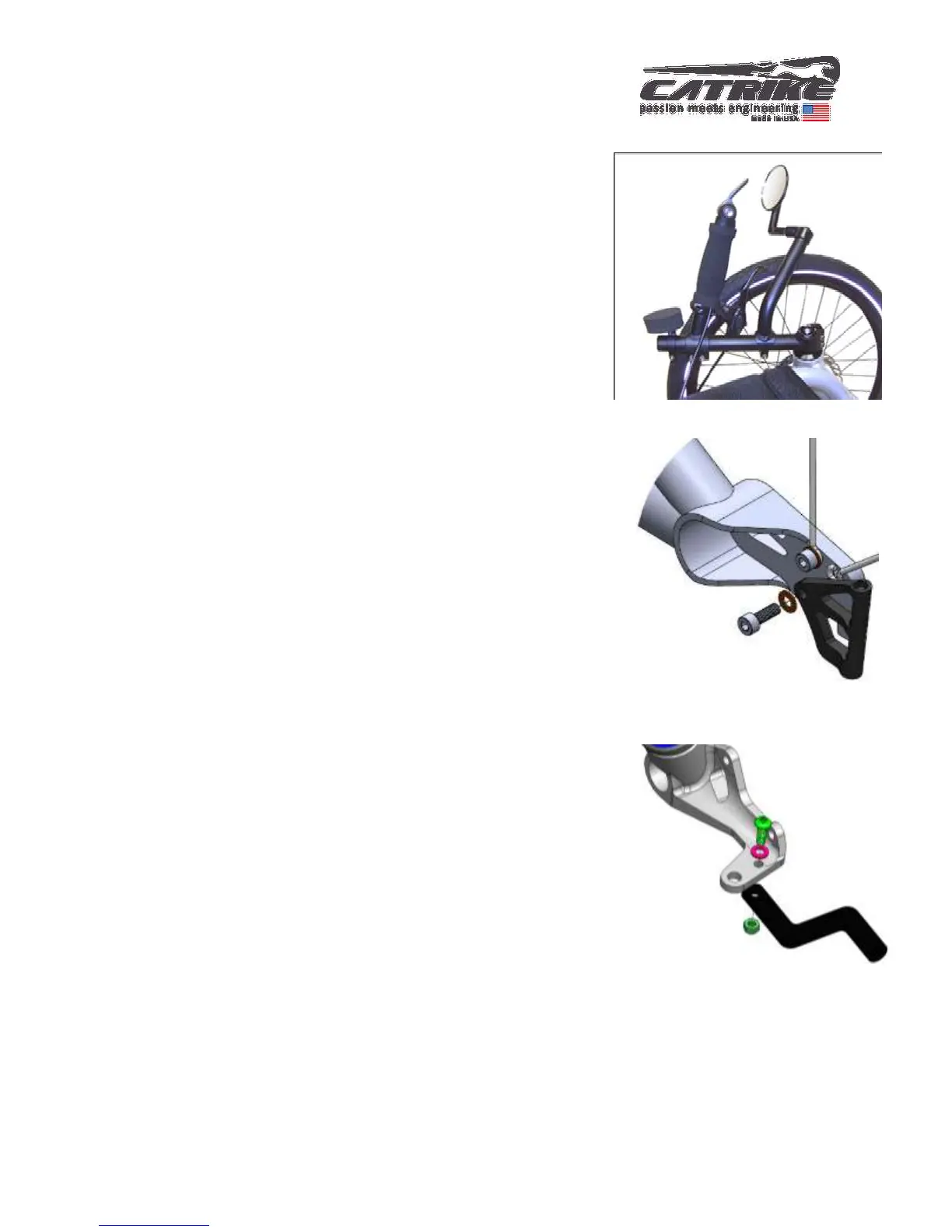
Install the mirror
Your Catrike comes with a left side mirror. Follow
instructions on mirror packaging and install as show in
image.
Install the flag
Your Catrike comes with a flag mount. Using the provided
M5x14 socket head cap screw & M5 washer. Install flag
mount into rear threaded hole of the left drop out. For thru-
axle equipped models install into rear threaded hole in right
drop out. Next insert flag into flag mount.
Install the computer sensor mount
There is a hole on both spindle assemblies to mount the
Computer Sensor Mount on the desired side of your trike. The
mount and lock nut should be on the bottom of the spindle
with only the bolt and washer on top.



 To Next Page