EasyManua.ls Logo

CBE 520 - User Manual

CBE 520
61 pages
Print Icon
To Next Page IconTo Next Page
Loading...
1
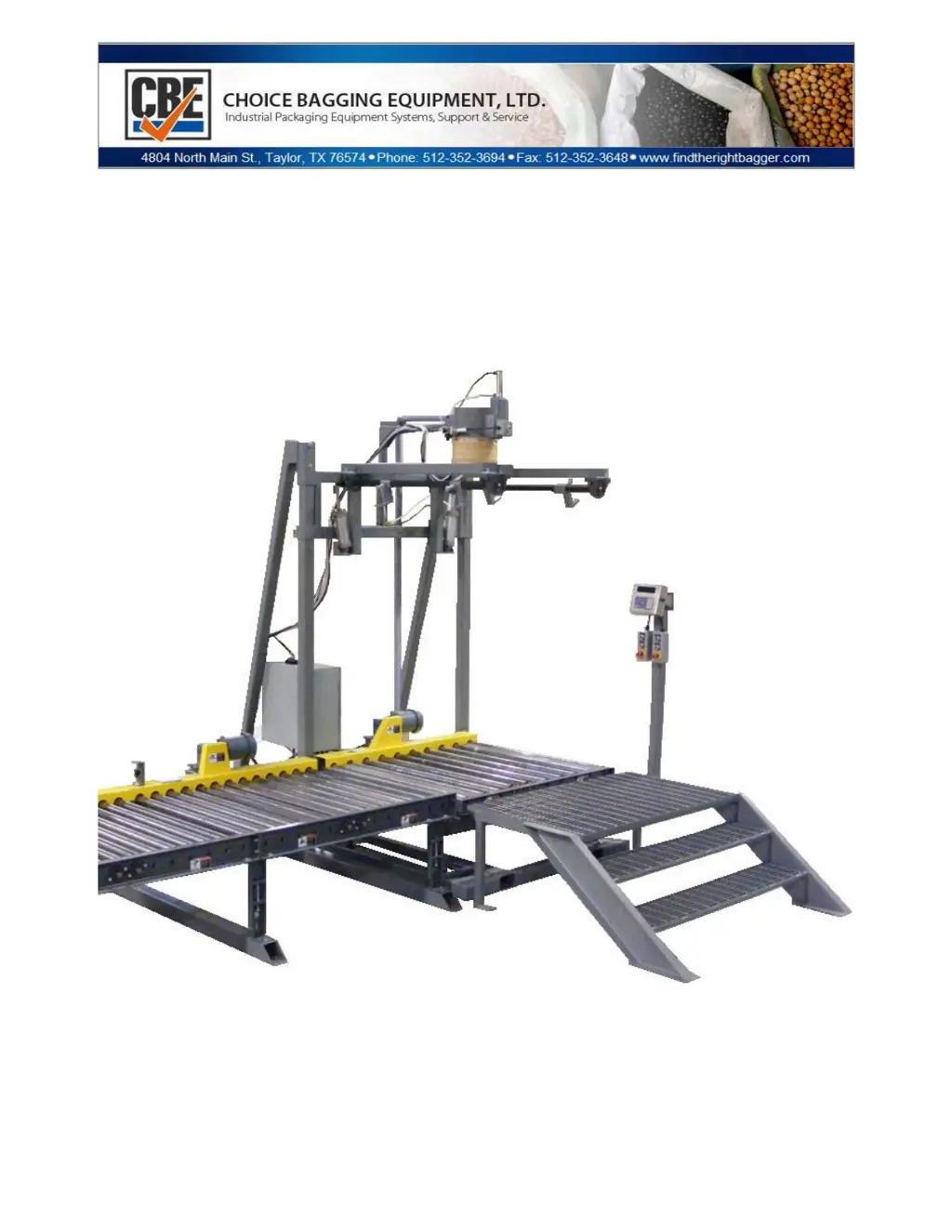
CBE 520 BULK BAGGER
Safety-Installation-Operation-Maintenance

Questions and Answers

  • R
    ryancaseyJul 28, 2025
    What to do if the CBE 520 Industrial Equipment controller does not light up?
    • A
      Andrew RobbinsJul 28, 2025
      If the controller for your CBE Industrial Equipment doesn't light up, start by ensuring the power switch on the PLC enclosure is turned 'on'. Next, inspect the 110v fuse on the transformer and replace it if necessary. Also, check that the E-stop is pulled out. Then, check the round in-line fuse in the GSE controller and replace if bad. Look for any loose wires and ensure they are properly connected. If none of these steps work, the LED display board may be faulty.
  • V
    vincent52Aug 3, 2025
    Why is my CBE Industrial Equipment showing erratic weights?
    • J
      Joshua Burgess DVMAug 3, 2025
      To address erratic weights with your CBE Industrial Equipment, consider that erratic material flows from the supply bin may be due to not maintaining a consistent head pressure of material above the packer causing inconsistent flow. You can also increase the dribble weight setting. Another solution is to adjust the reed sensor on the slide gate cylinder, inspecting and adjusting as needed. Finally, check the Ohms on each load cell against the chart to ensure they are within specification.
  • M
    Michelle NolanAug 10, 2025
    What to do if the CBE Industrial Equipment digital readout does not match the floor scale?
    • R
      Robert SmithAug 10, 2025
      If the digital readout on your CBE Industrial Equipment doesn't match the floor scale, you can try the following adjustments: target and dribble, pre-act in the controller, and offset compensation. Check for any binding on the load cells. If problems persist, recalibrate the scale.
  • D
    Diane DavisAug 16, 2025
    How to fix dirty filling with CBE 520 Industrial Equipment?
    • T
      Theodore BraunAug 16, 2025
      To resolve a 'dirty filling' issue with your CBE Industrial Equipment, consider these points: the dust collection pickup volume may be insufficient. Ensure the bag seal is inflated enough to prevent material from bypassing the seal. Verify the operator is placing the bag neck far enough onto the filler spout. Finally, check for a bad bag seal.
  • D
    Dale MendezAug 21, 2025
    Why CBE Industrial Equipment controller does not return to 0.00?
    • C
      Christine CraneAug 21, 2025
      If the controller on your CBE Industrial Equipment does not return to '0.00', check the following: ensure all four load cell feet are firmly touching the floor; check the ohms of each load cell to see if they are within proper range; check load cell connections; check the alignment of the load cell; check to see if any load cells are loose; check for binding where the dust collection hookup connects in the filler head area; check for possible buildup of material between the filler head and the dust collector pipe; check for possible material buildup between the floor and the main frame; check for influences from airlines that may be too tight pulling on the scale; check for loose bolts on the load cell.

Summary

Chapter 1 General Information

Caution and Warnings

Important safety guidelines and operational cautions to prevent injury and equipment damage.

Chapter 2 Installation Guide

Load Cell Feet Checks

Ensuring proper contact and clearance of load cell feet for accurate weight readings.

Chapter 3 Load Cell Wiring

Load Cell Wiring to Junction Box

Procedure for connecting load cells to the summing box and junction box.

Calibration Instructions

Step-by-step guide for calibrating the scale to the controller indicator.

Load Cell Replacement

Procedure for safely replacing a damaged or faulty load cell.

Chapter 5 Operational Sequence

Standard Operational Sequence

Step-by-step process for filling a bulk bag from start to finish.

Chapter 7 PLC and Timers and Adjustments

Chapter 8 Weigh Controller and Adjustments

Setting Target Weight

Procedure for setting the desired target weight for bulk bag filling.

Adjusting Preact

How to adjust the 'Preact' value for weight compensation in the controller.

Chapter 10 Troubleshooting

Troubleshooting Bad Load Cell

Procedure and values for diagnosing a faulty load cell.

Chapter 12 PLC and Timer Adjustments

CBE 520 Specifications

General IconGeneral
BrandCBE
Model520
CategoryIndustrial Equipment
LanguageEnglish

Related product manuals