17
SETTING CONVEYORS
Once the BB is in place and anchored, use a chalk line to layout any conveyors to the system.
Refer back to layout drawing to set remaining conveyors. If the BBL is equipped with a powered
conveyor, this will come secured to the BBL structure. Layout a line parallel line to the powered
discharge conveyor, maintaining a 1/2" clearance between all conveyors to ensure the conveyor
units are not touching the scale conveyor.
INSTALLATION SUMMARY
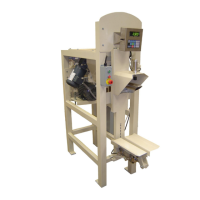
Place the 510 series in the selected site.
Align with your discharge spout and connect with flexible collar( supplied by customer)
NOTE: Assure that each leveling load foot is securely resting on the floor before jamming
the load cell nut. Be sure the Bulk bagger does not rock and is level. Be sure to have
a minimum of a ¼” maximum of ½” clearance between the frame and the floor.
CAUTION:
If more than 1/2" clearance to floor is needed, the bottom of the leveling load foot must be shimmed.
Be sure the leveling load foot bolt thread engagement is a minimum of 50% into each of the load
cells.
Tighten leveling foot lock nut against load cell being careful not to over tighten. This may cause
reading errors, which will require re-calibration.
NOTE: If removing the controller from the equipment, secure the controller to the desired location
and then the load cell cable to the floor or wall. Re-connect the load cell cable to the weight
indicator. Reference the indicator User and Installation Guide for proper connections. Take
care not to stretch or bind cable as this will affect weight readings.
NOTE: Depending on the model and configuration, your indicator may come pre-connected to
the scale.



 To Next Page