- 18 -
Digital Video Security Systems
HD-SDI DNR DAY & NIGHT COLOR CAMERA
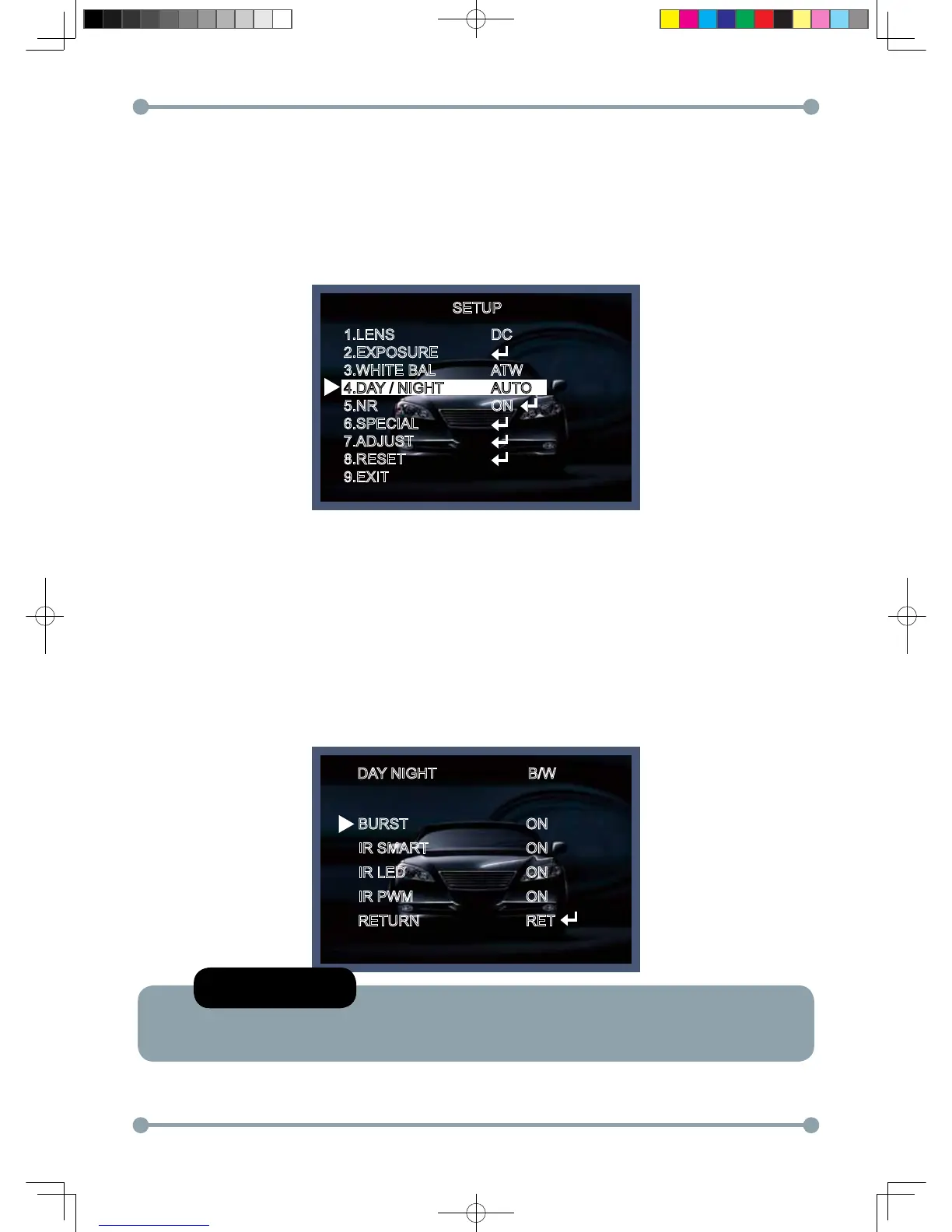
Day / Night
Picture can be displayed in either colour of black and white.
1. Select DAY / NIGHT using the Up or Down button on the SETUP menu screen.
2. Select the desired mode using the Left and Right buttons.
* COLOR : The picture is always displayed in color.
* BW : This picture is always displayed in black and white.
Select BW using the button and press the menu to activate COLOR BURST option.
IR SMART : It controls the IR LED(bright portion base), satuation is not expected.
B/WDAY NIGHT
BURST
IR SMART
IR LED
IR PWM
RETURN
ON
ON
ON
ON
RET
SETUP
1.LENS
2.EXPOSURE
3.WHITE BAL
4.DAY / NIGHT
5.NR
6.SPECIAL
7.ADJUST
8.RESET
9.EXIT
DC
ATW
AUTO
ON
NOTE
* "IR LED", "IR PWM" Is a function that does not use.
HD-SDI 공용 Manual.indd 18 2011-09-28 오후 4:34:06



 To Next Page