- 28 -
Digital Video Security Systems
HD-SDI DNR DAY & NIGHT COLOR CAMERA
③ Move the arrow indicator to WIDTH to make desired width of cells to increase or decrease by using the
Left / Right button between the level 0 ~ 100.
④ Move the arrow indicator to HEIGHT to make desired height of cells to increase or decrease by using the
Left / Right button between the level 0 ~ 100.
⑤ Move the arrow indicator to the LEFT / RIGHT and TOP / BOTTOM to select the desired area positon by
using the LEFT or RIGHT button.
⑥ Move the arrow indicator to COLOR to select the desired color of each area cells by using the Left /
Right button to select between the 15 different color.
RETURN : Move the arrow indicator to RETURN after completing the setup to return to SPECIAL menu.
4-3) SYNC : INT (Internal Synchronisation)
Move the arrow indicator to RETURN after complete the setup to return to SETUP menu.
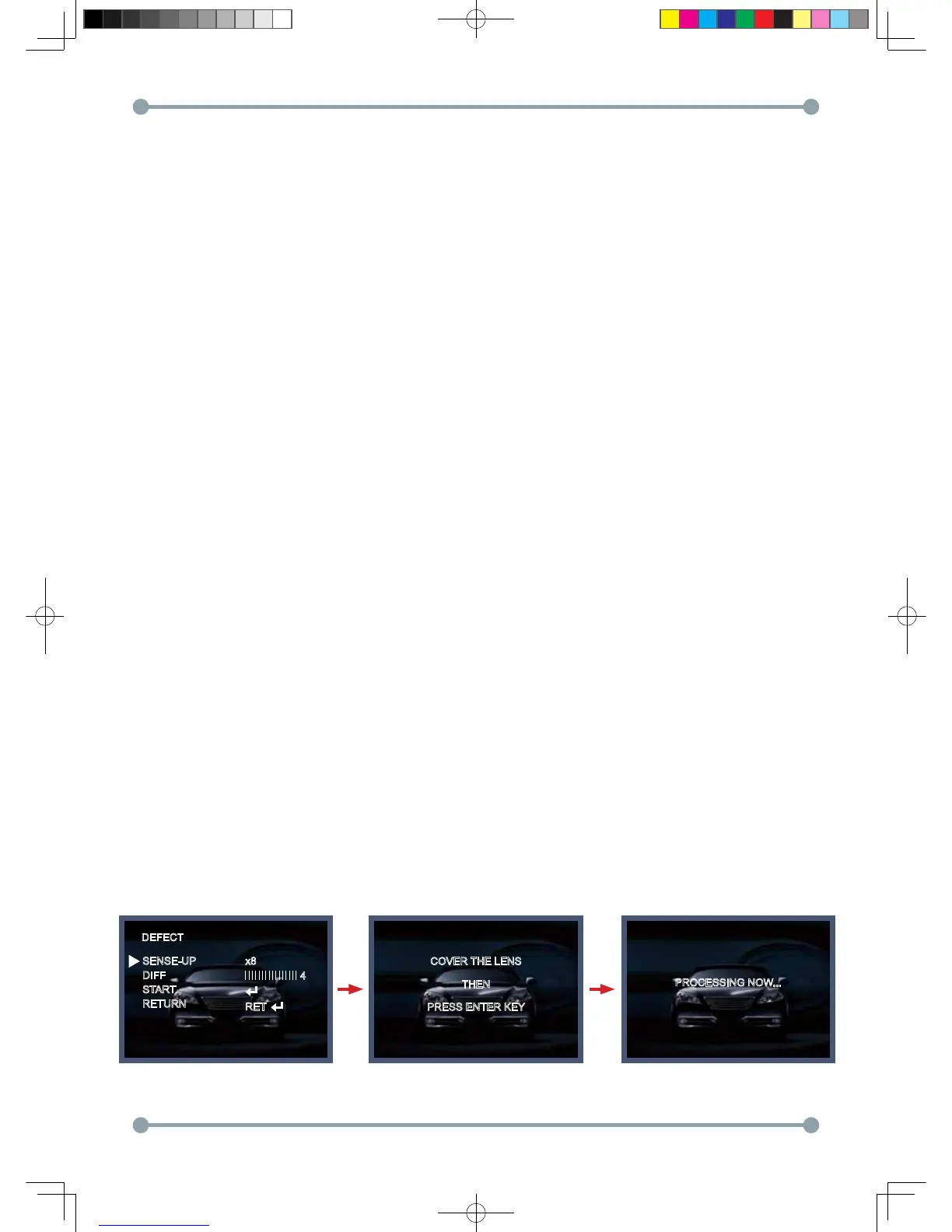
5. DEFECT
SENSE-UP : To eliminate defect, set the high level of sense-up. You can set to max 60x, but 10x is best
to eliminate defect.
DIFF : You can set the size of DEFECT from 1 to 6.
START : Press the "ENTER" button, it will start to eliminate defects "PROCESSING NOW..." will be displayed
on the monitor.
In case of manual IRIS lens, you should cover the lens.
DEFECT
COVER THE LENS
THEN
PRESS ENTER KEY
PROCESSING NOW...
SENSE-UP
DIFF
START
RETURN
x8
RET
4
HD-SDI 공용 Manual.indd 28 2011-09-28 오후 4:34:12



 To Next Page