- 12 -
Digital Video Security Systems
HD-SDI DNR DAY & NIGHT COLOR CAMERA
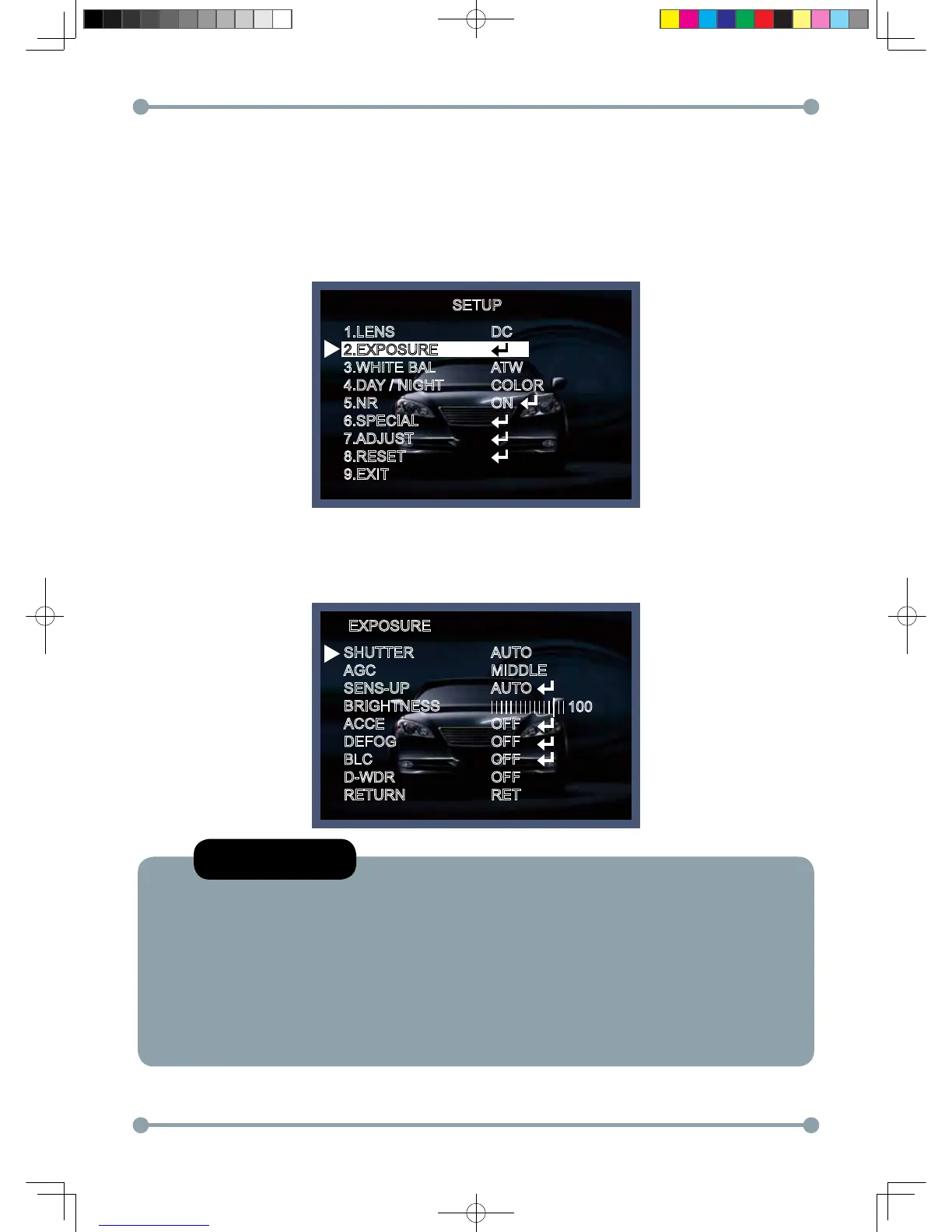
This function is used to select Automatic or Manual shutter speed control.
1. On the Set Up menu screen select EXPOSURE by using the Up or Down button.
2. Select the desired shutter mode by pressing the Left or Right button.
* FLK : Select FLK mode when flickering occurs; caused by the unmatched frequency of electric lights.
Exposure
SETUP
1.LENS
2.EXPOSURE
3.WHITE BAL
4.DAY / NIGHT
5.NR
6.SPECIAL
7.ADJUST
8.RESET
9.EXIT
DC
ATW
COLOR
ON
EXPOSURE
SHUTTER
AGC
SENS-UP
BRIGHTNESS
ACCE
DEFOG
BLC
D-WDR
RETURN
AUTO
MIDDLE
AUTO
OFF
OFF
OFF
OFF
RET
NOTE
*Shutter: Select Shutter using the Up or Down button, you can adjust the shutter speed
from AUTO,1/25,1/30,1/60,1/50, FLK,1/120 1/250, 1/500, 1/1000, 1/2000, 1/5000,
1/10000,1/50000, x2, x4, x6, x8, x10, x15, x20, x25, x30, x60
→FLK: Select FLK mode if flickering occurs; caused by the unmatched frequency of electric
light. If select FLK mode, sense-up does not operate.
*Low Shutter Control: sensitivity boost up by frame accumulation for extremely low
illumination conditionspeed
100
HD-SDI 공용 Manual.indd 12 2011-09-28 오후 4:34:03



 To Next Page