- 26 -
Digital Video Security Systems
HD-SDI DNR DAY & NIGHT COLOR CAMERA
2-3) NEG. IMAGE :
ON : Activates negative image just like film
OFF : Normal image
2-4) RETURN : Move the arrow indicator to RETURN after complete the setup to return to SPECIAL menu.
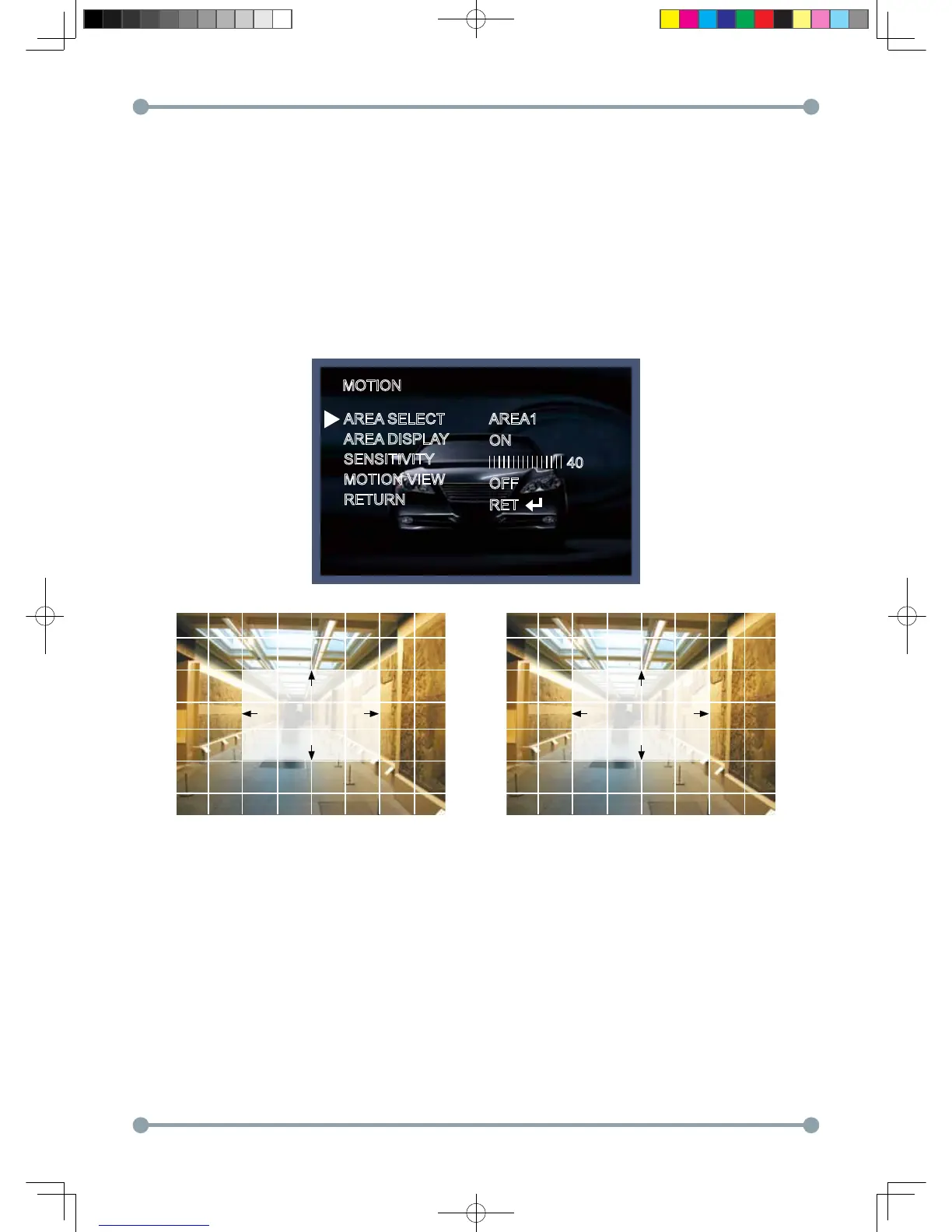
3. MOTION
3-1) When the special menu screen is displayed, use the Up or Down botton to access the MOTION menu.
AREA SELECT : You can select from area 1~3 position.
AREA DISPLAY) ON: Display the Motion Detected area on the screen. You can set the location and size like a picture 1,2.
SENSITIVITY: To setup the motion sensitivity. You can adjust the motion sensitivity of a movement between
level 0~40.
MOTION VIEW : If camera detects movement, the words of "MOTION DETECTION" will appear on the monitor.
RETURN : To return to the SPECIAL menu after completing the setup.
MOTION
AREA SELECT
AREA DISPLAY
SENSITIVITY
MOTION VIEW
RETURN
AREA1
ON
OFF
RET
40
POSITION SIZE
HD-SDI 공용 Manual.indd 26 2011-09-28 오후 4:34:10



 To Next Page