15
cdvi.com
cdvigroup.com
EN
CBB
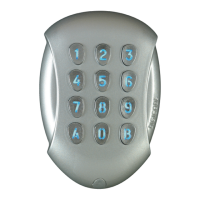
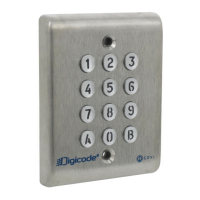
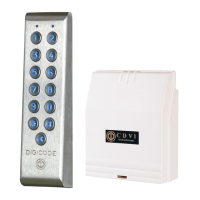
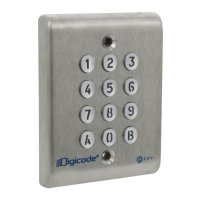
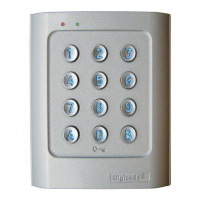
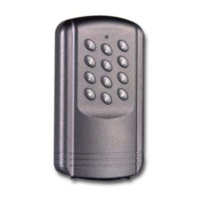
Self-contained Keypad - braille keys
INSTALLATION MANUAL
Description:
-12Vto24Vacpowersupply
or12Vto48Vdc.
-12keykeypadwithbraillekeys.
-Visualfeedback(GreenandRed
LED’s)
-Non-volatileEPROMmemory.
-100programmablecodes
in4,5or6digits.
-1relayoutputN/Ocontact
6A@250V
-2relayoutputsN/OandN/C
contact6A@250V
-Mastercodeprogrammable
in4,5or6digits
-Warningbuzzer.
-1request-to-exitinput
-P2jumper:Resettodefaultmaster
codeanddeleteallusercodes
-P3jumper:Usercodemodication
byuseractive
Default values:
-Nocode.
-Illuminationtime:10seconds.
-Relayreleasetime:1second.
-Codelength:5-digits.
-MasterCode:1 2 3 4 5.
-Programming security-lag: 120s.
-Submastercodeforusercode
modicationUserGroup1:*
and#
-Submastercodeforusercode
modicationUserGroup2:1and3
-Submastercodeforusercode
modicationUserGroup3:4and6
-RedLEDlightonwhenkeypad
ispowered.
Audible signal correspondence:
- 1 short beep:Keypadpowered.
-
1 long beep:Programming
validatedandrelayactivated.
- 2 short beeps:EnterorExit
fromprogramming.
-
4 short beeps:datacomputing
error.
Digits used and opening codes:
-Allthekeypadkeyscanbeused
toprogramacode.
-ThemastercodeandtheUser
codescanbeof4or5or6digit
inlength.
-ThemastercodeCANNOTbeused
asausercode.
-Codes0 0 0 0 0 0,0 0 0 0 0
and0 0 0 0canonlybeused
todeleteausercode.Todelete
aUserCodeentertheusernumber
(locationnumber)thenenter
0 0 0 0ifthecodelength
isin4-digitformat,enter0 0 0 0 0
ifthecodelengthisin5-digitformat.
Control by push button:
-TheconnectionofpushbuttonP1
isintendedforcontrollingrelay1.
(themodeandthetime-lag
canbeprogrammed).
-H1inputcanbeusedwithatimer
toallowfreeaccessbypressing
ontheOdigitkey.Ifthetimer
contactisopenthenthefree
accessisdeactivated.Ifthetimer
isclosedthenthefreeaccess
isactivated.
Consumption
(withoutthecontrolelements)
Withthe2relayscontrolled:
-In12Vac:20mA
instand-by,100mAmax
with3relaysactivated
-In24Vac:10mAinstand-by,
50mAmaxwith3relaysactivated
A. Resetting the memory
1. Enter the master code twice.
-Fortherstuse,thefactory
mastercodeis:1 2 3 4 5.
-RedLEDlightsontoconrm
entryinprogrammingmode.
2. Then press
*
6.
-GreenLEDlightsonfor1second.
-Press
*
and#toconrmtheresetting.
-GreenLEDlightson.
Waitforthelightingtogooff.
-Themastercodeis1 2 3 4 5again
andallthecodeshavebeenerased.
Thekeypadisreinitialised.Redledlights
on,thenlightsoff.
-Thekeypadisnolongerinthe
programmingmodeandthedefaultvalues
havebeenrestored.
OR
1. Turn off the power supply.
Placeajumperat
P2.
2. Turn the power supply on again.
-GreenLEDlightson.
Waitafewseconds,abeepisemitted.
-GreenLEDlightsoff.
Removethejumperat
P2.
3. The master code is 1 2 3 4 5 again
and all the codes have been erased.
Thedefaultvalueshavebeenrestored.
6] PROGRAMMING


 To Next Page