17
cdvi.com
cdvigroup.com
EN
CBB
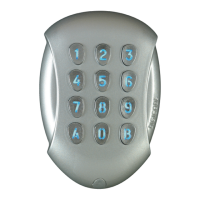
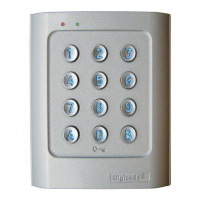
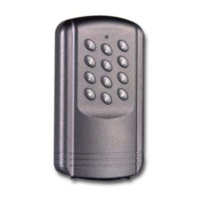
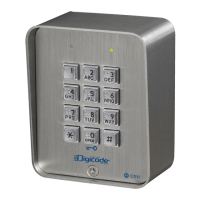
Self-contained Keypad - braille keys
INSTALLATION MANUAL
2. Enter #0 for the key-in keypad time.
-GreenLEDlightsonfor1second.
-Enterthedurationtimeinsecond
E.g. : From 10 for 10 seconds to 99
for 99 seconds
-Thegreenledlightsontoconrm
theprogramming.
3. Press
*
1 for output time of relay 1
-GreenLEDlightsonfor1second.
-Enterthedurationinseconds.
E.g. : From 01 for 1 second to 99
for 99 seconds or enter 00 for a permanent
illumination. The green led lights on
to confi rm the programming.
4. Press
*
2 for output time of relay 2
-GreenLEDlightsonfor1second.
-Enterthedurationinseconds.
E.g. : From 01 for 1 second to 99
for 99 seconds or enter 00 for a permanent
illumination. The green led lights on
to confi rm the programming.
5. Press
*
3 for output time of relay 3
-GreenLEDlightsonfor1second.
-Enterthedurationinseconds.
6. Press
#
to exit from the programming
mode.
TheredLEDlightsofftoconrm
thatthekeypadisinstand-by
operatingmode.
Red LED fl ashing 4 times indicates
a data computing error.
F. Resetting the master code
-Innormaloperation,placeajumperatP2
-GreenLEDlightsontoconrm
entryinprogrammingmode.
2. Enter #0 for the key-in keypad time.
-GreenLEDlightsonfor1second.
-Abeepisemitted.
-WaitforthegreenLEDtolightoff.
-Removethejumper.
-Themastercodeisagain1 2 3 4 5 6
in6digits,1 2 3 4 5in5digits
or1 2 3 4in4digits.
G. Changing the code by the user
To enable the function programming
the code by the user place jumper on P3.
Remove the jumper to disable the function.
1. Enter the old user code.
-Therelayisactivated.
-GreenLEDlightson.
2. Enter the 2-digit sub master code
-TheredLEDlightsontoauthorise
themodication.
3. Enter the new user code.
-GreenLEDlightsonfor1second
toconrmthenewcode.
-TheredLEDlightsoff.
Check the new user code to be sure
of the modifi cation.
H. Setting a sub master code
1. Enter the master code twice.
-Fortherstusethefactorymastercode
is:1 2 3 4 5.
-TheredLED’slightontoconrmentry
inprogrammingmode.
2. Press
*
7 to input modifi cation digits
for group 1 user codes.
-GreenLEDlightsonfor1second.
-Enterthetwodigitsofthemodications.
3. Press
*
8 to input modifi cation digits
for group 2 user codes.
-GreenLEDlightsonfor1second.
-Enterthetwodigitsofthemodications.
4. Press
*
9 to input modifi cation digits
for group 3 user codes.
-GreenLEDlightsonfor1second.
-Enterthetwodigitsofthemodications.
5. Press
#
to exit from the programming mode.
TheredLEDlightsofftoconrmthatthe
keypadisinstand-byoperatingmode.


 To Next Page