Telescope Basics 19
The Eyepieces
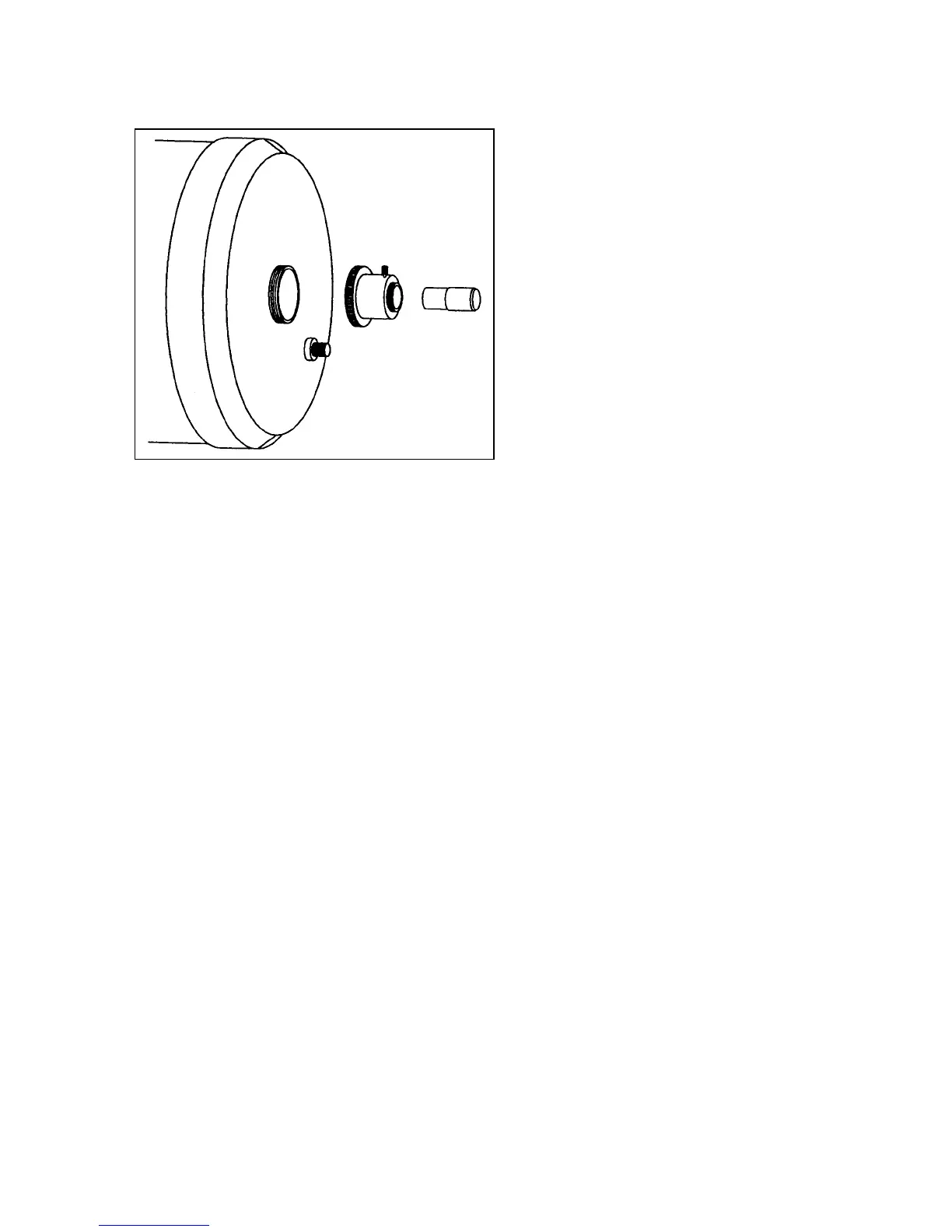
The eyepiece, or ocular, is the optical element
that magnifies the image focused by the
telescope. The eyepiece fits either into the
visual back directly or into the star diagonal. To
install an eyepiece:
1. Loosen the thumbscrew on the star
diagonal so that it does not obstruct the
inner diameter of the eyepiece end of
the diagonal.
2. Slide the chrome portion of the
eyepiece into the star diagonal.
3. Tighten the thumbscrew on the
diagonal to hold the eyepiece in place.
To remove the eyepiece, loosen the thumbscrew
on the star diagonal and slide the eyepiece out.
In addition to barrel diameter, eyepieces are also referred to in terms of their focal length. The focal length
of each eyepiece is printed on the eyepiece barrel. The longer the focal length (i.e., the larger the number),
the lower the eyepiece power and the shorter the focal length (i.e., the smaller the number), the higher the
magnification. Generally, you will use low-to-moderate power when viewing. For more information on
how to determine power, see the section on “Calculating Magnification.”
Barrel diameter is the diameter of the barrel that slides into the star diagonal. Standard barrel diameters are
.96”, 1.25”, and 2”. The Ultima 9
1
/
4
and 11 come standard for use with 1.25” barrel eyepieces.
MOVING THE TELESCOPE IN R.A. AND DEC
Once set up, you will need to move your telescope to different objects. To make rough adjustments, loosen
the R.A. and DEC slow motion clamps and move the telescope in the desired direction (see figure 2-9). Do
not move the wedge and tripod, only the telescope optical tube. Once in place, lock the R.A. and DEC
clamps to hold the telescope in place.
For fine adjustments, use the R.A. and DEC slow motion knobs. If you are making an adjustment in
declination, simply turn the declination knob (see figure 2-11). The DEC clamp does not have to be
loosened. Once you have located the desired target, stop turning the DEC knob. If the DEC knob will not
turn, the DEC tangent arm has most likely reached the end of the threaded rod (see figure 2-11). To correct
this, turn the DEC knob in the opposite direction until the tangent arm is in the center of the fork tine (look
at the inside of the fork tine). Release the DEC clamp and re-center the object you were looking at.
Tighten the DEC clamp and the DEC slow motion knob will again allow fine adjustments.
Note that adjustments to the DEC axis indicate inaccurate polar alignment. To minimize adjustments to this
axis, accurate alignment should be done before observing (see the section on “Polar Alignment”).
Figure 2-9












 To Next Page