Ultima 9
1
/
4
and Ultima 11 Manual 43
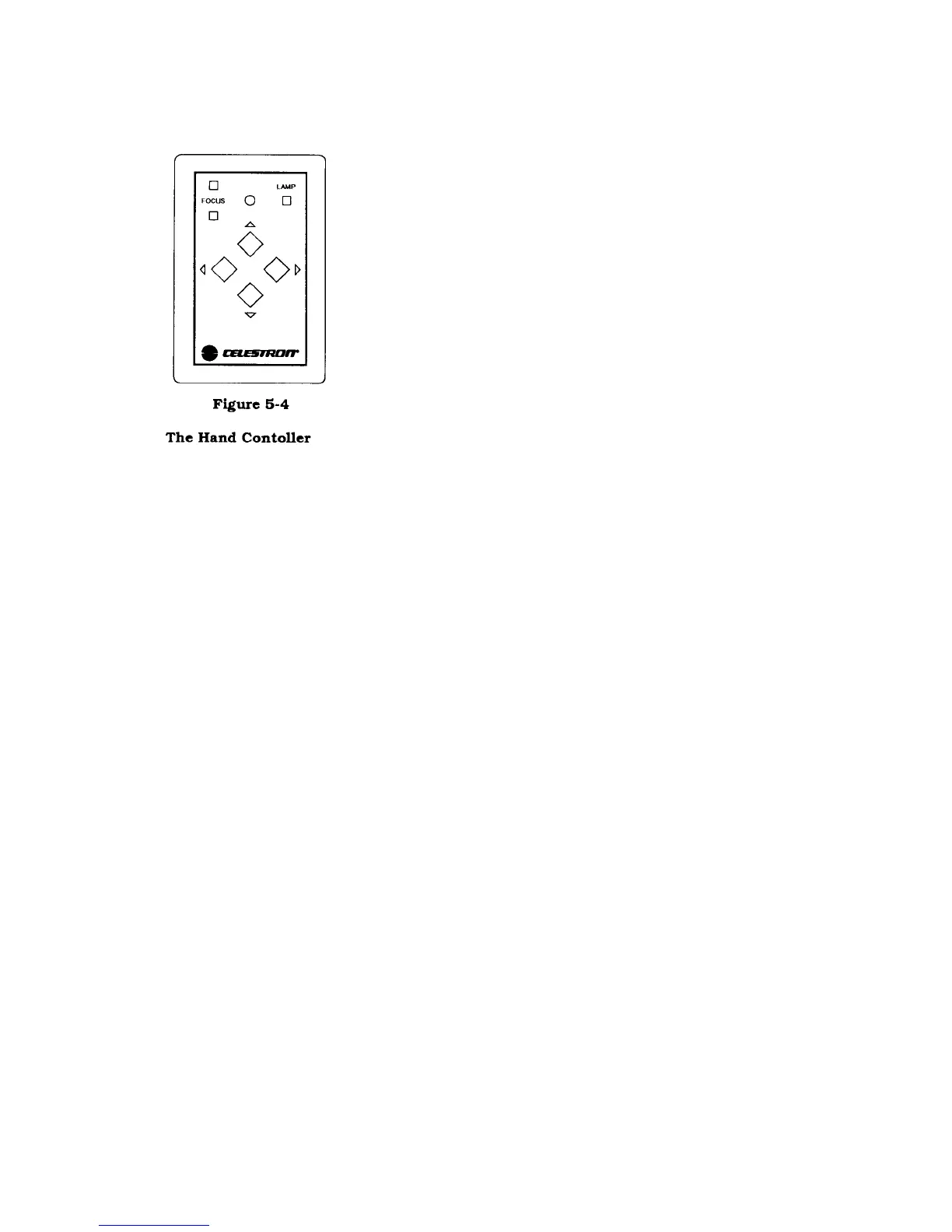
THE HAND CONTROLLER
On the hand controller there are seven buttons; four control the corrections in right
ascension and declination, two control the optional focus motor, and one activates
the LED map light.
When guiding, press the appropriate button to center your guide star. If you are
NOT using the optional DEC motor then all corrections to the declination axis
must be made manually (i.e., by turning the DEC slow motion knob).
To slew the telescope, press the button that corresponds to the direction you want
to move the telescope. While holding the button down, press the opposite
directional button. For example, if you want to slew the telescope west, hold the
west button down and then press the east button. Conversely, if you want to slew
the telescope east, hold the east button down then press the west button. The
slewing rate varies between 300 to 400% of the normal sidereal rate, depending on
how well your telescope is balanced. The slewing function also works in
declination if using the optional DEC motor.
If the drive does not respond when the correction buttons have been pressed, check
to make sure that the hand controller cable is plugged into the drive base correctly. A good way to check this is to
activate the LED map light.
The ‘Focus’ buttons work in conjunction with the optional focus motor (see additional accessories section). Note
that the buttons are locked when the PEC function is activated. If not using the optional focus motor, the buttons are
inoperable and focus adjustment is done by turning the focus knob right of the diagonal and eyepiece.
The last button on the hand controller activates the map light. Press it once to turn the map light on. Press it once
again to turn it off.
REPLACING THE BATTERY
Once the battery has been drained, it must be replaced. Replacing the alkaline battery requires removal of the drive
base cover. To do this:
1. Remove the four Phillips head screws that hold the drive base cover to the drive base.
2. Remove the cover plate. The internal components of the drive will be visible.
3. Unclip the battery from the metal holder.
4. Remove the terminal from the battery.
5. Install the new battery by attaching it to the terminal and clip it into the battery holder.
6. Replace the drive base cover.
To obtain the longest possible run time, use an alkaline battery. This type of battery will power the drive for up to 35
hours of continuous use. (Nickel cadmium or standard 9-volt batteries are NOT recommended.) Keep in mind that












 To Next Page