INITIAL COMMISSIONING
Direct connection
1. After successfully connecting your terminal device (tablet,
smartphone) to the router on your home network (see step 1),
turn on the Gecko hypoxicator at the power switch on the back of
the system. Please wait until the LED display of the hypoxicator
lights up GREEN.
2. Open the CellAir® Gecko app on your terminal device. If you
are starting the app for the fi rst time, you will be asked to select
the desired language fi rst.
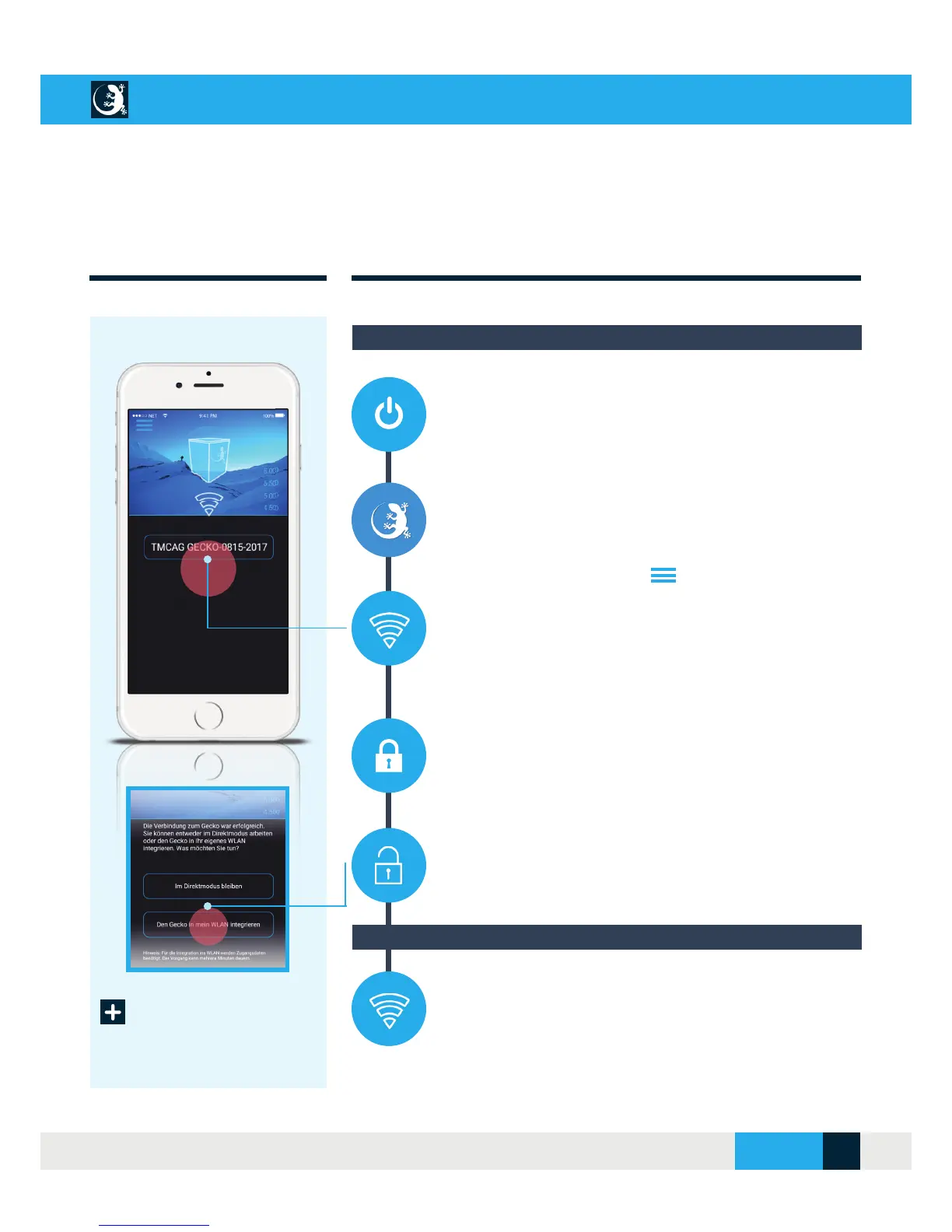
3. Now go to the main menu and select the “Establish
connection” menu. The CellAir® Gecko app automatically searches
for the Gecko hypoxicator in the next step. This process can take
several minutes. The search result is then shown on the display.
To establish the connection, please select the identifi cation of your
Gecko hypoxicator.
4. Once connected to the Gecko hypoxicator, it becomes the
access point (base station). The disadvantage of this connection
method is that you do not receive automatic notifi cations about
updates to your app.
5. The preferred connection between your device and the Gecko
hypoxicator should always be the connection via the faster WLAN
home network. To do this, select the function “Integrate the Gecko
into my WLAN”. It may then be necessary to re-enter your WLAN
password.
6. Optionally, or if no WLAN home network is available, you can
also operate the CellAir® Gecko hypoxicator in direct mode. In
this case, after carrying out steps 1. - 4, select the function “Stay in
direct mode”.
Step 2: Logging in to the Gecko hypoxicator
Optional: Remain in direct mode
CELLAIR
®
GECKO DOCUMENTATION
SITE 11
© 2017 - CELLGYM Technologies GmbH



 To Next Page