MENU NAVIGATION
Main menu
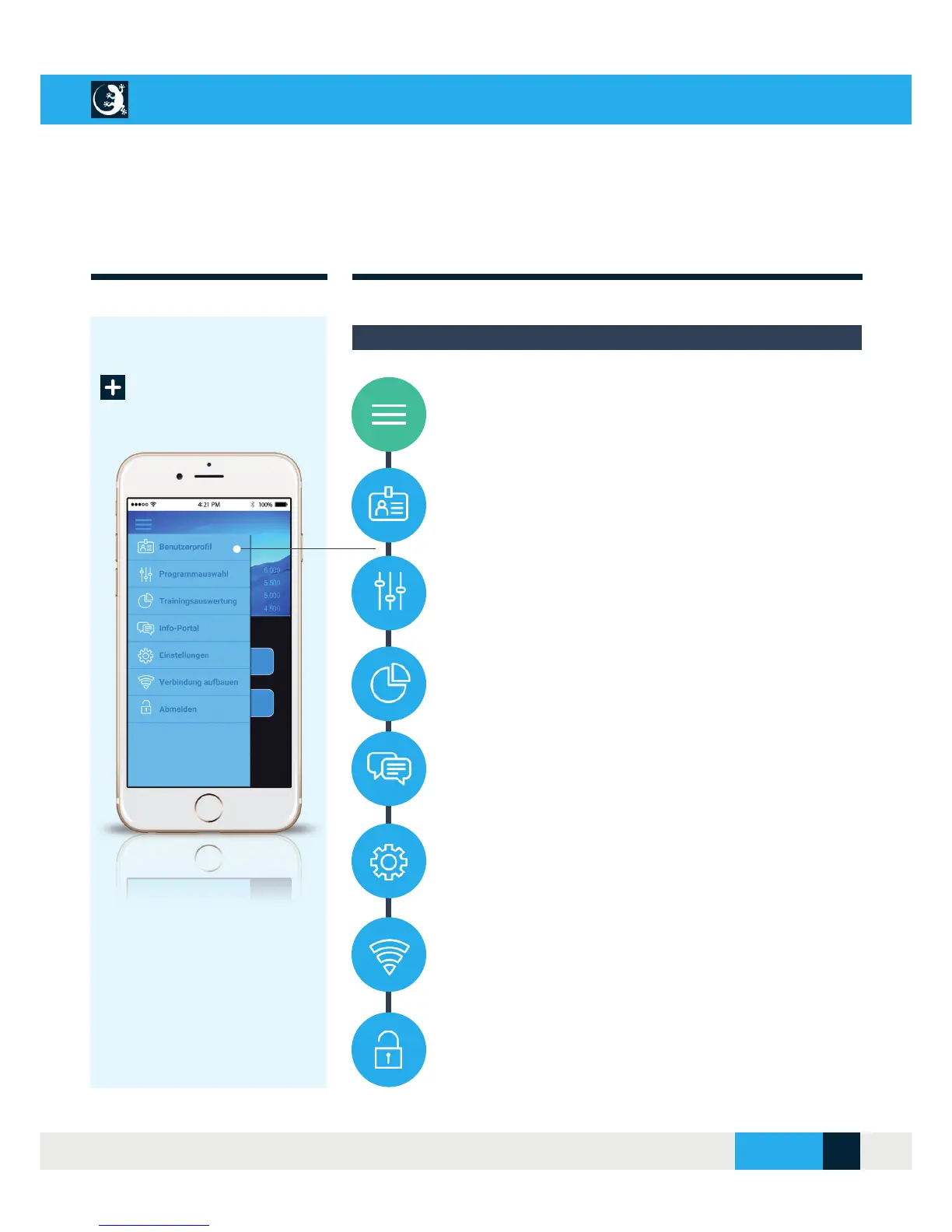
1. Use the main menu icon to open the menu list and navigate
to the submenus.
2. User profi le: Under this menu item you can create, change or
delete new users.
3. Program selection: This area contains the hypoxic test, the
breath holding test and allows you to create, modify and delete your
own training programs.
4. Training evaluation: As soon as your training session starts,
you will receive an overview of your current training parameters
and your training progress will be displayed in this area.
5. Info portal: The info portal provides you with further news
and information on cell training and much more.
6. Settings: In the “Settings” section, you can reset the WLAN
connection to your CellAir® Gecko and select your preferred lan-
guage.
7. Establish connection: Use this menu item to establish the
connection to the CellAir® Gecko. Refer to the chapter entitled
“Initial Commissioning”.
8. Logging off : To end your training and close the CellAir®
Gecko app, you can log off here.
Overview: Main menu
CELLAIR
®
GECKO DOCUMENTATION
SITE 13
© 2017 - CELLGYM Technologies GmbH



 To Next Page