INITIAL COMMISSIONING
Step 1: Login to WLAN router (home network)
Connection via
WLAN home net-
work
First, switch on your terminal device (tablet, smartphone). Before you start
the CellAir® Gecko app, log into your WLAN home network with your ter-
minal device. Please have your router password ready.
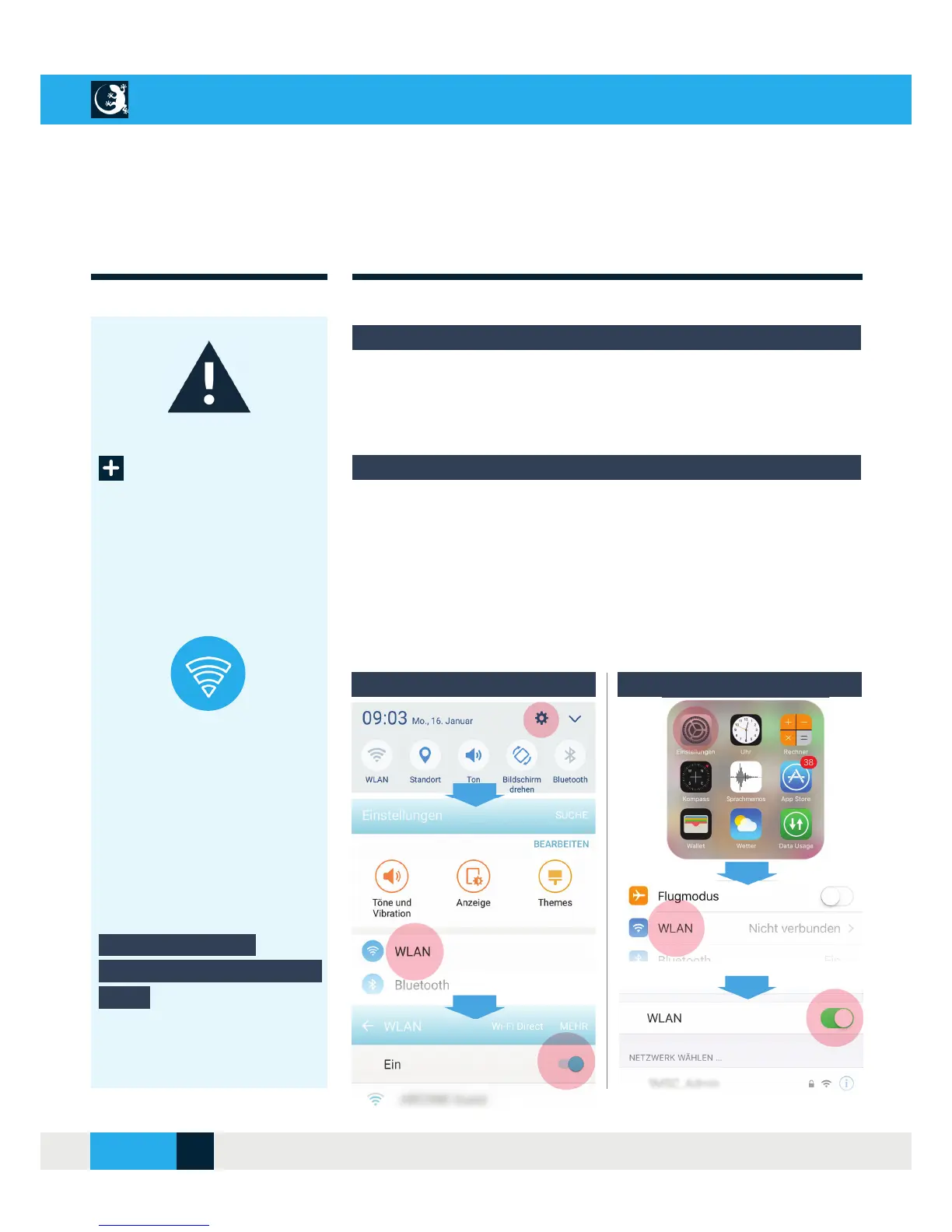
Login to WLAN router:
Activate the WLAN connection on your terminal device via the “Settings”
menu item and enter the WLAN access password.
Android iOS
Important notes for initial operation
For smooth communication between CellAir® Gecko hypoxicator and your
terminal device (tablet, smartphone), please proceed as described below
the fi rst time you use your system.
Setting up a WLAN
connection on the terminal
device
CELLAIR
®
GECKO DOCUMENTATION
10SITE
04/2018



 To Next Page