TRAINING IMPLEMENTATION
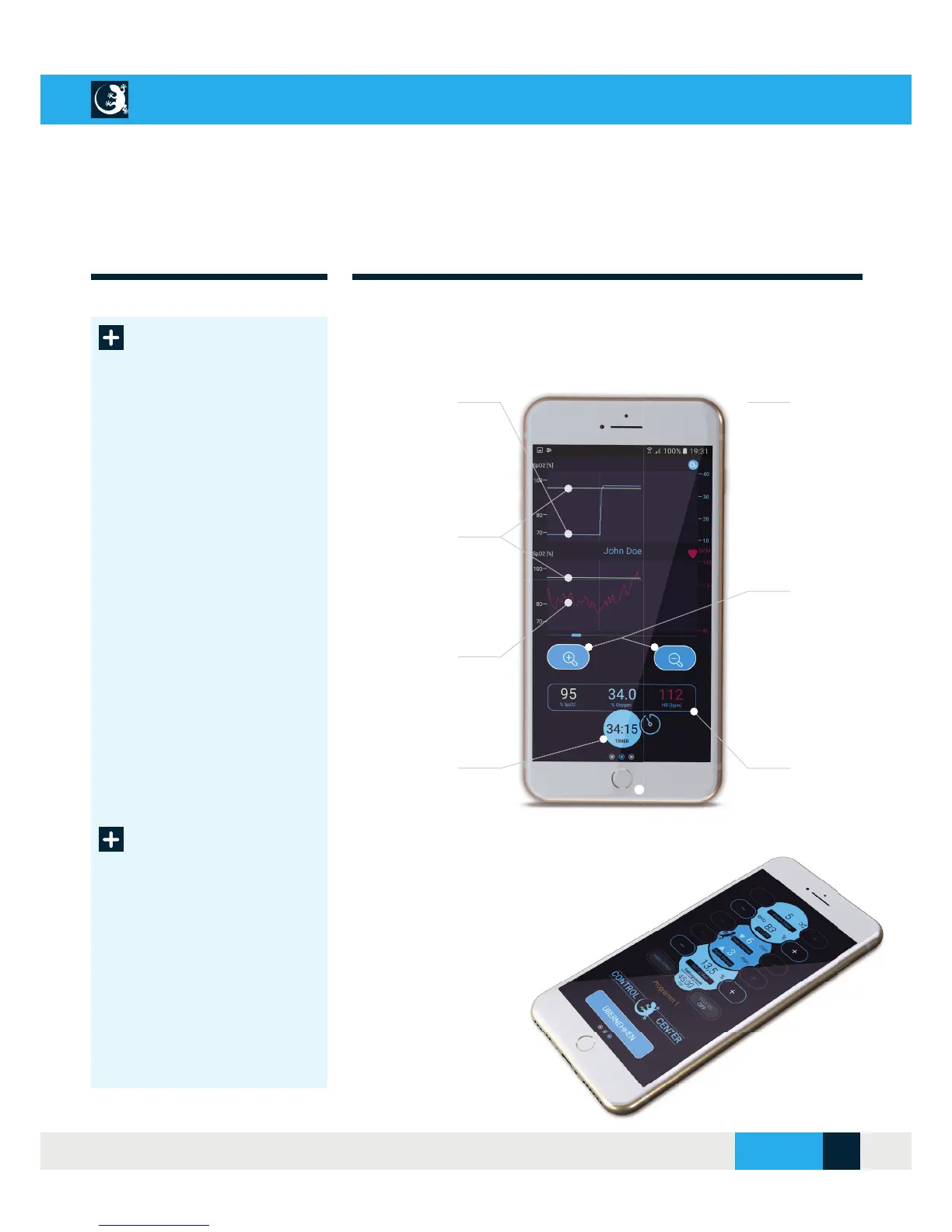
Diagram view
Display view
O
2
(%) line
Current oxygen content in the
air breathed
Screenshot
Screenshot of the session
by simultaneously pressing
keys
+
for approx. 1 second
SpO
2
(%) line
Display of the current oxygen
saturation in the blood
Zoom in/out
Zoom function for detailed
view of line charts
Pulse line
Currently measured pulse
in beats/min
Live values
Display of the current
values SpO
2
, O
2
und pulse
Timer
Display of the remaining
training time
Change program
while session is
running
Display view
During an ongoing training session, display 3
takes you to the Control Centre.
To correct your training pro-
gram, you can change the
O2 value in the air you
breathe and the target
SpO2. Confi rm your entry
with the “Apply” button.
CELLAIR
®
GECKO DOCUMENTATION
SITE 19
© 2017 - CELLGYM Technologies GmbH



 To Next Page