39
4.3.2 Choose printer setup
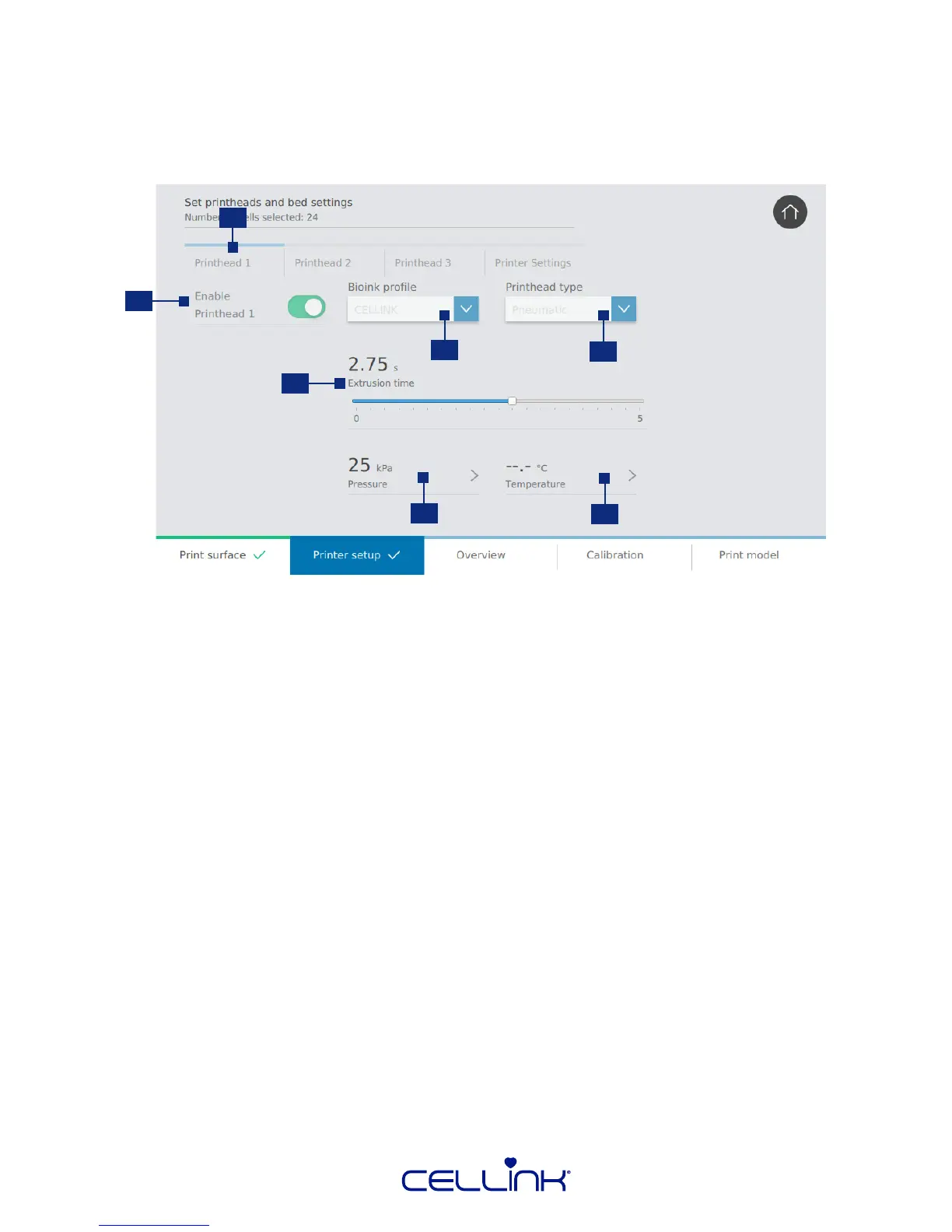
Congure printhead, bioink and printer sengs. Customize your print according to the needs of your
experiment.
1. Navigaon bar – Toggle between printhead and print bed sengs.
2. Toggle printhead – Tap to select if you want to use the printhead or not.
If you select to use the printhead further sengs will appear.
3. Bioink prole – Select a predened bioink prole or create a new one. BIO X comes preloaded
with proles for all CELLINK bioinks.
4. Printhead type – Select the type of printhead to use.
5. Extrusion me – Drag the slider on a graduated scale to choose the extrusion me for
prinng droplets.
6. Pressure - Choose the pressure to use during extrusion.
7. Temperature - Choose the temperature of the printhead.
2
1
3
4
6
7
5



 To Next Page