72
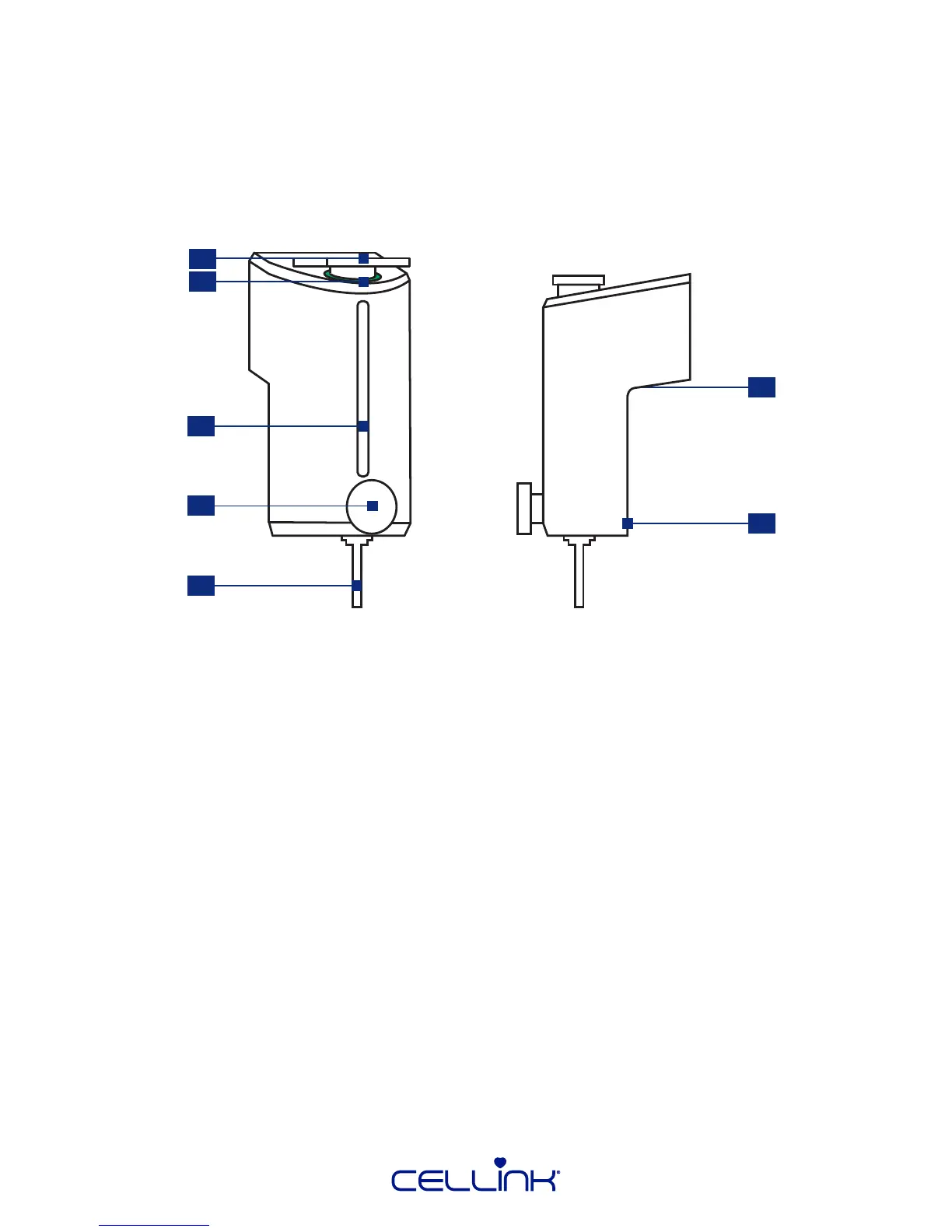
1. Cartridge.
2. Heat indicator – The LED changes color depending on the printhead temperature. Red is hot,
yellow is normal and blue is cool.
3. Opening for cartridge overview – View the volume of bioink le in the cartridge.
4. Cartridge fastening screw – Securely fastens the cartridge to the printhead.
5. Nozzle or needle.
6. Printhead contact – The connector between BIO X and the intelligent printhead.
7. Magnet – The magnet securely fastens the printhead on the printhead holder.
7.1 CELLINK pneumac-based printhead
7.1.1 Printhead overview
The CELLINK pneumac-based printhead is an extrusion-based printhead. It is equipped with
heang up to 60 degrees Celsius. It can connect with an external air supply to bioprint most bioinks.
1
5
4
7
6
3
2



 To Next Page