73
7.1.1 Mounng of a cartridge in the printhead
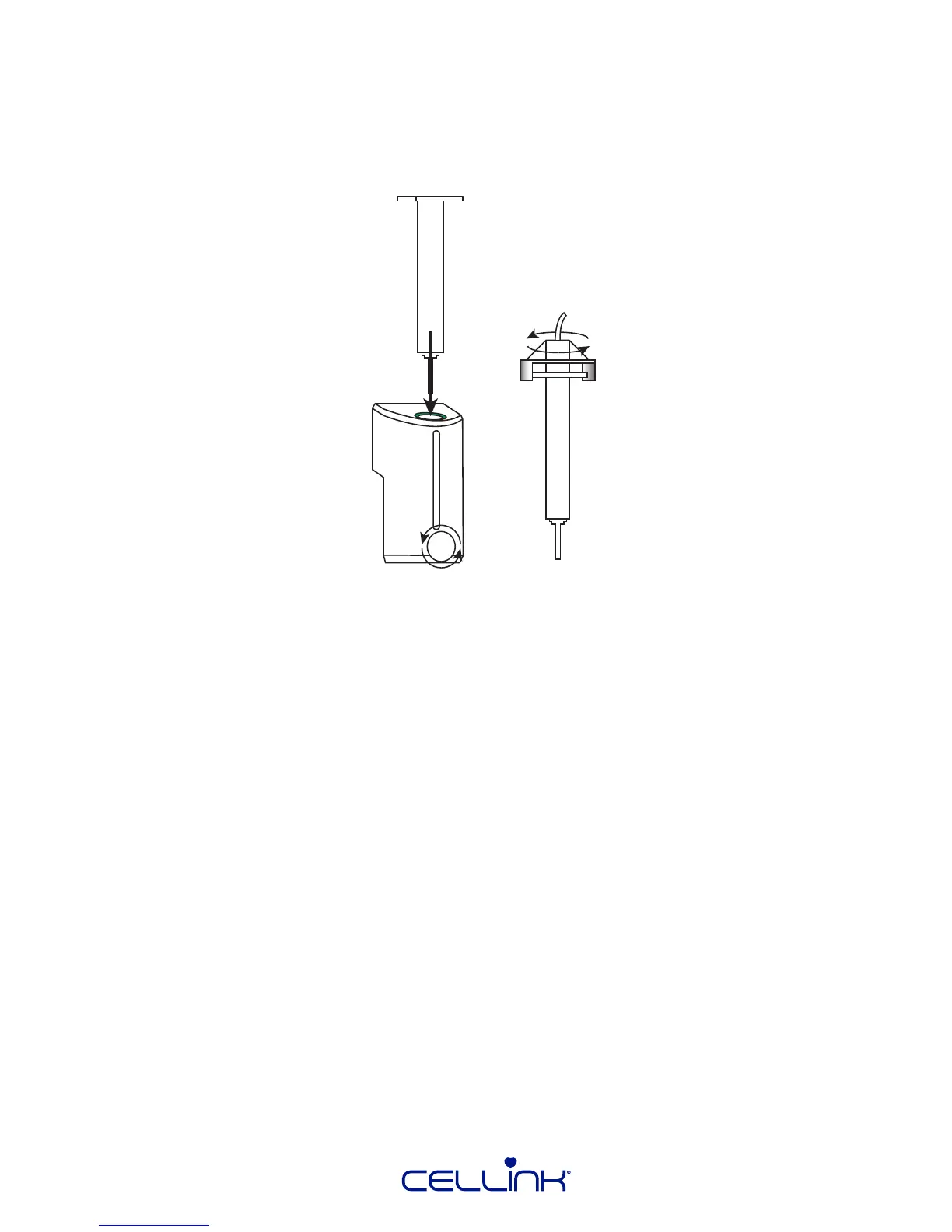
Follow these steps to mount a cartridge in the CELLINK pneumac-based printhead.
1. Twist the pressure connector to aach the pressure hose to the cartridge.
2. Insert the cartridge in the printhead. Push it down unl the cartridge wings touch the top of
the printhead.
3. Turn the cartridge-fastening screw to secure the cartridge in the printhead.
The CELLINK pneumac-based printhead needs to be connected to an air supply to funcon. When
inserng the printhead, remember to connect the pressure hose to the pressure connector on the
printhead holder.



 To Next Page