52
1. Turn o BIO X and disconnect the power cable.
2. Remove the Clean Chamber unit. Reach into the print chamber and push the HEPA lter up
unl the Clean Chamber unit releases from the BIO X.
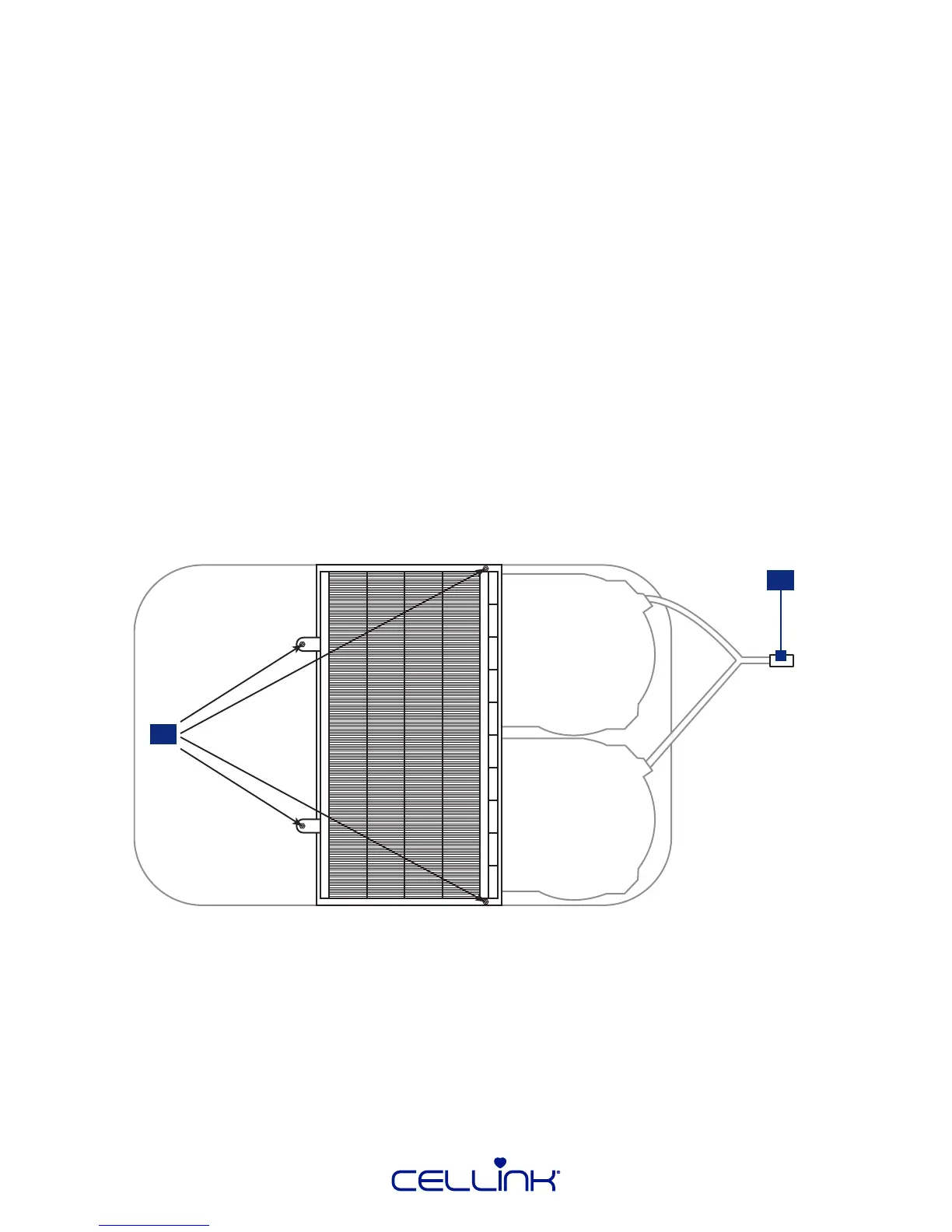
3. Disconnect the cable powering the fans (1).
4. Put on a pair of gloves and sterilize them using >70% ethanol.
5. Remove the four screws holding the HEPA lter in place (2).
6. Replace the HEPA lter with a clean one.
Fasten the clean HEPA lter with the four screws and plug in the cable powering the fans.
7. Remount the Clean Chamber unit in the top of BIO X.
5.1 Changing the HEPA lter
The HEPA lter is part of CELLINK’s patented Clean Chamber™ technology, ensuring a sterile print
chamber for your research. Change the HEPA lter aer 160 hours of runme using the instrucons
below.
1
2



 To Next Page