44
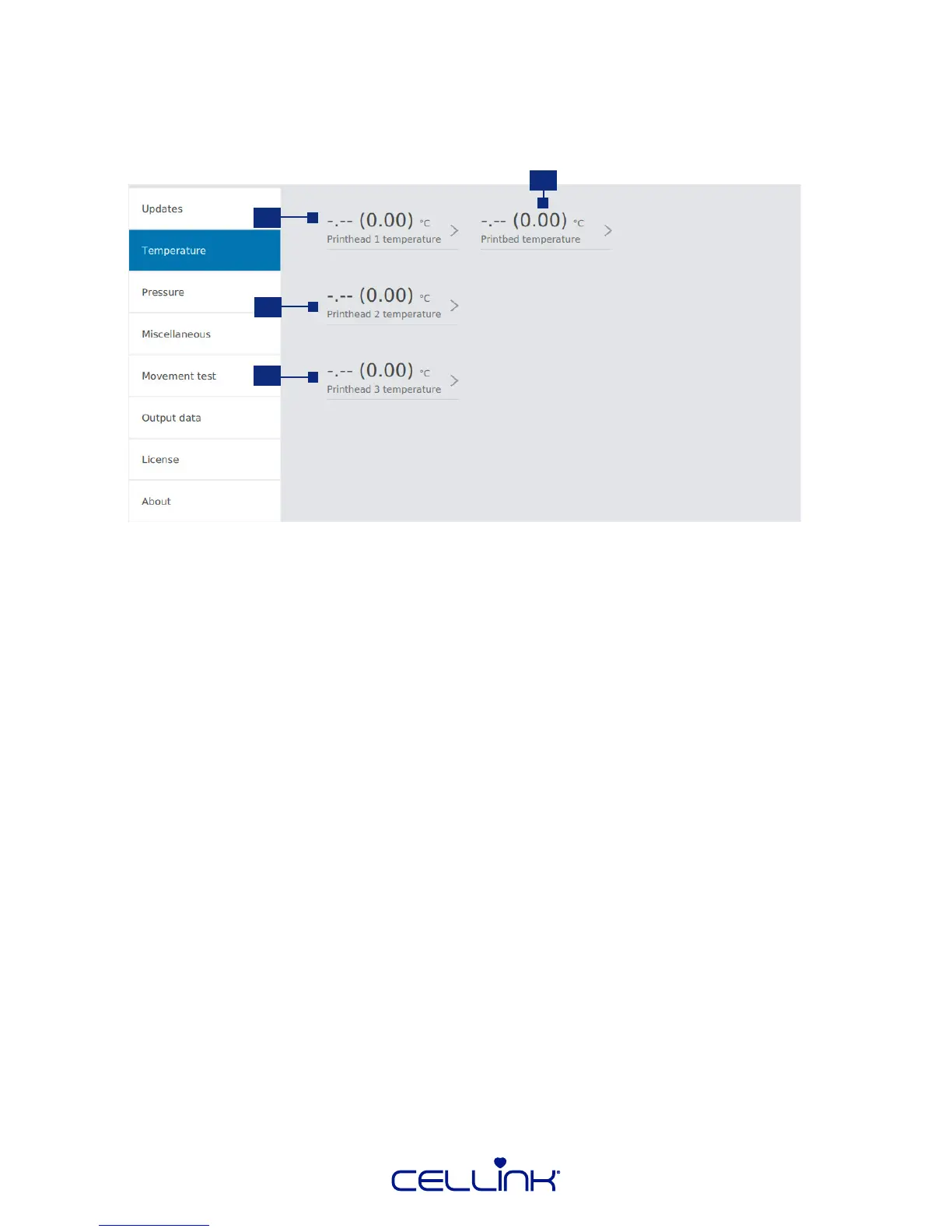
4.4.2 Printhead and print bed temperature control
Use the second tab of the “Ulies” menu to control printhead and print bed temperature. You have
the opon to pre-heat or pre-cool your equipment.
1. Printhead 1 temperature – Set the temperature of the printhead 1.
2. Printhead 2 temperature – Set the temperature of the printhead 2.
3. Printhead 3 temperature – Set the temperature of the printhead 3.
The temperature range for the pneumac printhead is between room temperature and
65° Celsius.
4. Printbed temperature – Set the temperature of the printbed between 4-60°.
2
4
3
1



 To Next Page