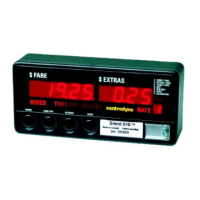
S700 Taximeter Operating & Programming Guide
12
Group 4 Clock/Calendar
Item Description Default Range
Factory Option
4
day
1
ON
00:00 00:00 - 23:59 12:00a(p) - 11:59p(a) Y
5
day
1
OFF
00:00 00:00 - 23:59 12:00a(p) - 11:59p(a) Y
6
2
ON
00:00 00:00 - 23:59 12:00a(p) - 11:59p(a) Y
7
2
OFF
00:00 00:00 - 23:59 12:00a(p) - 11:59p(a) Y
8
3
minutes
23:59 00:00 – 23:59 Y
2
3
12
Tariff Change Future Date
5
Year
2020 Current – 2020 Y
13
Tariff Change Future Date
5:
Day/month
01/01 1 - 31/1 – 12 Y
14
Tariff Change Future Date
5:
Hours: minutes
12:00 00:00 - 23:59 12:00a(p) - 11:59p(a) Y
NOTES: 1. Requires Auto Rate Change at Time of Day Factory option.
2. Requires Inhibit Extras at Programmed Time of Day User option.
3. Requires Disable Meter at Programmed Time and Date Factory option.
4. Requires Disable Meter for Lease Factory option.
5. Requires Update Tariff at Programmed Time and Date Factory option.
6. The Time format for items 1, 4 thru’ 8 and 14 depends on the Time Format User option.
7. The Date format for items 2, 9 and 13 depends on the Date Format User option.
Group 5 Text
The editing procedures for text data are somewhat different compared to numeric data entry. In the text group, each item is an individual text
line as would be printed on a receipt. These items are selected as before with SW3 and SW4, with the item number displayed in the EXTRAS
window. In order to display an individual character, the FARE window is split into two sections, the leftmost 3 digits displaying the ASCII value of
the character on the text line, whose position in the text line is pointed to by the rightmost 2 digits, a blank digit separating the two sections. In
this mode, for each item selected (i.e. each text line), SW2 and SW5 scroll through the character position in the text line anti-clockwise and
clockwise, respectively. When an item is selected for editing with switch SW6, the rightmost digit of the 3-digit ASCII value flashes to indicate
that it can be edited by pressing switch SW4 to increment or by pressing switch SW3 to decrement. Switches SW2 and SW5 scroll through the
3 digits anti-clockwise and clockwise respectively, allowing any of the 3 digits to be edited. When the ASCII value of the character has been
changed to the user’s satisfaction, pressing switch SW6 accepts and saves the value, while pressing switch SW1 will revert to Group Selection
without saving the changes.
1 2 3 4 5 6 7 8 9 10 11 12 13 14 15
16
1
* Y E L L O W C A B L T D *
42 89 69 76 76 79 87 32 67 65 66 32 76 84 68 42
Sample of Line 1 Printer Text
acter
Decimal



 To Next Page