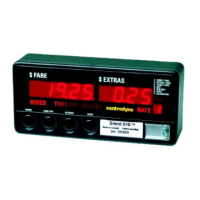
S700 Taximeter Operating & Programming Guide
7
Except for Menu #3 (Rates Menu), when the desired menu number is displayed flashing, press switch 6 to select it. The rate display will then display
the menu number on steady. The first item in the selected menu will be shown in the fare display, and the item number in the extras display. If the
selected menu has more than 1 item, pressing switch 4 will increment through the list of items and pressing switch 3 will decrement through the list
of items.
When Menu #3 (Rates Menu) is displayed flashing in the rate display, the rate legend will also be lit flashing. Press switch 6 enters Rates Menu. The
rate legend becomes on steady. Rate 1 flashes in the rate display. Press switch 4 to increment through the rate numbers, or press switch 3 to
decrement. When the desired rate number is displayed flashing in the rate display, press switch 6 to select it. The rate number becomes on steady.
The drop fare for that rate is now displayed in the fare display, and item number in the extras display. Again, pressing switch 4 will increment through
the list of items and pressing switch 3 will decrement through the list of items.
Some menu items allow user to print by pressing switch 5. And a few menu items allow user to start tests or enter values by pressing switch 6.
The menu data can be displayed for the programmed statistics timeout period if there has been no switch press. If a switch is pressed before the
programmed statistics timeout period has elapsed, the display will remain on for a further timeout period. The display will automatically revert to the
Vacant state if the vehicle moves or when the programmed statistics timeout period has elapsed.
At any time switch 1 can be pressed to backup one step, finally backing into Vacant state.
The following tables show the items for each of the menus.
Menu – 0 (Audit Trail Menu)
For future use.
Number
Fare Display Extras Display
Date of the last entry in
3
Allows user to enter a date and print configuration entries
made after the date
3
Menu – 1 (Display Menu)
Menu #1 allows the operator to test the displays and to adjust the brightness of the displays. The brightness has two levels, corresponding to Low
and High.
After selecting menu #1 as described above, press switch 3 or 4 to toggle between Dim and Normal brightness. Press switch 6 to turn on all
displays. Press switch 6 again to start the display test by having all of the display digits sequence through the numbers 0 thru 9 then A to b,
individually in reverse order then forward order, then collectively.
Menu – 2 (Calibration Menu)
Menu #2 allows the operator to display the current value of vehicle calibration. Provision is also made to perform a calibration check.
To perform the calibration check, the operator presses switch 6, causing the display to be zeroed in the fare display. The word “CAL” is displayed
flashing in extras display. The operator then drives a measured mile/km during which distance pulses are counted and displayed in fare display. At
the end of the measured mile/km, the displayed count will be the vehicle calibration and should match the stored value. The stored value is not
affected by this test. User can press switch 6 to exit calibration check and revert to menu view data mode. If switch 1 is pressed, meter goes to menu
top level.



 To Next Page