Features
and
functions
3.1.6. PIRAC Mode (Beam Autoclose Mode) - optional
This mode can only be used if a Closing Safety Beam
(page 16) is fitted
This mode can be used in
conjunction with any of the
operating modes-Standard,
Condominium and Reversing
Mode.
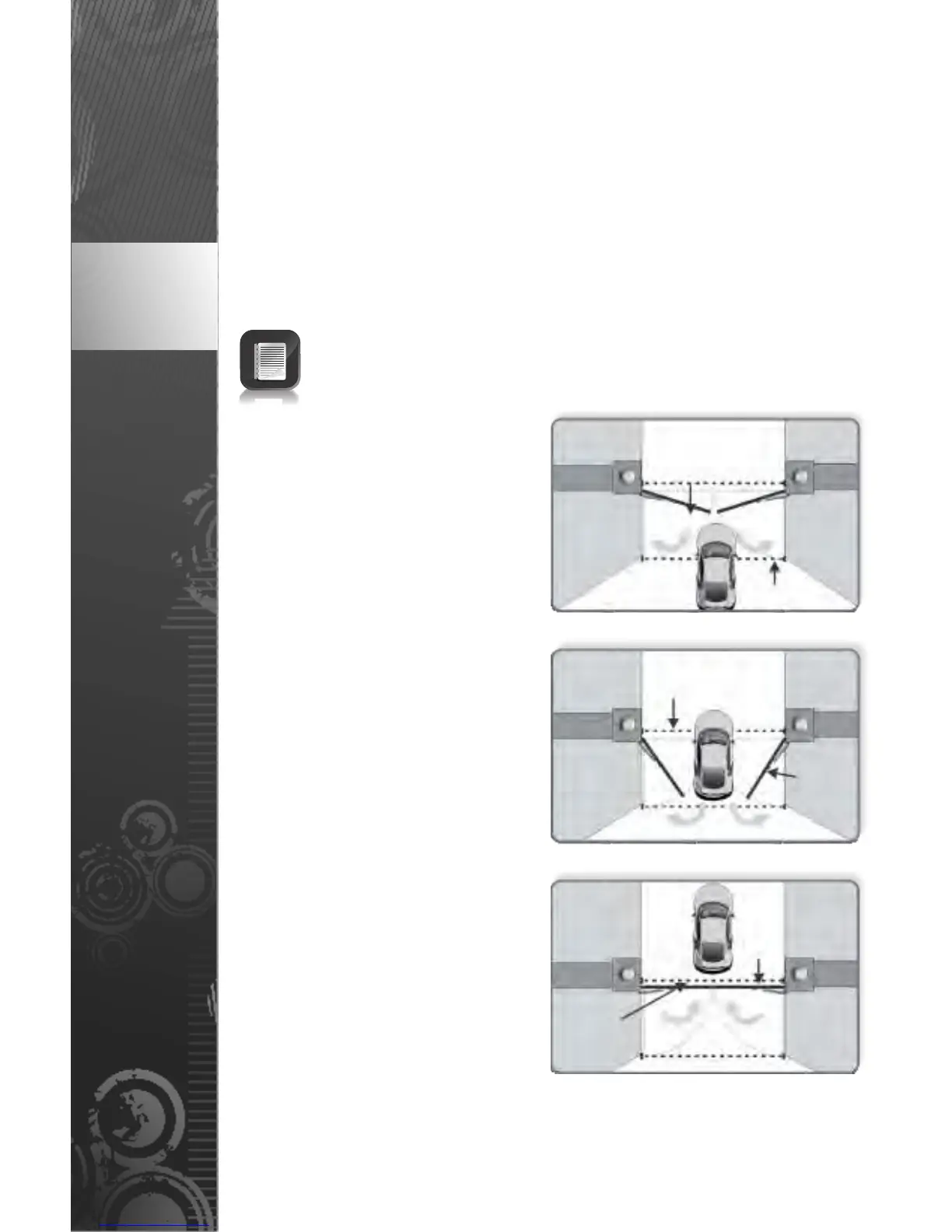
With PIRAC Mode enabled, your
gate will close as soon as you
have driven through and passed
the safety beam – giving
intruders no time to follow behind
you.
If Autoclose is enabled and the
gate has been opened but
nothing moves through the
Closing Safety Beam, the gate
will stay fully open for the
duration of the Autoclose timer
before closing. However, if
something passes through the
Closing Safety Beam the gate will
close immediately.
If something crosses the beam
while the gate is opening, it will
continue to open until the beam
is cleared and the gate will then
stop and close. If the gate has
reached its fully open position, it
will stop and remain open until
the beam is cleared or the
Autoclose timer expires
whichever occurs first.
FIGURE 12
FIGURE 13
FIGURE 11
Gate
opening
Beam
Gate
opening
Beam
broken
Gate
closing
Beam
re-made
page 12
An infrared beam can be used instead of an inductive ground loop, but
the beam will be activated if a person (or any object) moves through it,
so this option is typically less secure.
Please contact CENTURION for more information on whether a ground
loop or infrared beam is better suited to your needs.
PIRAC Mode’s ‘stop on opening’ configuration will open the gate a short,
adjustable distance past the point at which the beam was broken and
stop, wait for the beam to be re-made or the Autoclose timer to expire,
then close.













 To Next Page