3-20
0
1
2
3
4
5
6
7
8
9
10
11
12
13
14
15
16
17
18
19
20
21
E
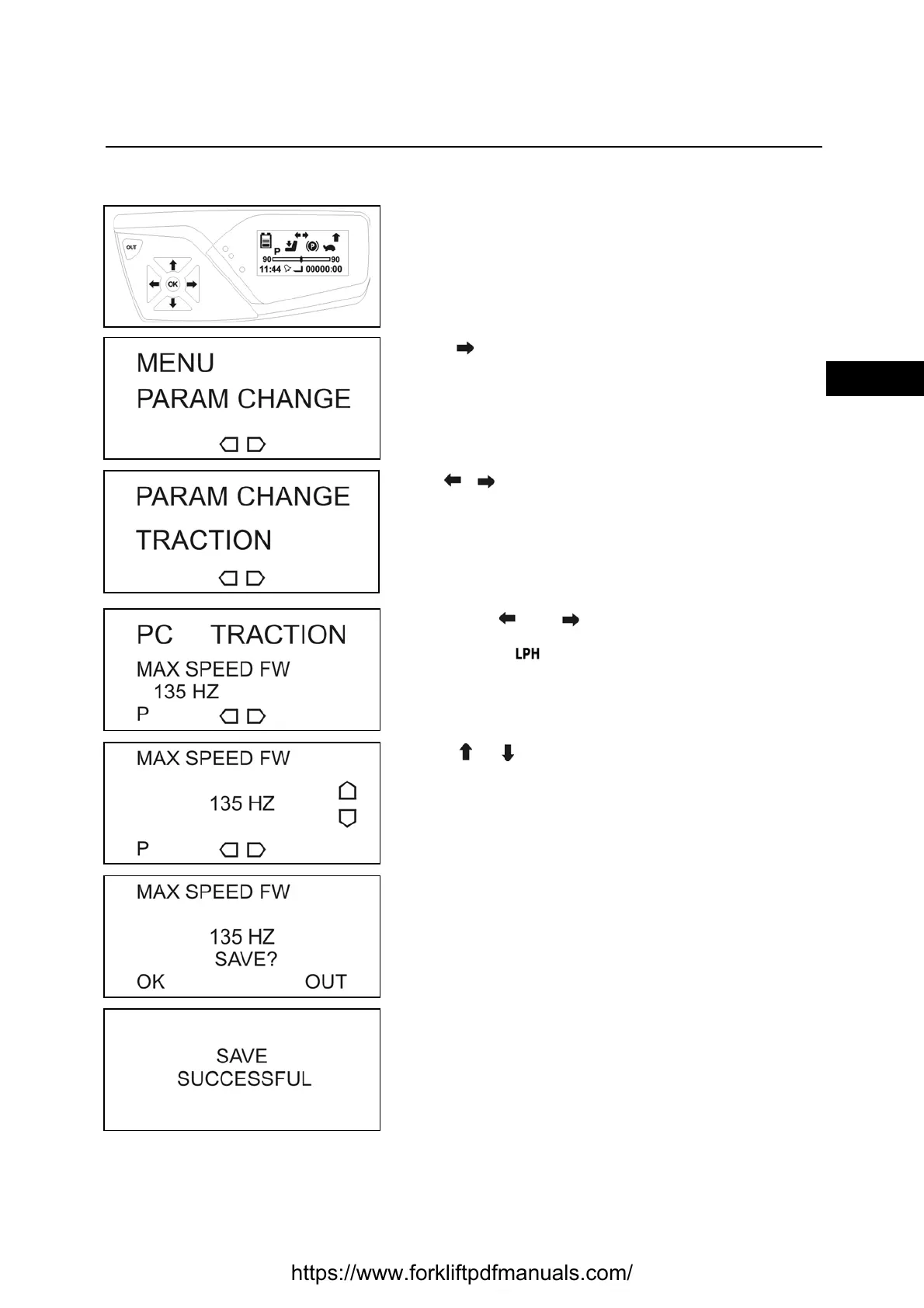
PARAM CHANGE
Enter the service menu
[see SERVICE MENU PASSWORD INSERTION
PROCEDURE paragraph]
Press till reach the PARAM CHANGE menu
Press OK to enter the menu
Use to select
TRACTION (traction parameters)
o
MAT. HANDLING (hydraulic function parameters)
Press OK to confirm
Use buttons and to navigate the menu
Use the button to select the set [L-P-H]
you wish to edit.
Press OK to select the required parameter
Press or to modify the value
Press OK to confirm
Press OK to save
Press OK to exit without saving
Press OUT
https://www.forkliftpdfmanuals.com/


 To Next Page