3-103-10
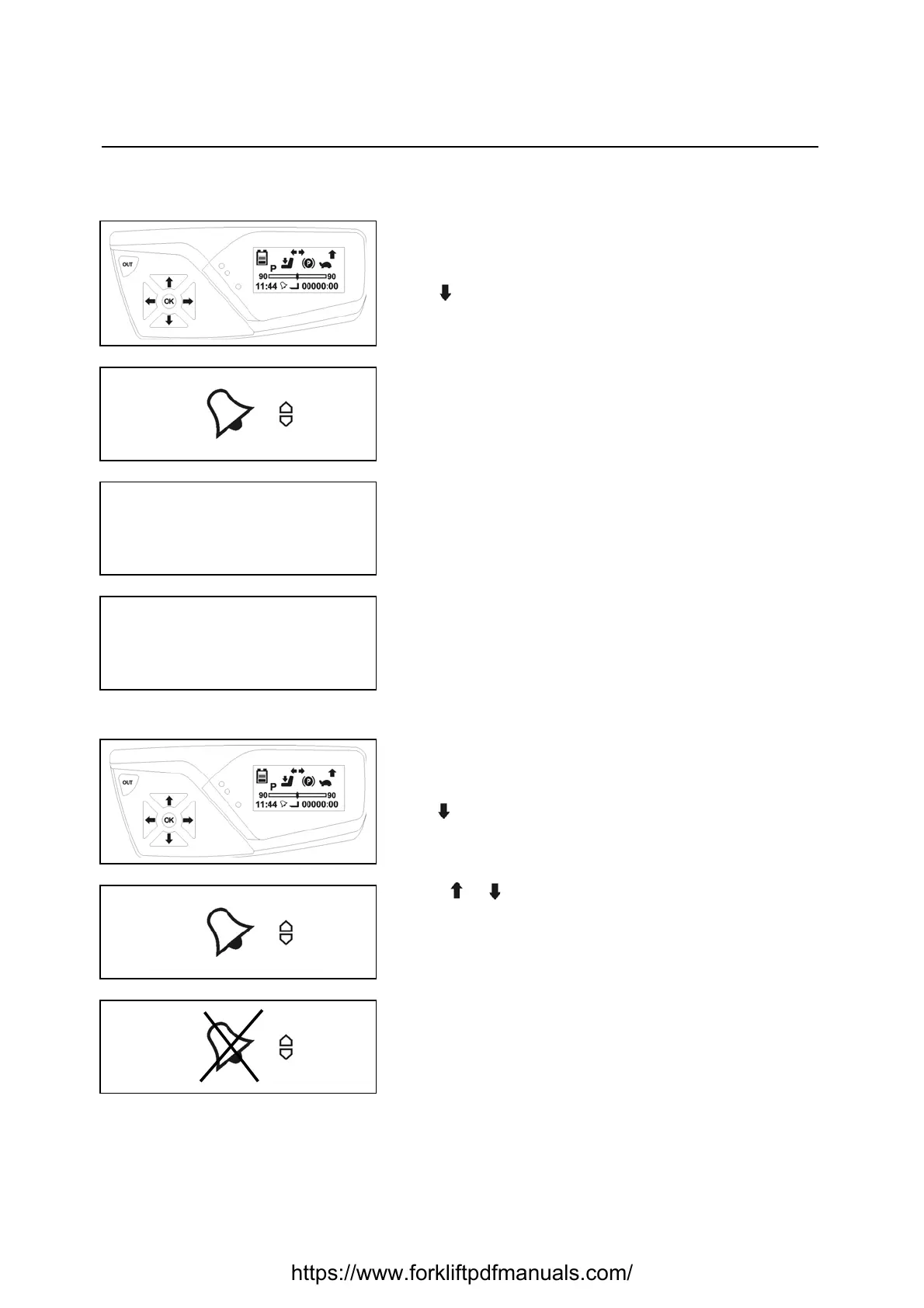
ALARMS
SETTING
Enter the user menu
[see USER MENU PASSWORD INSERTION PROCEDURE
paragraph]
Use to reach the clock alarm menu
Press OK to confirm
Remarks:
The clock icon flashes
Press OK to confirm
Use the flowing arrows to set the hours
Press OK to confirm
Use the scroll arrows to set the date
Press OK to confirm
Press OUT to exit the menu
DEACTIVATION
Enter the user menu
[see USER MENU PASSWORD INSERTION PROCEDURE
paragraph]
Use to reach the clock alarm menu
Press OK to confirm
Press or to disable the alarm
Remarks:
The clock icon flashes
Press OK to confirm
Press OUT to exit the menu
https://www.forkliftpdfmanuals.com/


 To Next Page