16-12
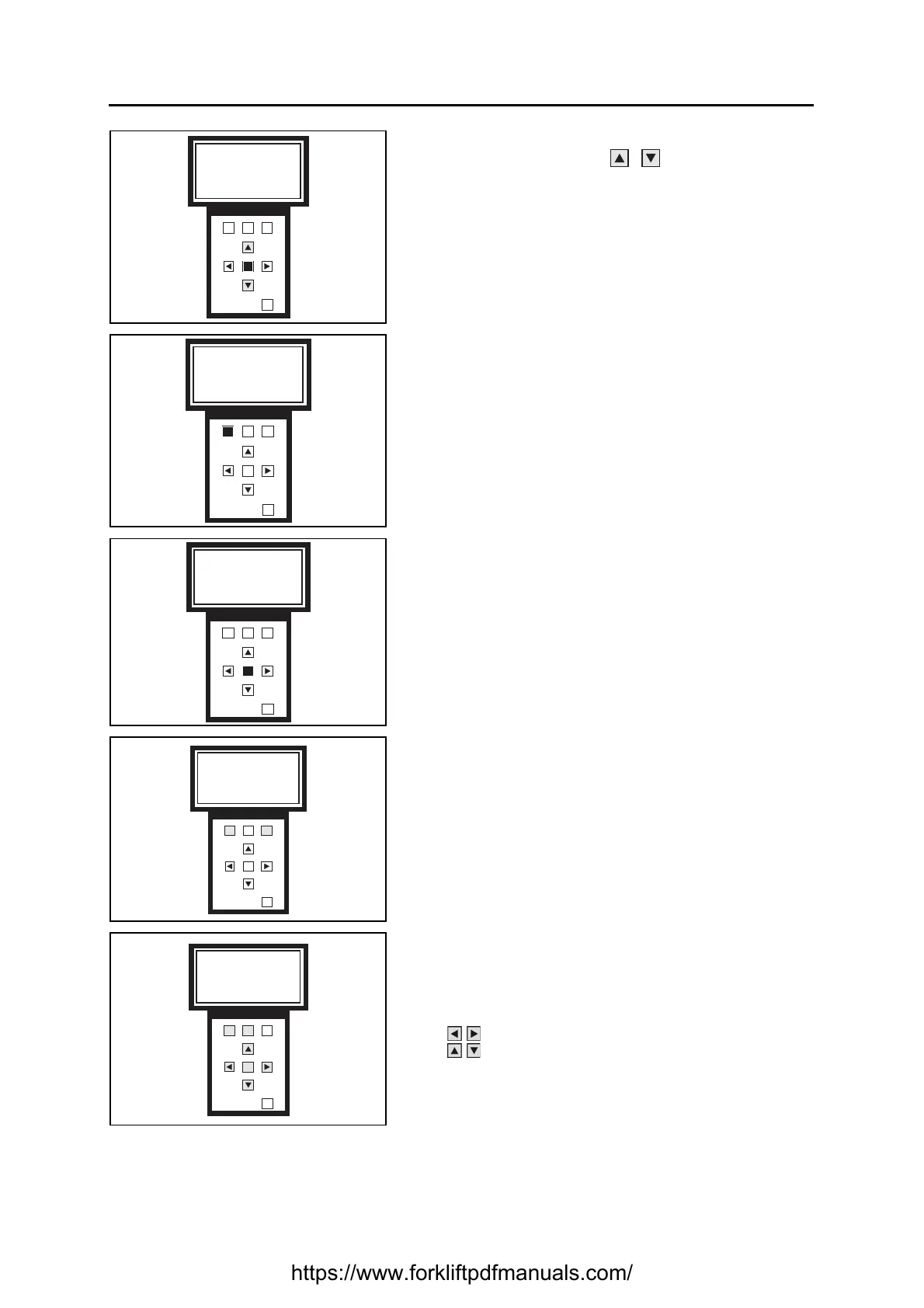
5. If the CHOOSE option was chosen on the previous
screen, use the buttons to select the profile to
be saved
Press OK to confirm
6. Press F1 to confirm
Press F3 to return to the previous screen
7. Press OK to continue
8. Press F1 if you want to rename the file
Press F3 if you want to keep the default name
9. If the YES option was chosen on the previous screen,
use the buttons:
F1 and F2 to pass from letters to numbers and vice
versa
to move along the text
to select letters or numbers
Press OK to confirm
F1 F2
F3
OK
OUT
Profile to save
X
F1 F2
F3
OK
OUT
Do you want to
save XXX
YES NO
F1 F2
F3
OK
OUT
Personalisation
will be saved in
XXX
F1 F2
F3
OK
OUT
Note
Do you want to
modify this note?
YES NO
F1 F2
F3
OK
OUT
Note modify
ABC123
abc 012
https://www.forkliftpdfmanuals.com/


 To Next Page