3-46
0
1
2
3
4
5
6
7
8
9
10
11
12
13
14
15
16
17
18
19
20
21
E
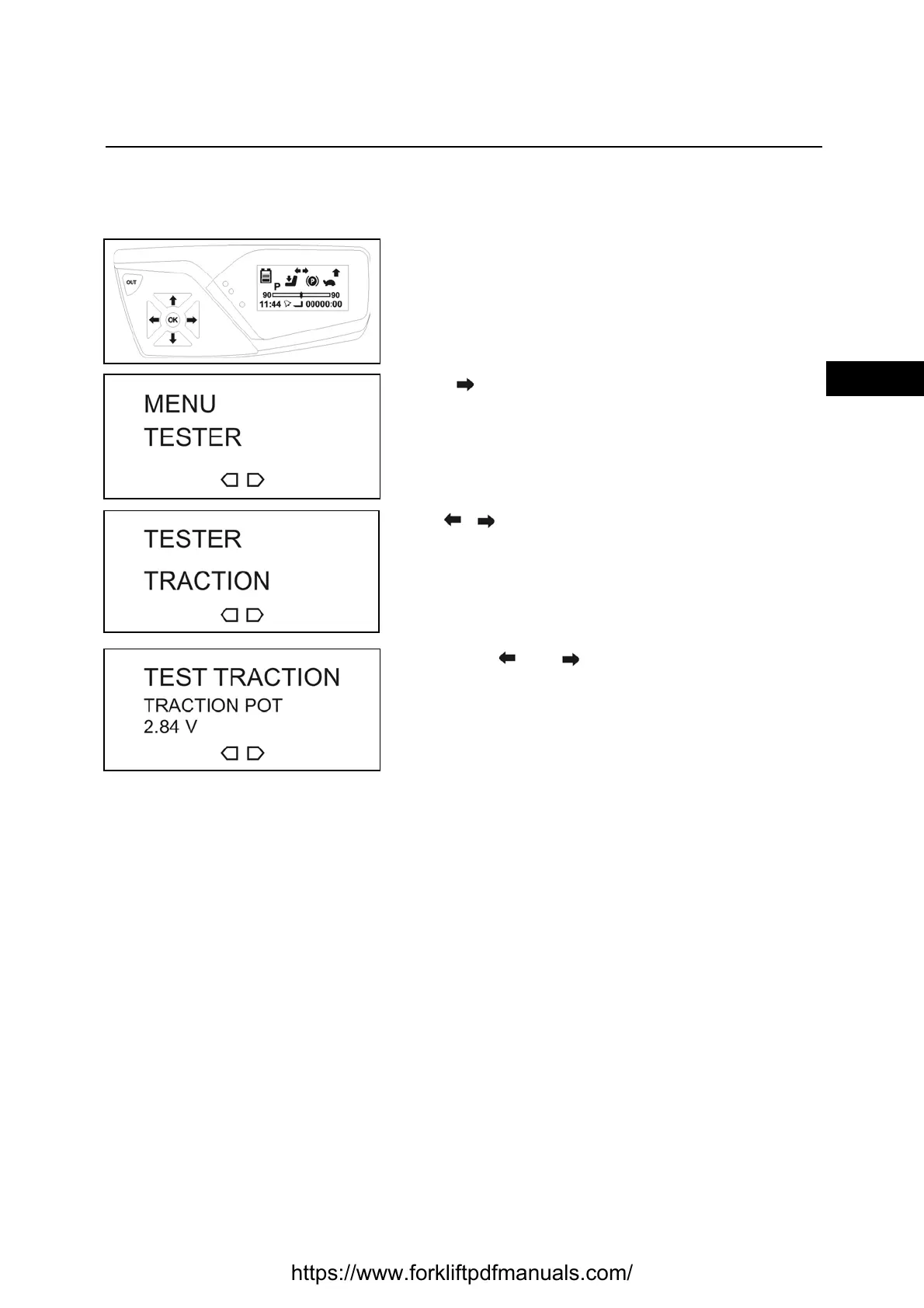
TESTER
The tester function is used to view the electronic components present on the truck (current, voltage,
temperature, status, etc.)
Enter the service menu
[see SERVICE MENU PASSWORD INSERTION
PROCEDURE paragraph]
Press to reach the TESTER menu
Press OK to enter the menu
Use to select
TRACTION (traction)
o
MAT. HANDLING (hydraulic functions)
Press OK to confirm
Use buttons and to navigate the menu
Press OUT to exit the menu
https://www.forkliftpdfmanuals.com/



 To Next Page