-15-
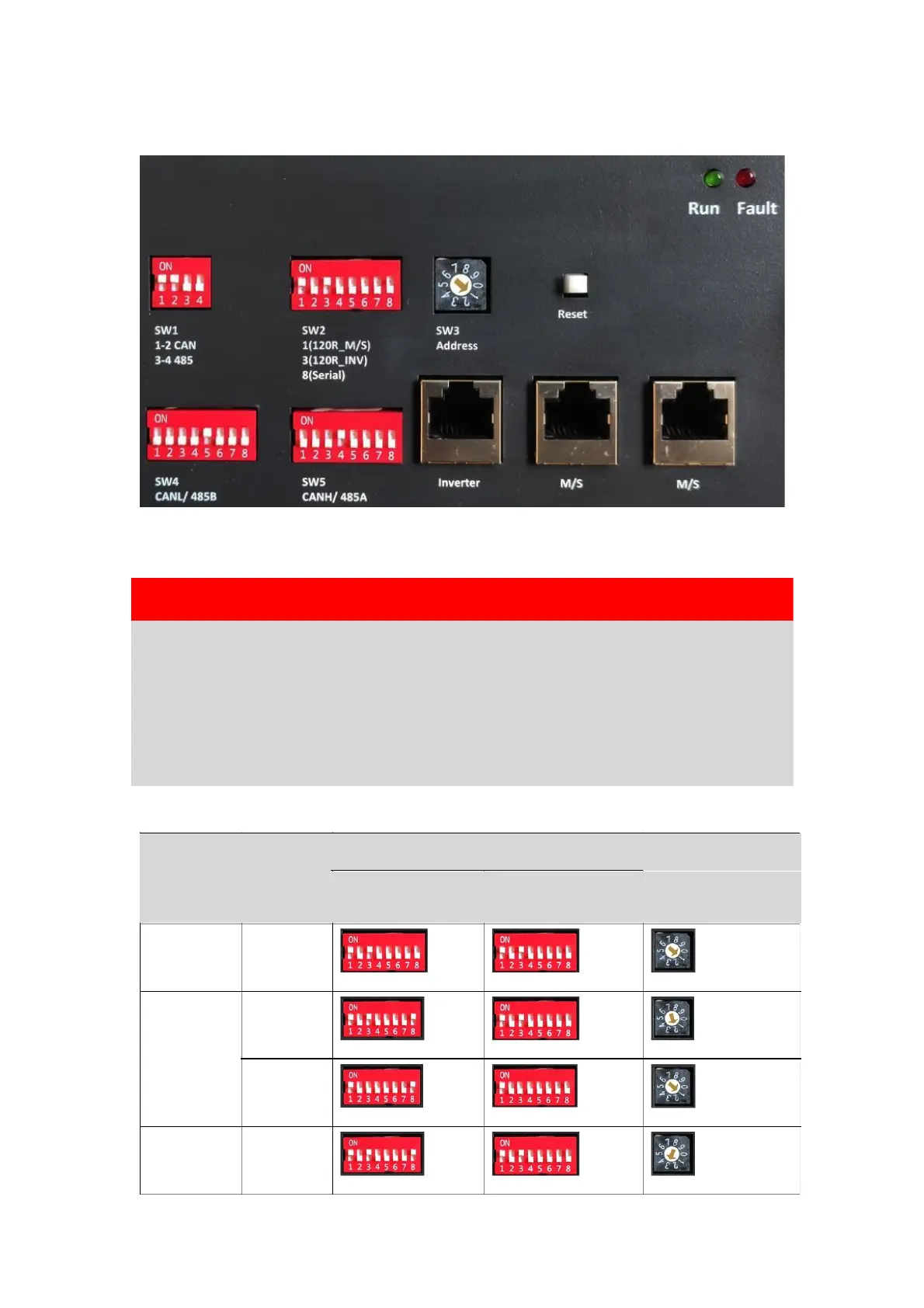
5.3.2 Address selection of Master and Slave Battery (Batteries) Connection
For Series connection, please make sure the SW2 DIP switch of selected as this
type.
WARNING
Please make sure the SW2 DIP switch is selected correctly. If the battery
is connected in Parallel mode, but the selection of SW2 DIP8 is done at
the ON position, it might lead to a serious or even dangerous fault.
Meanwhile, if the battery is connected in Series mode, the selection of
SW2 DIP8 at the OFF status might also occur serious or even dangerous
fault.


 To Next Page