M10 User Manual 16
3.3 Shortcuts
The M10 amplier settings are accessible through menus accessed via the ve control buttons (or via the
CH Control app) and viewed on the display. The amplier also offers Shortcuts to the most frequently used
conguration menu items. Shortcuts are user selectable and fully programmable.
The user may choose any conguration parameter as a Shortcut.
There are up to six user programmable Shortcuts.
To learn how to program individual Shortcuts, please refer to the Shortcuts menu item in the next section.
There are no pre-programmed shortcuts dened within the Factory default settings.
To access user programmed shortcuts, press OK [ ].
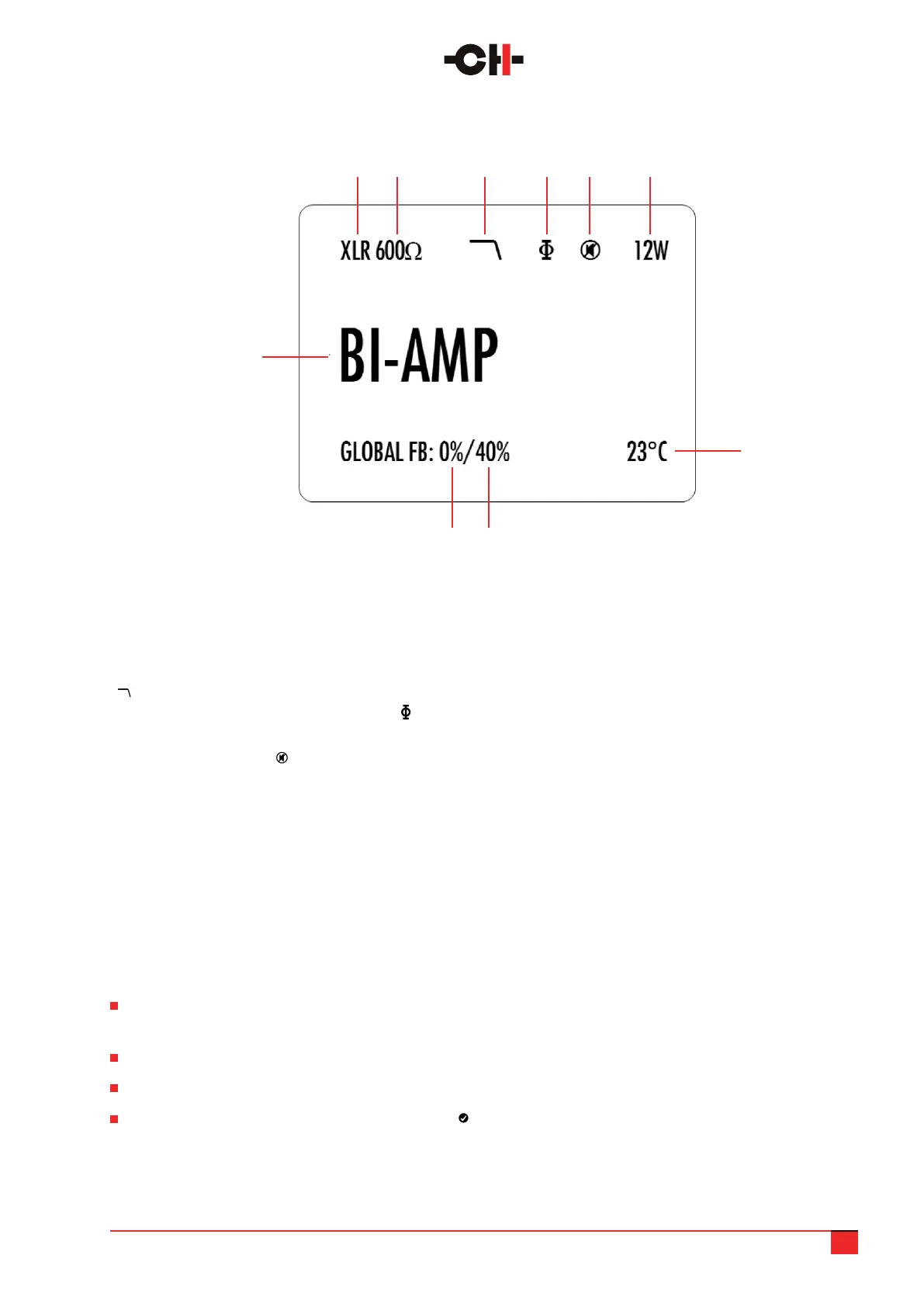
1. Input selected
2. Input impedance termination
3. Indicates if the low-pass lter is engaged
( symbol) or not (nothing is displayed in this case).
4. Absolute phase polarity indication. If the symbol
is present, polarity is reversed
5. Mute indication. If the symbol is present,
the M10 output is muted
6. Instantaneous power indication. Gives a reading of
the peak power (in Watts) supplied to the loudspeaker
7. Average temperature of the two output channels
(in degree Celsius)
8. Global feedback applied to the channel 2 output
board (only displayed in bi-amplication mode)
9. Global feedback applied to the channel 1 output
board (in Bi-amplication modes) or to both output
boards (in Stereo, Monaural or Bridged modes)
10, Amplier mode (Stereo, Monaural, Active/Passive
Bi-amplication or Bridged
The general status display of the M10 looks like this:
7
1 2 3 4 5 6
Normal mode display elements
9 8
10



 To Next Page