IMPORTANT NOTE: While in the help screens, programming will be disabled.
To continue programming, press the button to exit the help screens first.
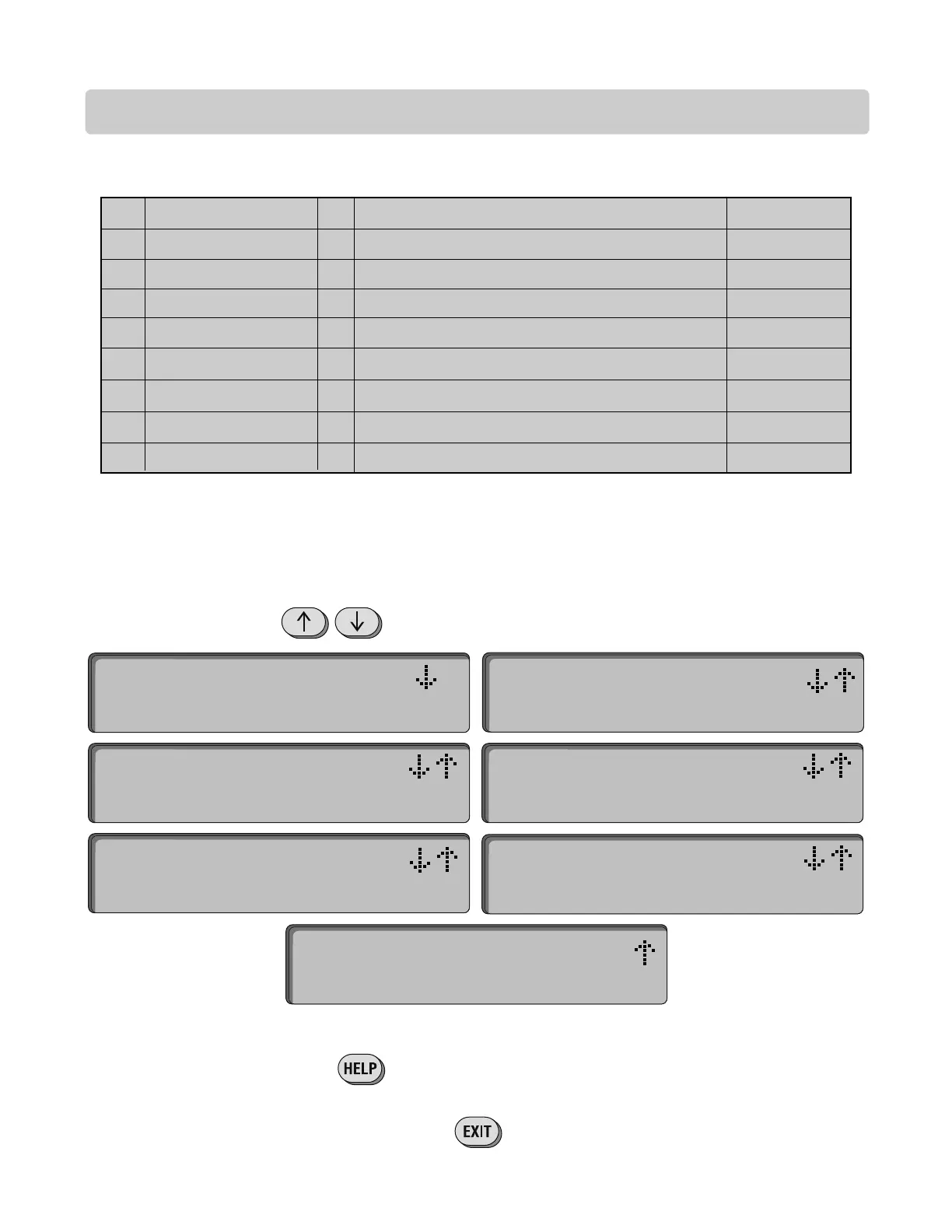
SELECTING PROGRAM MODE
23
LC/VF Page
*We recommend you customize your password to avoid unauthorized programming (see “Password” section)
To select a Program Mode, press the corresponding letter from one of the nine options.
LIST OF PROGRAM MODES:
Names
Utility
Password*
Clock/Timer
Strike Time
Talk TIme
Greeting
Volume
Backup
page 24-26
page 27
page 28
pages 29-31
page 32
page 32
page 33
page 33
page 34
Program or edit Resident Names
Program or edit Utility Codes
Program New Password ( recommended )
Program System Clock and Seven Day Timers
Program relay output time ( for 2 relays )
Program length of Talk Time
Program custom Welcome Screen Message
Program Volume level
Backup of memory card
1
2
3
4
5
6
7
8
9
N
U
P
C
S
T
G
V
B
Use the keys to scroll through the nine different Program Modes.
Pressing the button will provide users with a help message.
SELECT PROG MODE:
(N)Names (U)Utility
SELECT PROG MODE:
(P)Password
SELECT PROG MODE:
(C)Clock/Timer
SELECT PROG MODE:
(S)Strike Time
SELECT PROG MODE:
(T)Talk Time
SELECT PROG MODE:
(G)Greeting
SELECT PROG MODE:
(V)Volume (B)Backup





 To Next Page