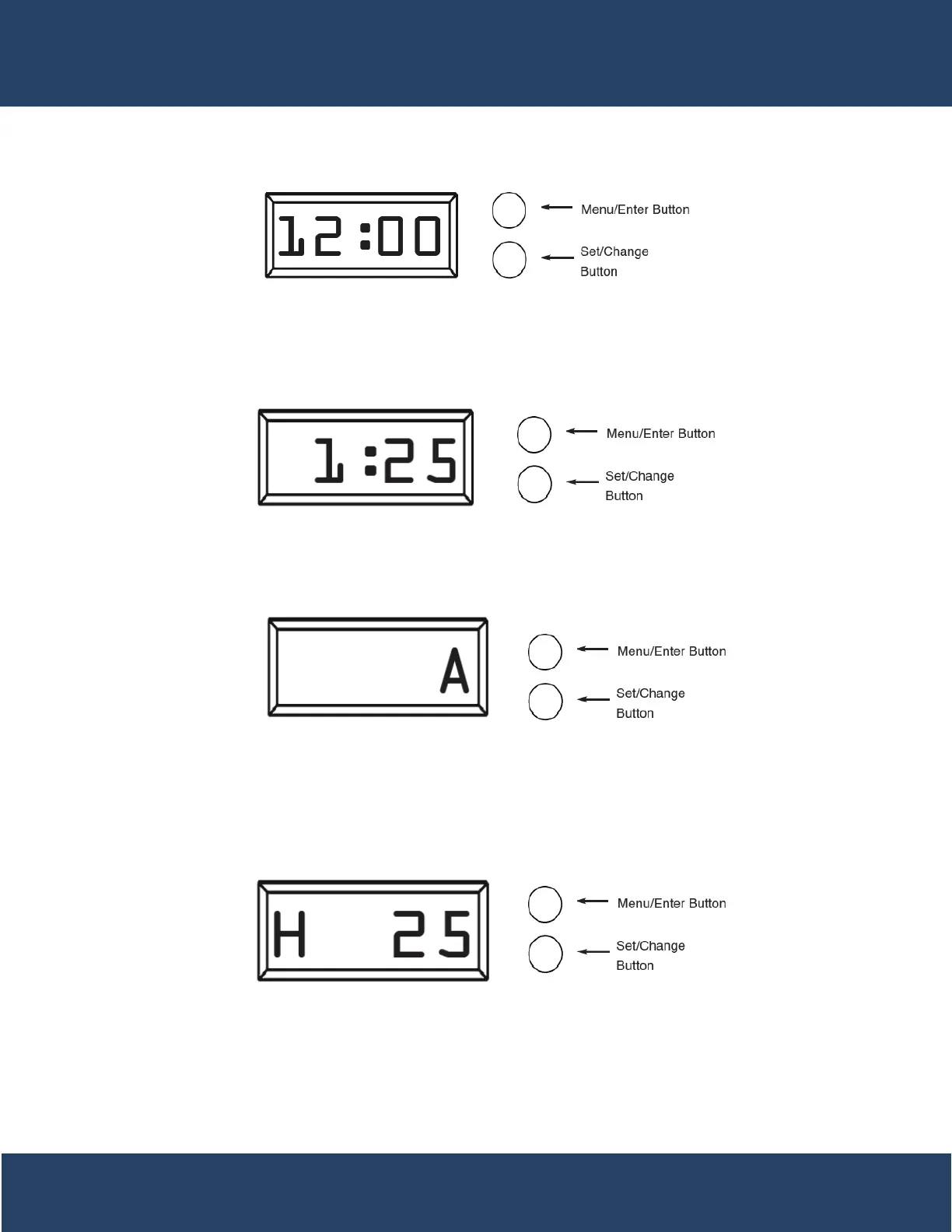
Main Menu / Button Control
1. To enter main menu press the Menu/Enter button
(Time of Day will Flash)
2. To set time of day press the Set/Change button
(First digit will begin to flash)
-To change digit value press the Set/Change button
multiple times and then press the Menu button to
adjust the next digit
- (Next digit will flash)
- (Once hours is accepted all digits will flash)
3. With all digits flashing press the Menu button to set A.M. or
P.M.
- To change digit value press the Set/Change Button
until it is correct
- To accept the digit press the Menu/Enter Button
- (Once A.M./P.M. is accepted the next Menu/Enter
item will flash)
4. (Metered Version) Setting The Hardness
- To change digit value press the Set/Change button
multiple times and then press the Menu button to
adjust the next digit
- Once the Last Digit is Accepted all Digits will Flash
Note: One cycle must be completed before new
setting will be accepted.
15


 To Next Page