A
22
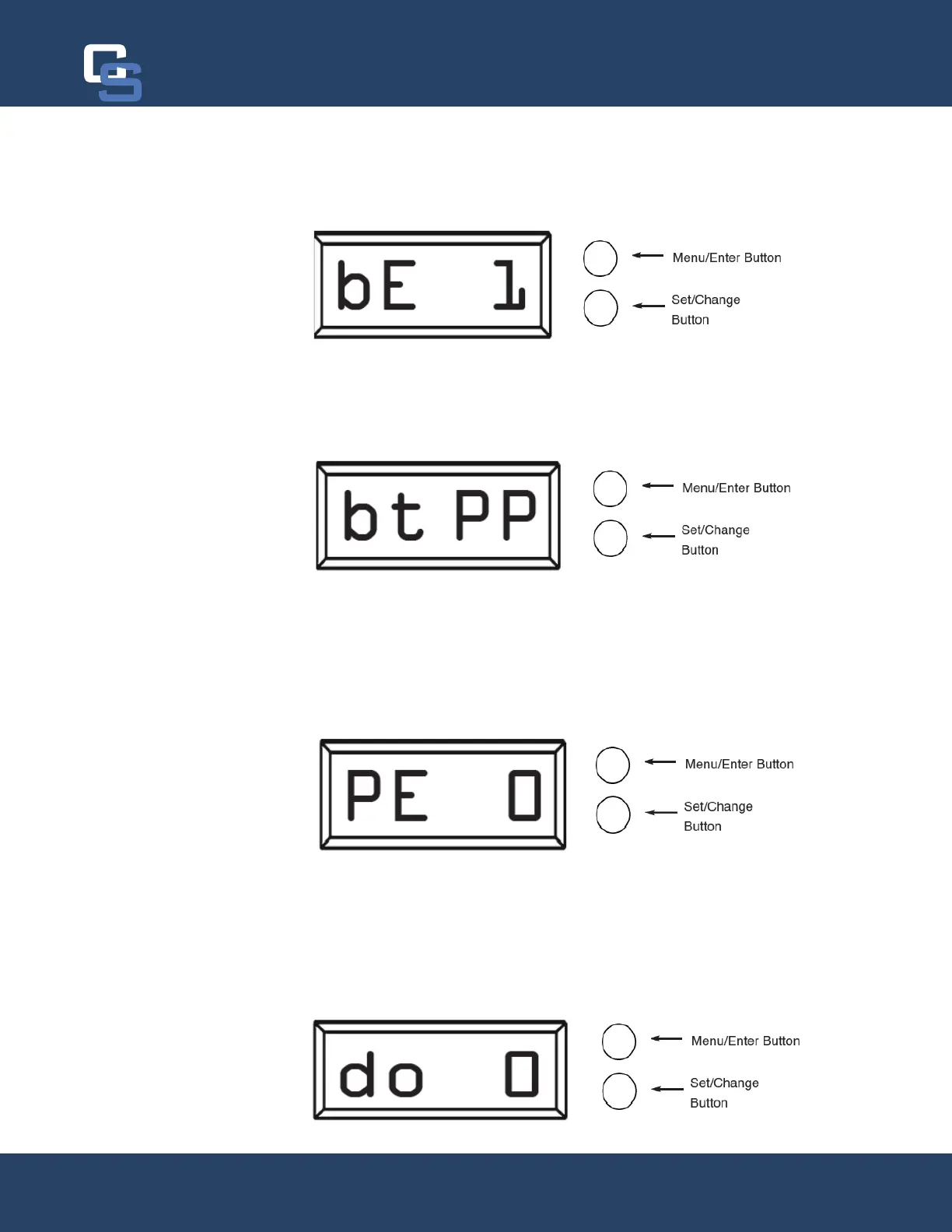
Bluetooth Capability (bE 1)
Press the Menu/Enter button. This display is used to turn the bluetooth capabilities of the system on (1) or off (0).
The system should always be on regardless of it’s usage. If a connection to system cannot be made, verify this
setting is turned on.
Bluetooth Password (btPP)
Press the Menu/Enter Button. The next display shown is the Bluetooth Password (btPP). When shown, this
number will flash between “btPP” and a four digit code. The code is used for accessing the Legacy View app. The
default is “1234” and unless it has been changed, no password will be needed to access the control valve with
Legacy View.
Brine Pre-Fill (PE 0)
Press the Menu/Enter button. The next display shown is the Brine PreFill feature (P E 0). This is defaulted to off
(0) but can be turned on by pressing the Set/Change button twice to turn it on (1).
-
stead of as the last step of a regeneration cycle.
Display Off (do 0)
Press the Menu/Enter button. The next display shown is the Display Off feature (d o 0). This is defaulted to off (0)
but can be turned on by pressing the Set/Change button twice to turn it on (1)
Activating this feature will turn the display off when not in use. This does not shut the system off, just what is
Chandler Systems
22


 To Next Page