Page 19
Page 18
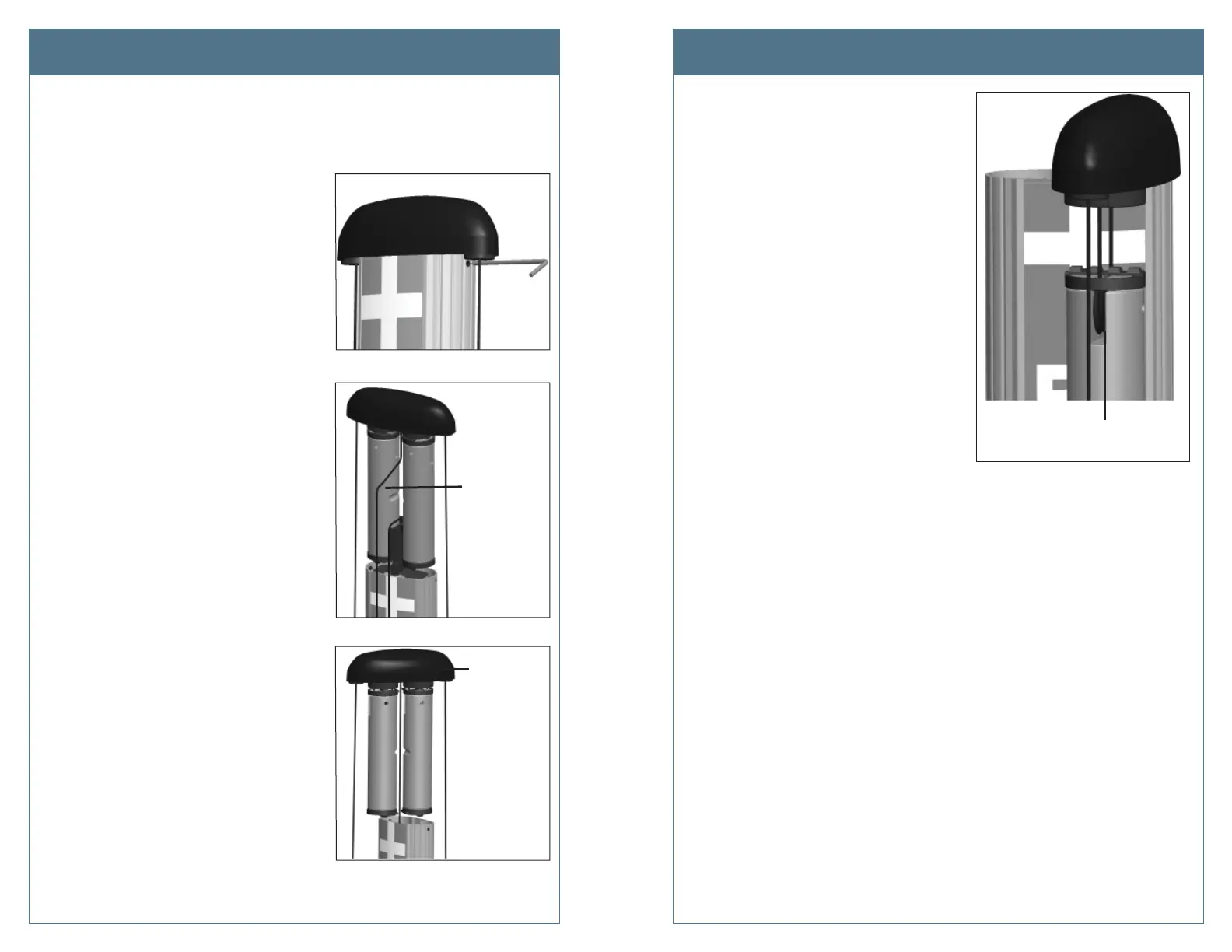
Rotate the
top cap so
the faulty side
faces towards
you
Pull the
center rope
to raise the
weight shelf
Charging Cable Doesn’t Move Freely
If the charging cable does not extend or retract fully and smoothly, it is likely that it’s rope has
come off the pulley and you must re-position it.
TroubleshootingTroubleshooting
Step 1: Using the T25 L-wrench, loosen the set
screws on each side of the retractor below
the top cap.
Step 2: Each rope is attached to a weight that
sits on a shelf. Pull the weight shelf up by
pulling the rope located in the middle of
the top cap.
Step 3: Rotate the top cap so the weight
controlling the rope that doesn’t move
freely is facing towards you.
Step 4: Inspect the rope to ensure it is properly
aligned onto the pulley.
Step 5: Carefully lower the weight back into the
retractor.
Step 6: Rotate the top cap back into position and
re-tighten the set screws to about 10 in-lbs.
Ensure the rope is properly
aligned onto the pulley












 To Next Page