闪点
02 How to Use
5. Connect the controller with the APP
● WIFI Connection
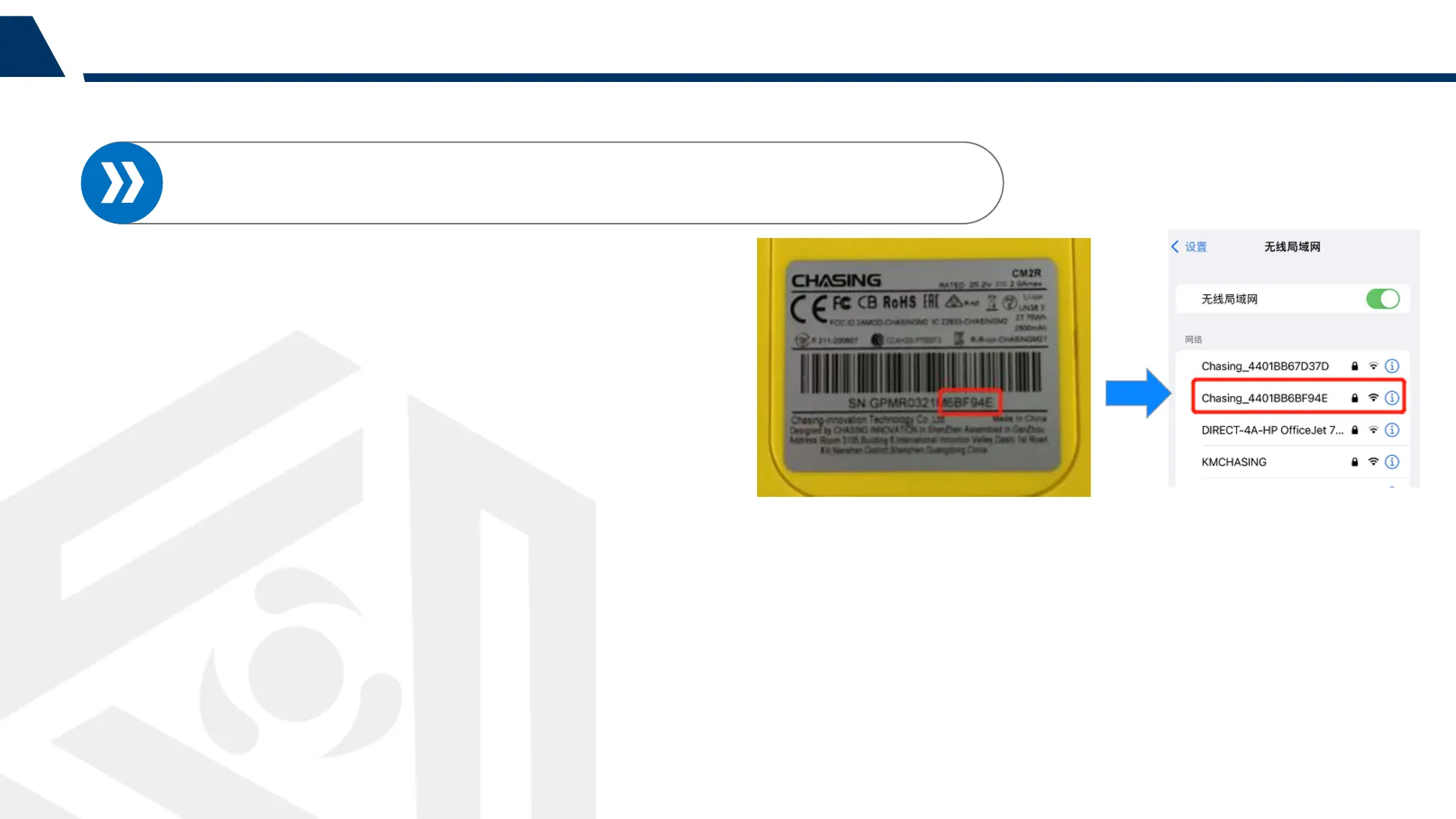
1. Please find the SN on the bottom of the
remote controller;
2. Go to the Wi-Fi setting on your
phone/tablet;
3. Wait for 5-10 seconds and the Chasing_xxxx
(SN last 6 numbers)network will appear on the
WiFi connection list;
4. Click to connect and input the Wi-Fi
Password: 12345678



 To Next Page