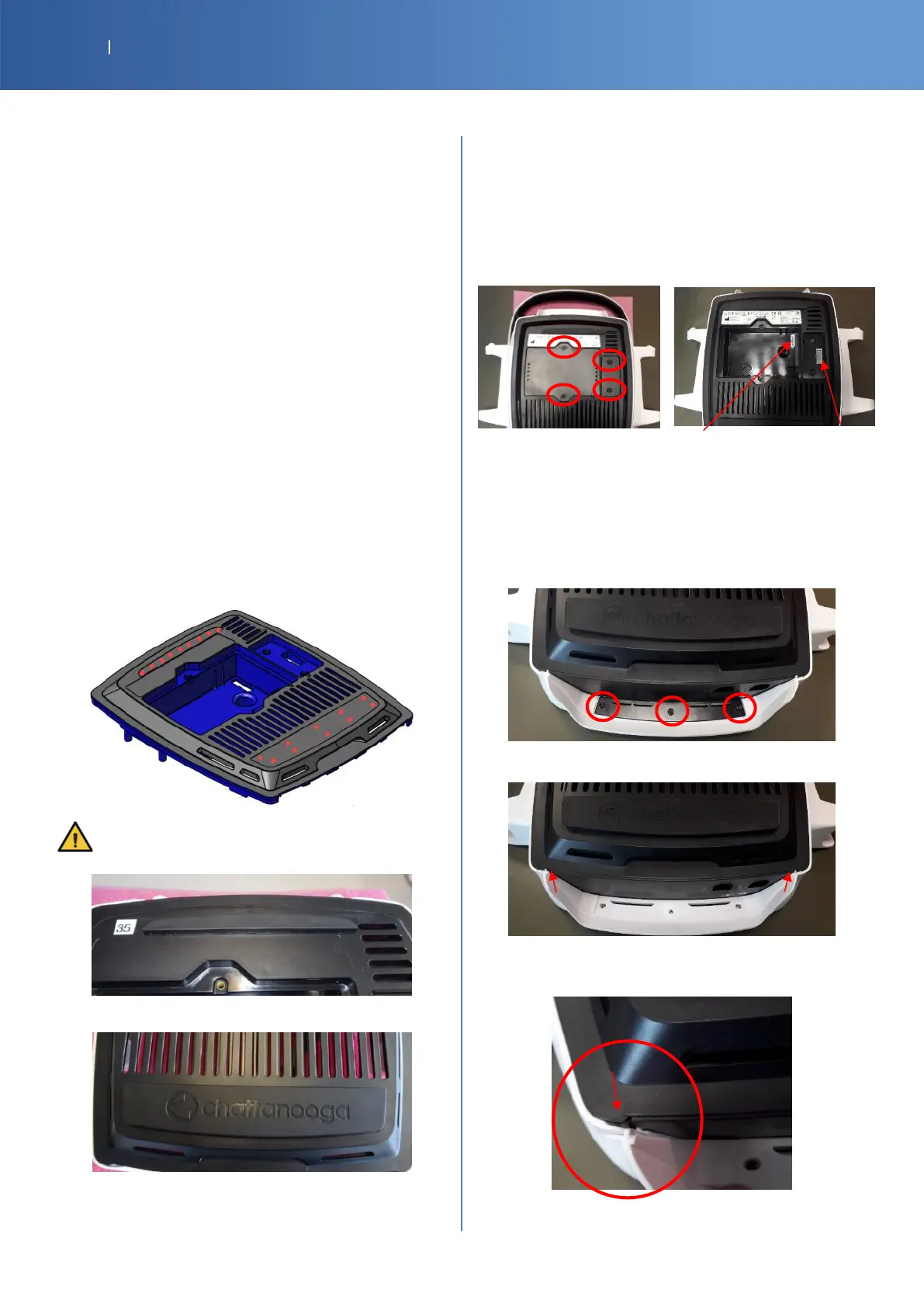
7.2. BOTTOM OF THE DEVICE
INSTALLATION OR REPLACEMENT OF BATTERY
14-1086 G16 LI-ION BATTERY
Unscrew the battery door on the bottom of the device
(2 screws)
Remove the battery door
Unplug and remove the battery (for a replacement)
Plug the new battery into the battery connector
Insert the battery in its location
Replace the battery door with the 2 screws
RUBBER FEET
G16-4121-SP RUBBER FOOT FRONT BLACK
G16-4131-SP RUBBER FOOT REAR BLACK
Remove as much as possible the parts of the old foot
and the glue residue with alcohol based product
Glue the Rubber feet front and rear
Type of glue: Loctite 403
Apply with a dispenser the right amount of glue. Glue
must fill the left and right extremities by little points
Press firmly for 15 seconds on the entire feet
surface of each foot.
Make sure alignment in target area is good.
Position back the device on its feet to have weight on
the feet and let dry for 1 hour
CONNECTION COVER BLACK
G16-4161-SP COVER BLACK
G16-4441-SP VACUUM CONNECTION COVER BLACK
Unscrew the door on the bottom of the device
(2 screws Torx T10)
Battery Vacuum
Connection Connection
FRONT LIP
G16-4461-SP MOB2 FRONT LIP W
G16-1091-SP MOB2 FRONT LIP CLAMP B
Unscrew and remove the lip clamp (3 screws Torx
T10)
Remove the lip to slide it to the up
Insert first the both side of the lip and slide down to
put back in place














 To Next Page