7.3. SEPARATING TOP & LOWER ASSEMBLY
Unplug the device from the mains first
ESD equipment is required to touch the PCBA
G16-4101-SP MOB2 DEVICE HANDLE
INTERNAL BLACK
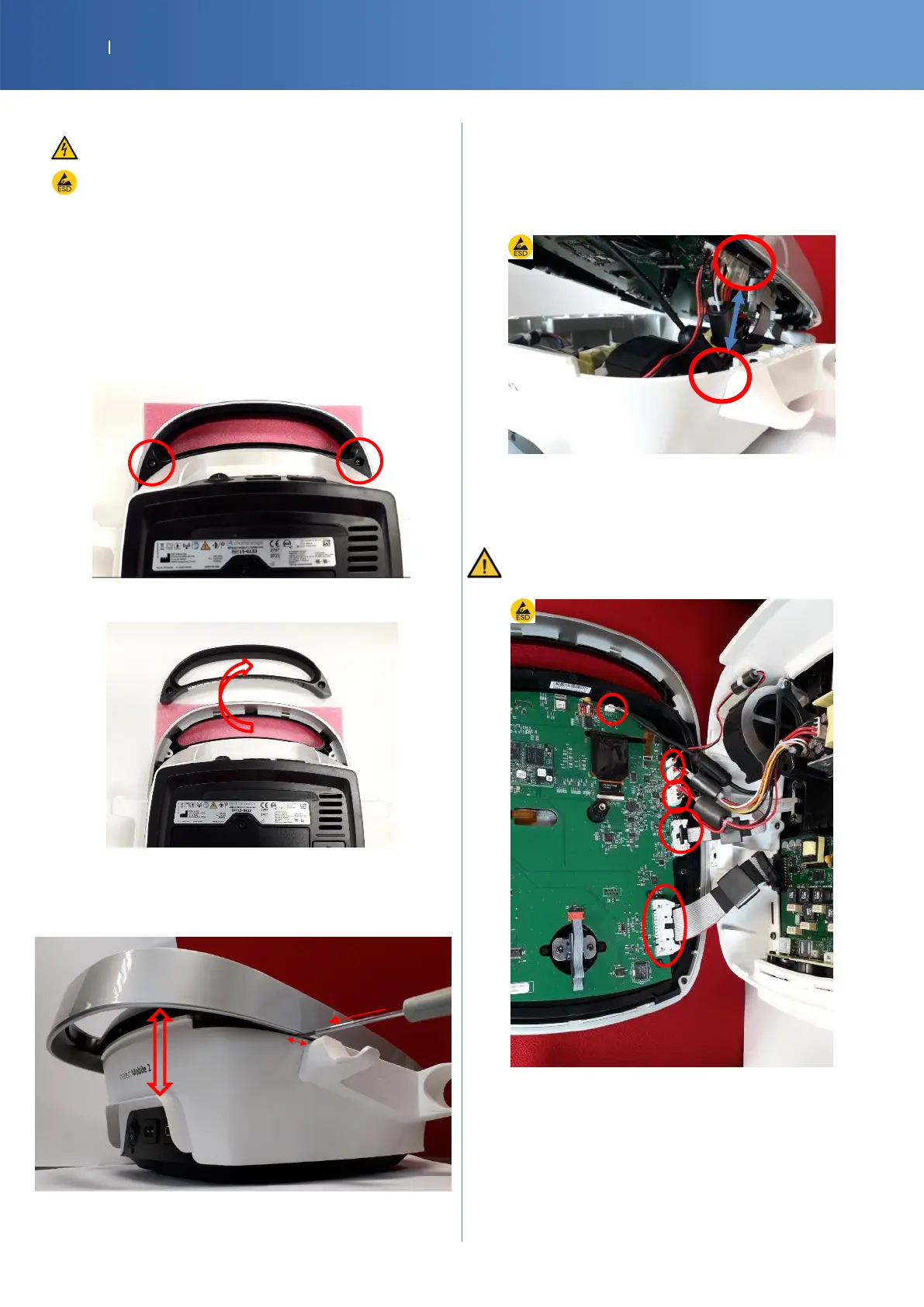
Unscrew the handle lock piece and remove the
handle lock piece
Turn the device upside down on a soft surface (to
avoid damaging the IMD lens and knob button),
Unscrew the handle lock piece (Torx T20 2 x
M4x12)
Remove the handle lock piece
Return the device on its feet
Insert a little flat screwdriver 1 cm near of US
applicator support.
Gently push on the screwdriver and, in the same
time, separate gently the top and the lower part
Put the front face on the left side to disconnect all
the cables(x5)
To separate completely the top, disconnect the
following 6 connectors. (unlock and pull)














 To Next Page