7.4. TOP SUB ASSEMBLY
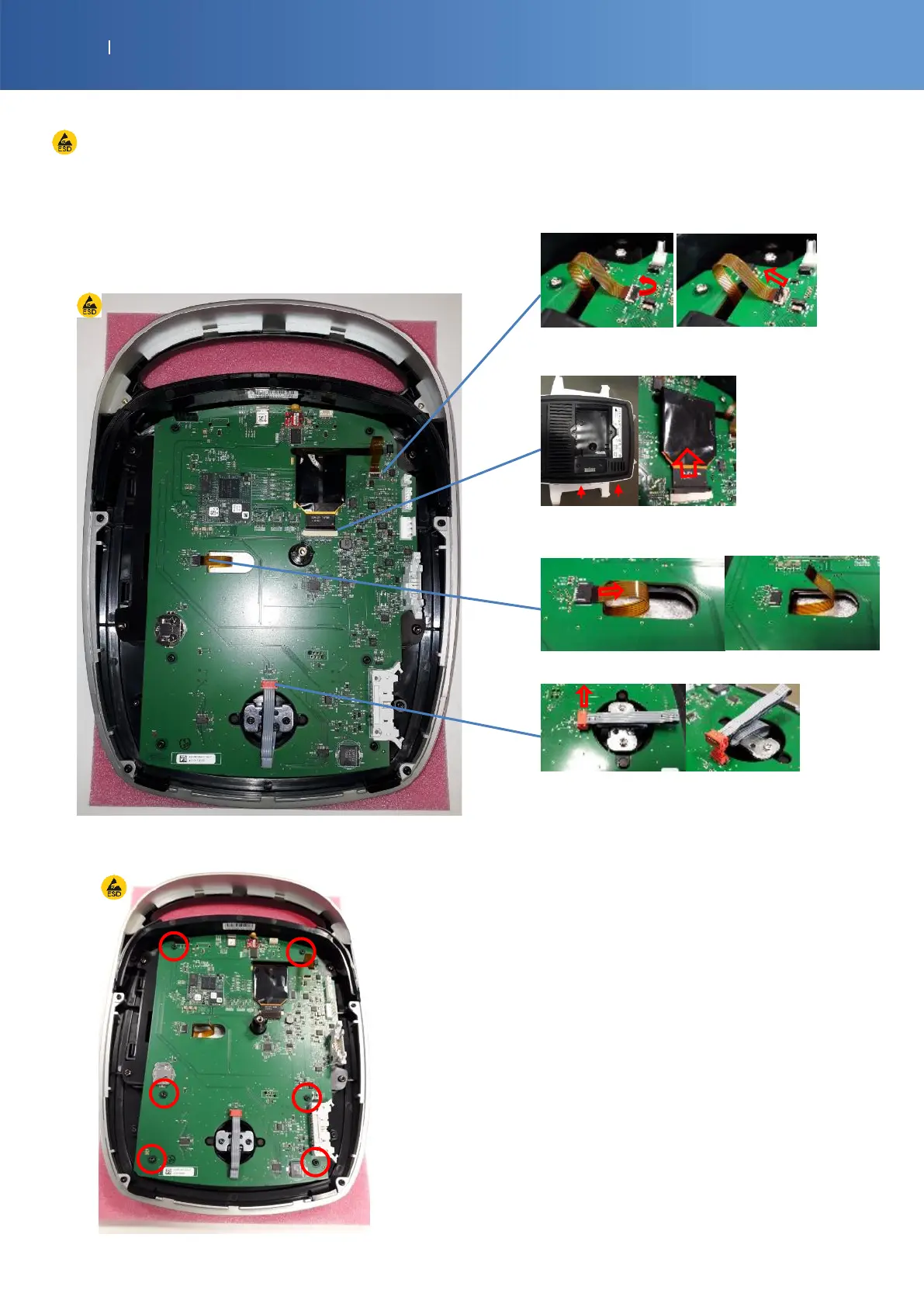
ESD equipment is required to touch the PCBA
CONTROL BOARD
G16-0010-SP MOB2 CONTROL PCBA
1) To remove the control board, disconnect all
ribbon cables
Back light: Open the connector before disconnecting the
ribbon cable horizontally
LCD: Open the connector (booth side in the same time)
before disconnecting the ribbon cable horizontally
Touch screen: Pull the ribbon cable horizontally
Knob: Pull the connector vertically
2) Unscrew these 6 screws (Torx T10)














 To Next Page