7.6. REASSEMBLY and VISUAL CHECK
Unplug the device from the mains first
ESD equipment is required to touch the PCBA
Remove all dust or other parts which could have
moved inside the device before closing.
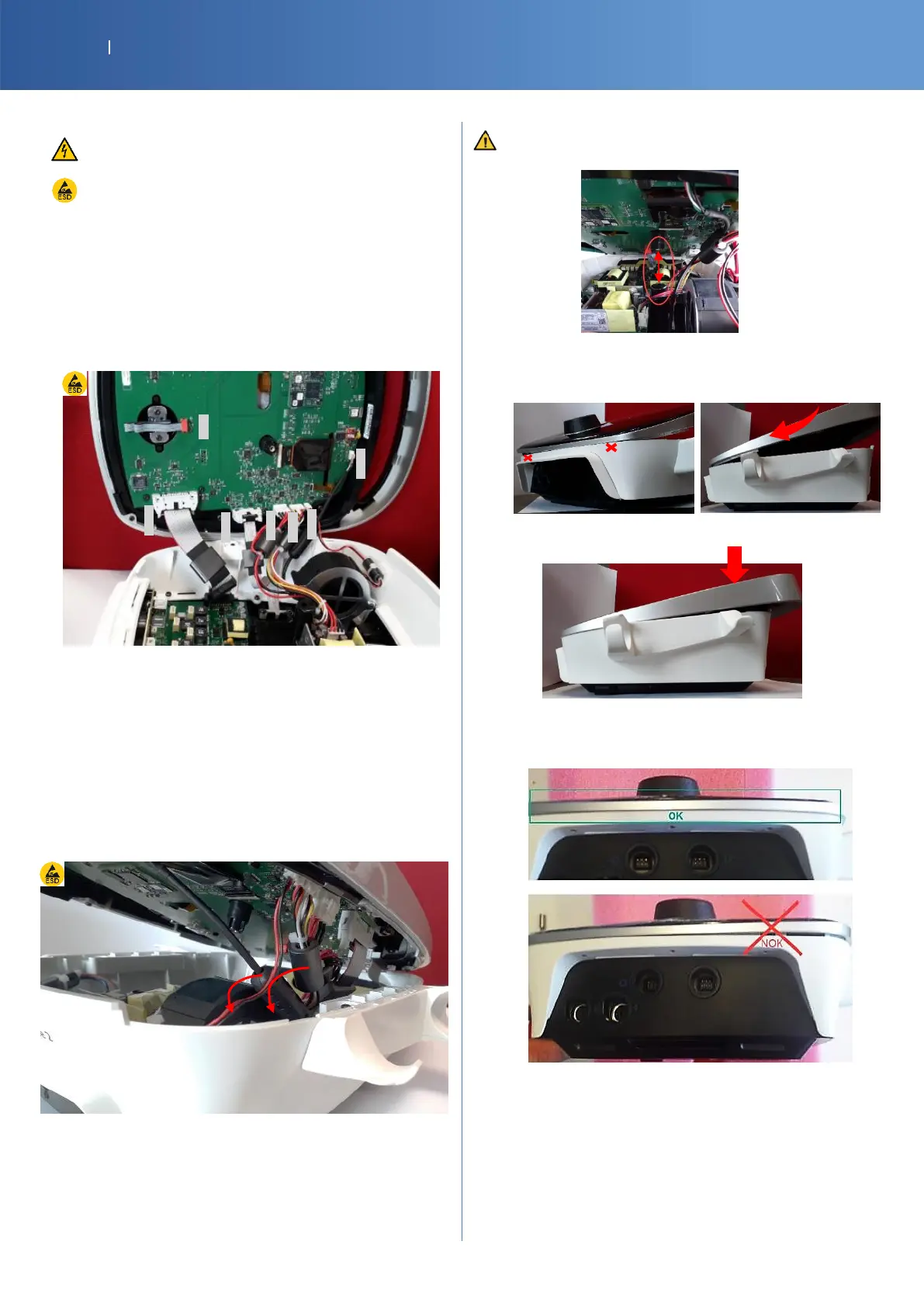
Reconnect the cables on the control board in this
right order :1 → 6
Verify all the internal connection of all cables (1→7)
Make sure the encoder is also plugged
The cable must be correctly plugged and connector
locking system in place
Store the cables between the fan and the white base :
first the USB ferrite, than the battery cable ferrite and
finally the CTRL board cable ferrite
Ensure all cables are clear of the side wall edges of
the two enclosures and center post.
Start inserting the front part of the top body, then
move the top body forward.
Finally close the top body.
Check if the device is correctly closed and screw
the handle lock piece (Torx T20)














 To Next Page