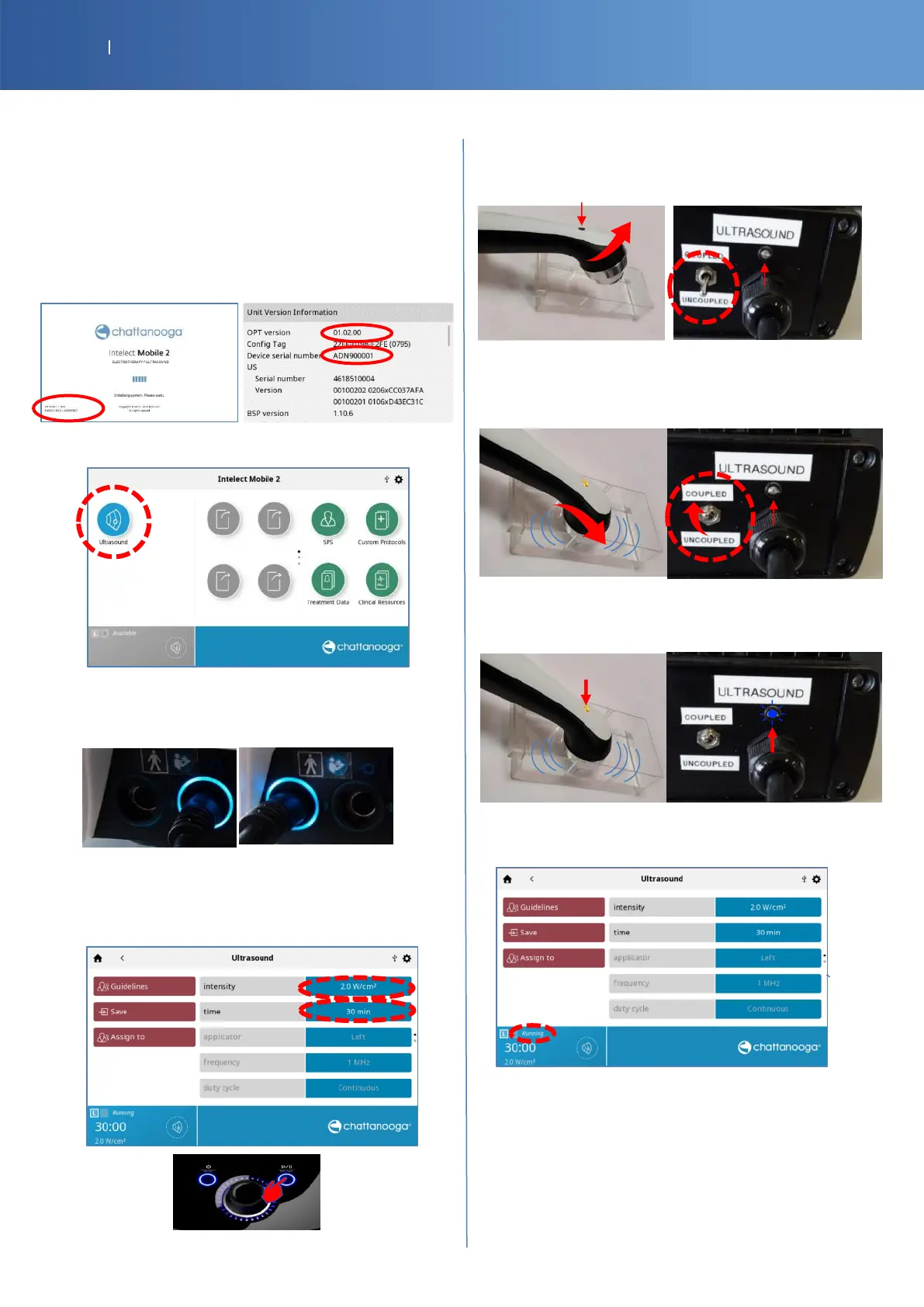
8.1. INTELECT MOBILE 2 ULTRASOUND
Use a test US applicator and the G16 test load box (PN
14-9706-2)
•
Print the tracker sheet (P50)
•
Write on this tracker sheet the Serial number and the
Software version (§ 1 & 2) (on the boot screen or in
Settings /Display Unit Version Information (page 24))
• Press the “Ultrasound” icon.
• Check if the LED around the right connector is on.
Then put the connector on the left side and check the
LED.
• Select the “intensity” field and increase the value until
2.0 W/Cm2.
• Select the field “time” and increase the value with the
knob until 30 min, then press the “Play” button.
• Check if the if the LED of US applicator (or G16 Test
Load) is lit intermittently and there is a sound.
The applicator must be in air or in the holder
• Wait about 5 seconds and put the transducer in water
(or set the G16 Test Load switch ULTRASOUND to
“COUPLED”).
• Check if the if the LED of US applicator (or G16 Test
Load) is lit continuous.
• You should have the Ultrasound status channel
“Running.
• Let the program “Running” for about 15 seconds and
verify that there is not pause or any popped error.
Move the applicator cable to check if no bad contact or
bad connection in the cable or connector
• Check Pass/Fail the tracker sheet § 3 if the program
runs without problem.














 To Next Page